Use your own domain
Serve a shared dashboard at your own address, like reports.youragency.com, with only your branding.
Quick steps
- Open Domain
- Enter your subdomain
- Connect domain
- Add the DNS record
- Check status
Step by step
Prefer reading? Every step shows the screen you’ll see. Click a time to jump the video there.
-
1
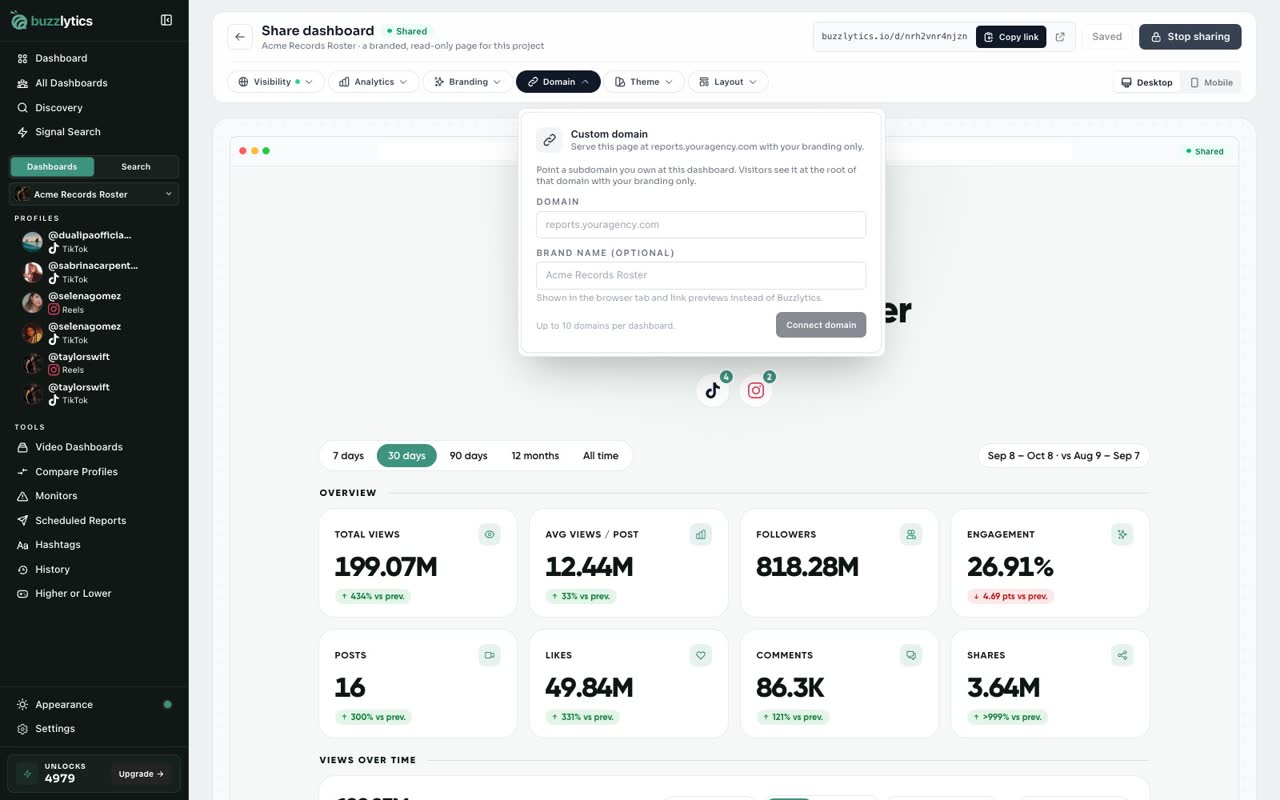
Open Domain
Share the dashboard first, then open the Domain tab on the share page.
-
2
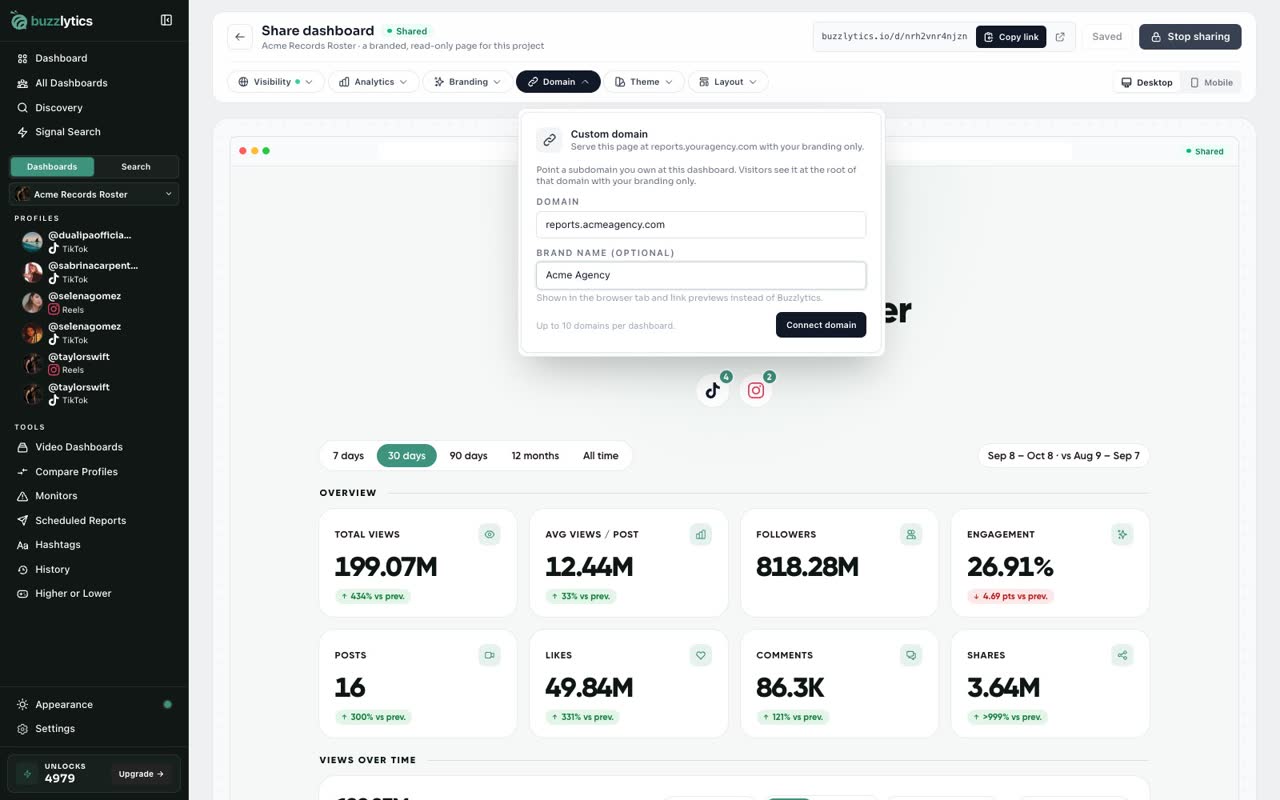
Enter your subdomain
Type a subdomain you own, like reports dot your agency dot com, and the brand name to show.
-
3
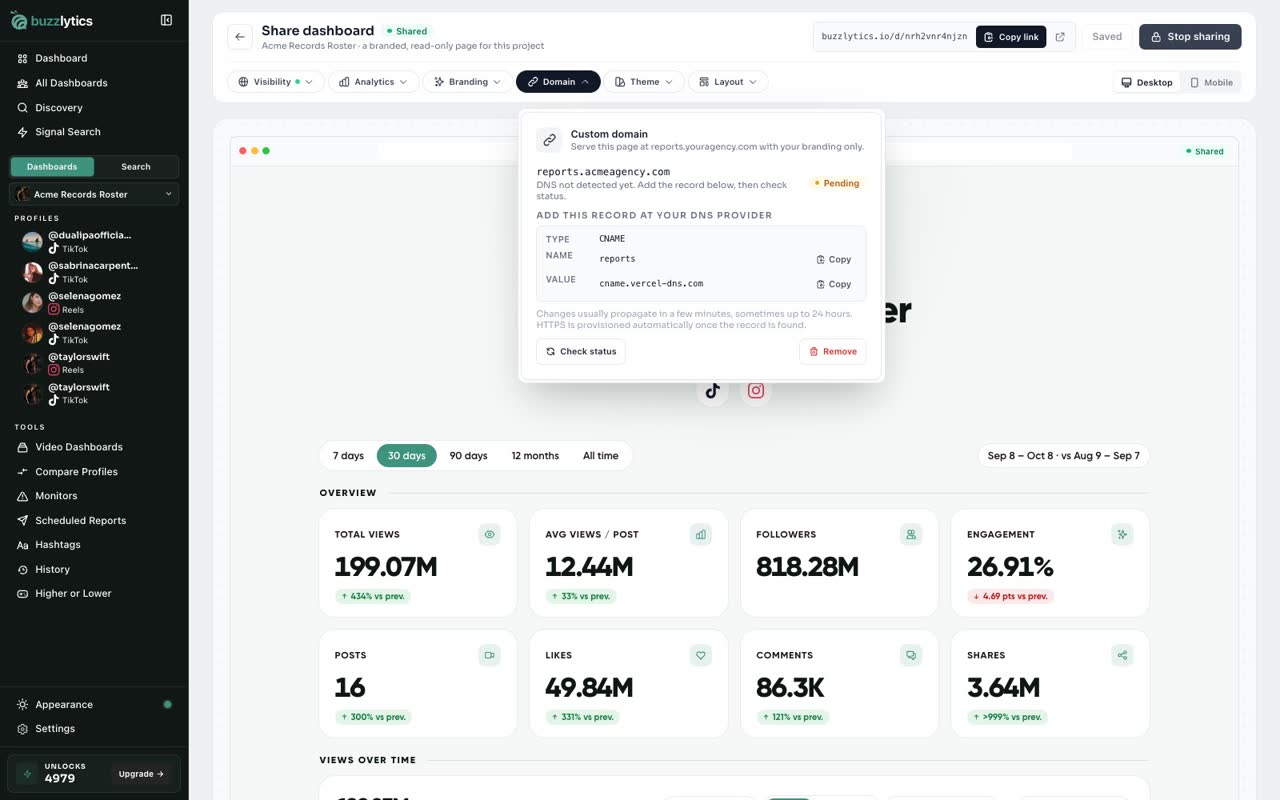
Connect domain
Click Connect domain. It shows as Pending until your DNS is set up.
-
4
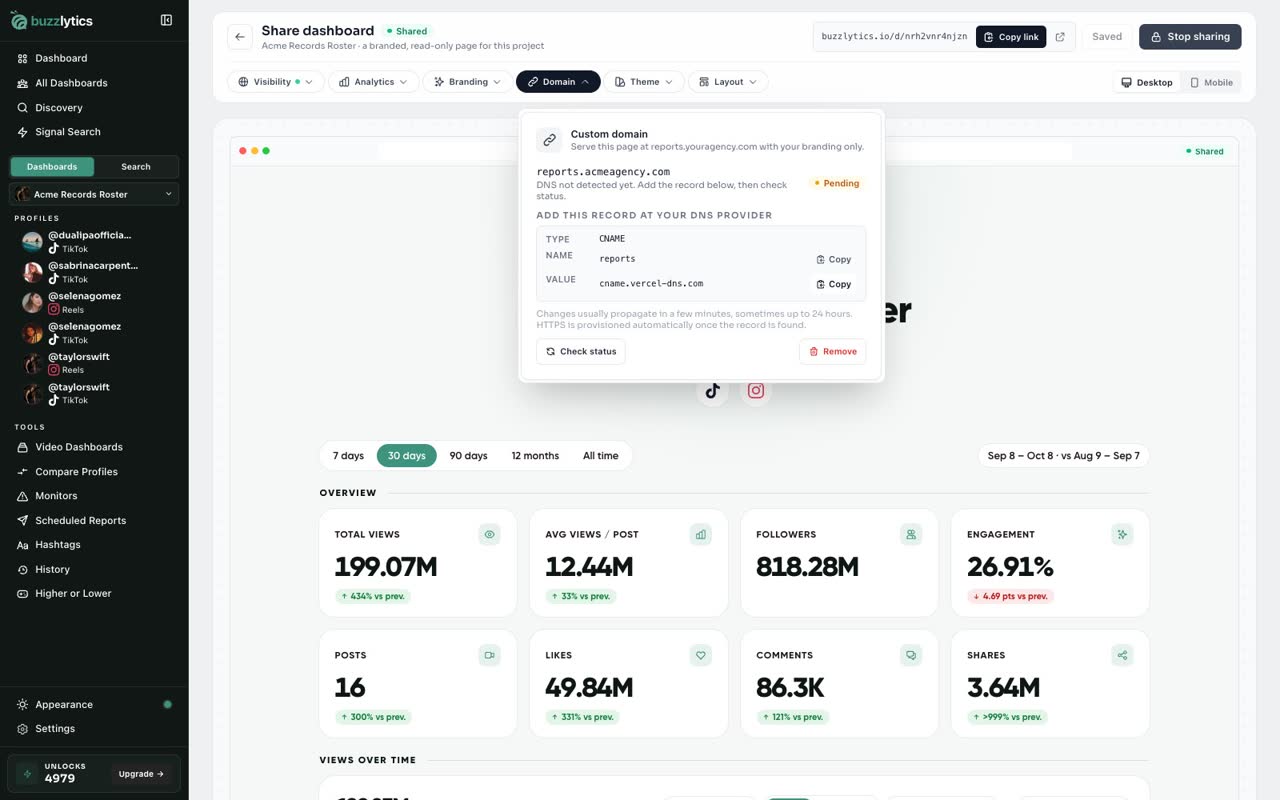
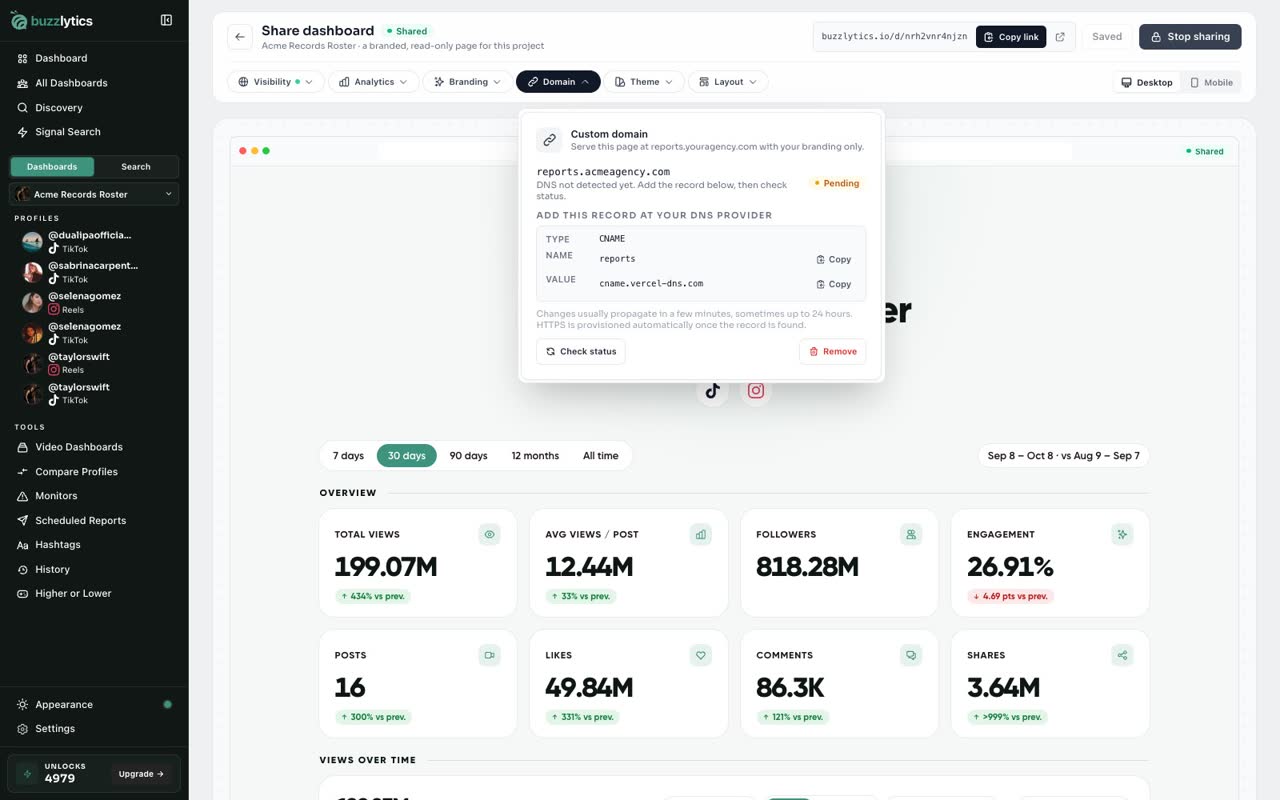
Add the DNS record
At your domain provider, add the CNAME record shown here. Use the copy buttons for the name and value.
-
5
Check status
Then click Check status. DNS can take a few minutes, and secure HTTPS is set up for you once it is found.
Good to know
- Custom domains are included on Growth and Scale.
- Use a subdomain you own, like reports.youragency.com. Sharing must be on for the domain to show the dashboard.
- If the domain is already used somewhere else, you will also see a TXT record to prove you own it.
Read the full transcript
In this video, you will put a shared dashboard on your own web address.
Share the dashboard first, then open the Domain tab on the share page.
Type a subdomain you own, like reports dot your agency dot com, and the brand name to show.
Click Connect domain. It shows as Pending until your DNS is set up.
At your domain provider, add the CNAME record shown here. Use the copy buttons for the name and value.
Then click Check status. DNS can take a few minutes, and secure HTTPS is set up for you once it is found.
Next up, pDF reports and the AI report writer.