Hashtag analysis
See the top TikTok hashtags this week, then break any hashtag down by its top posts, top creators and best time to post.
Quick steps
- Trending hashtags
- Analyze a hashtag
- Read the sample
- Top creators
- When top posts go live
- Browse the videos
Step by step
Prefer reading? Every step shows the screen you’ll see. Click a time to jump the video there.
-
1
Trending hashtags
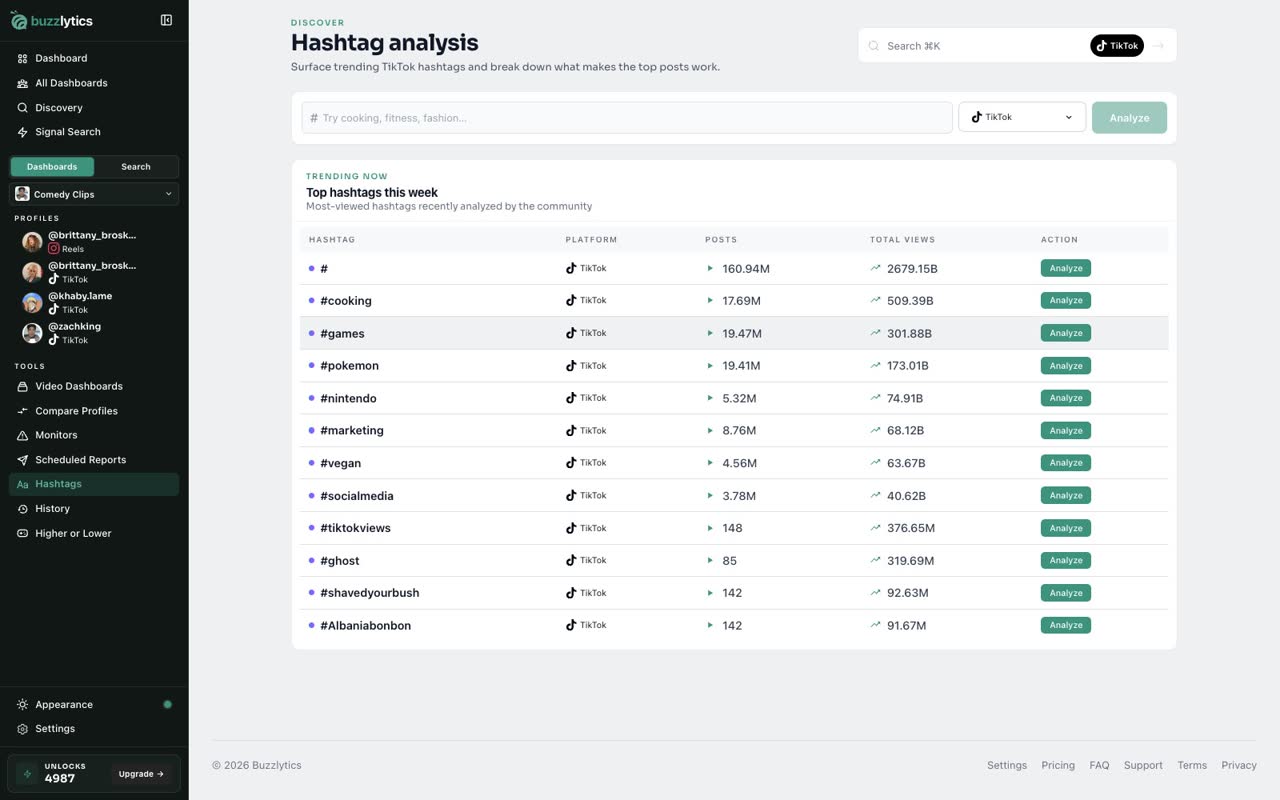
Open Hashtags from the sidebar. It starts with the most viewed hashtags this week, with their posts and total views.
-
2
Analyze a hashtag
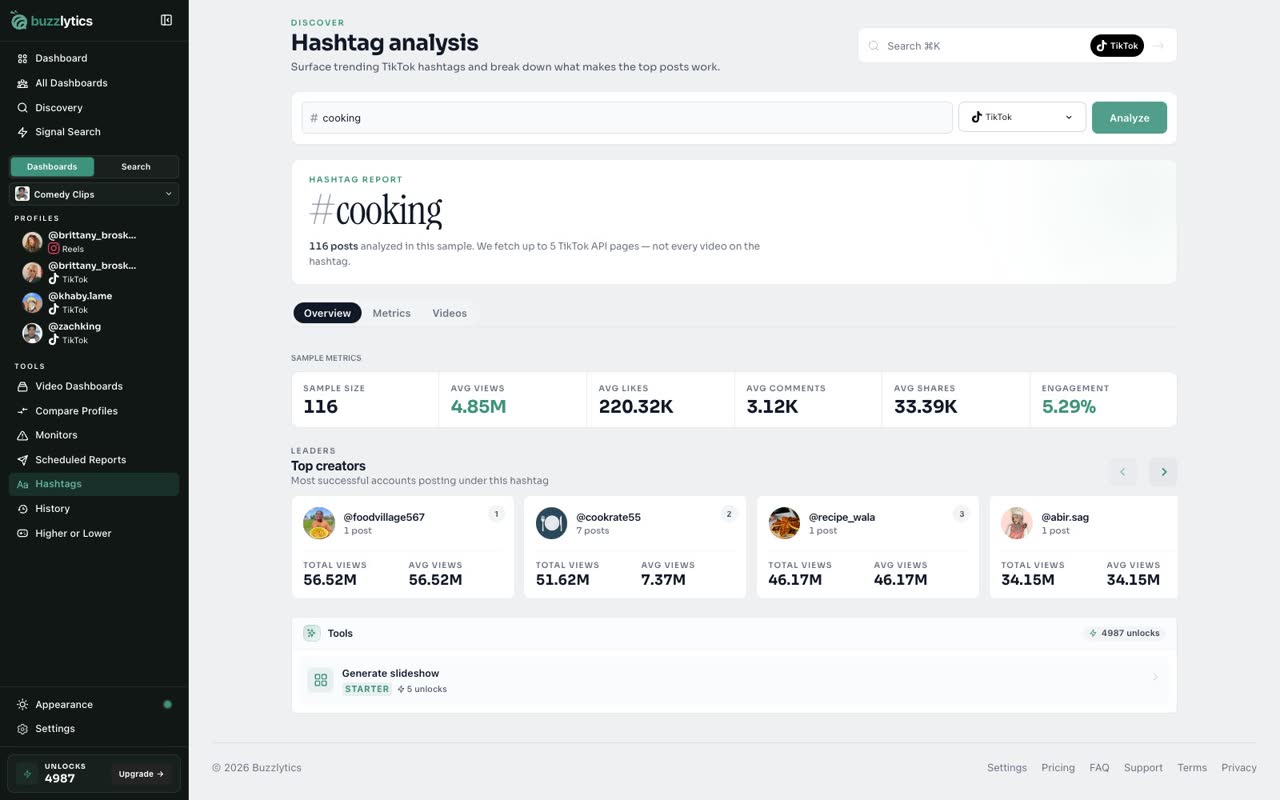
Type any hashtag and click Analyze. A new hashtag can take a minute or two.
-
3
Read the sample
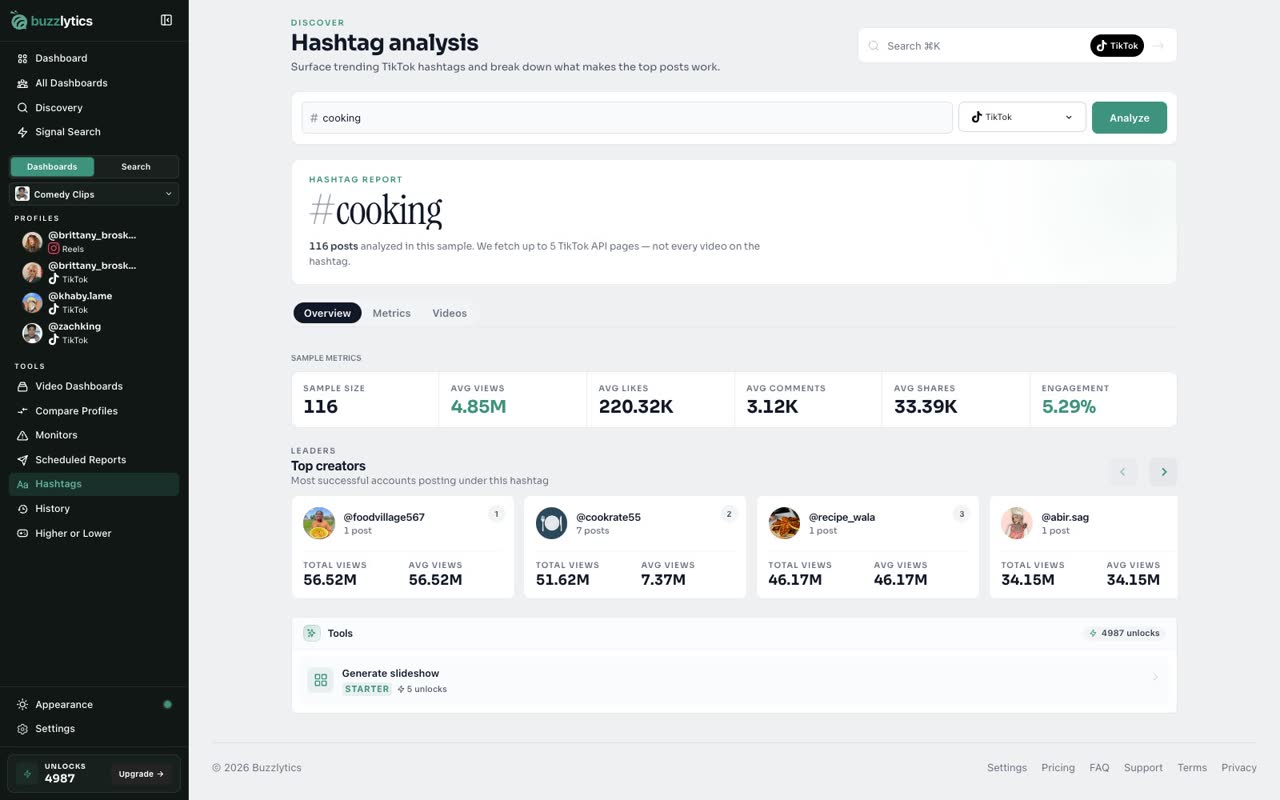
The report samples recent top posts, and shows their average views, likes, comments, shares and engagement.
-
4
Top creators
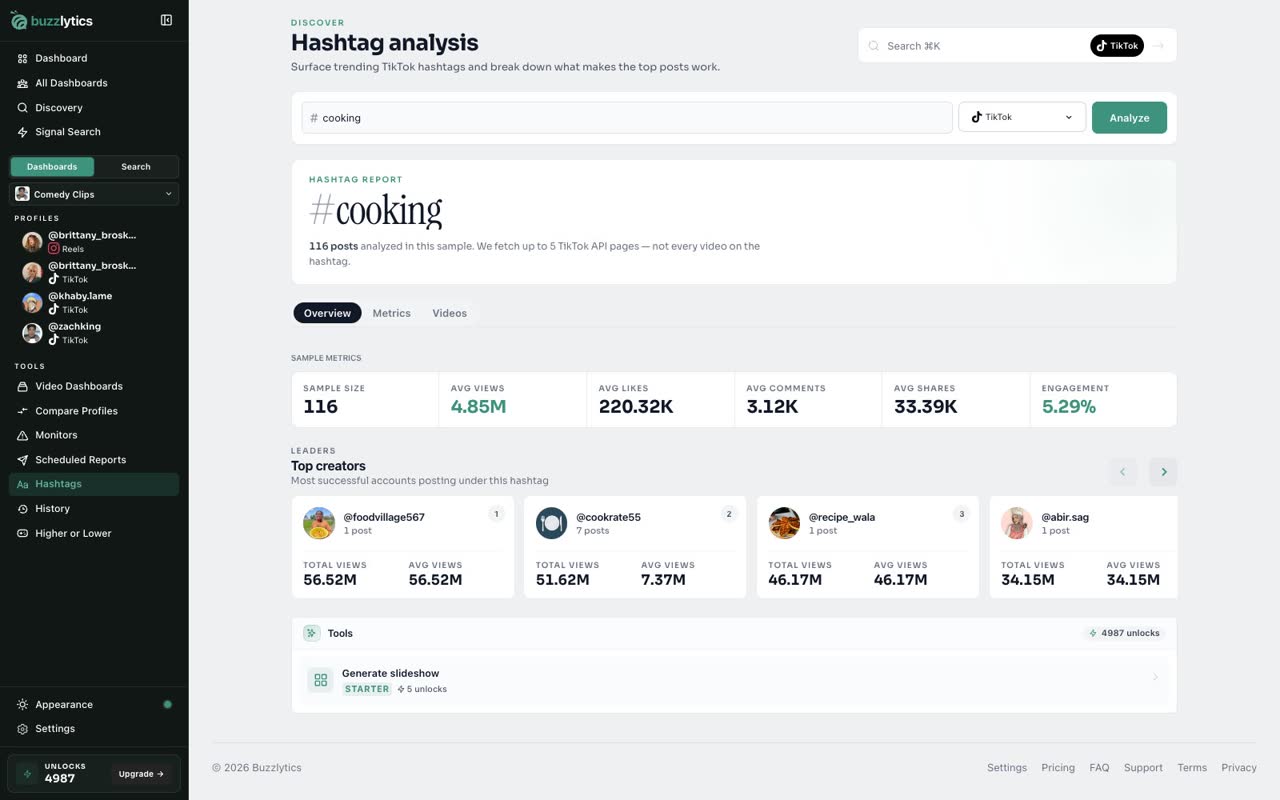
Top creators shows who is winning with this hashtag right now.
-
5
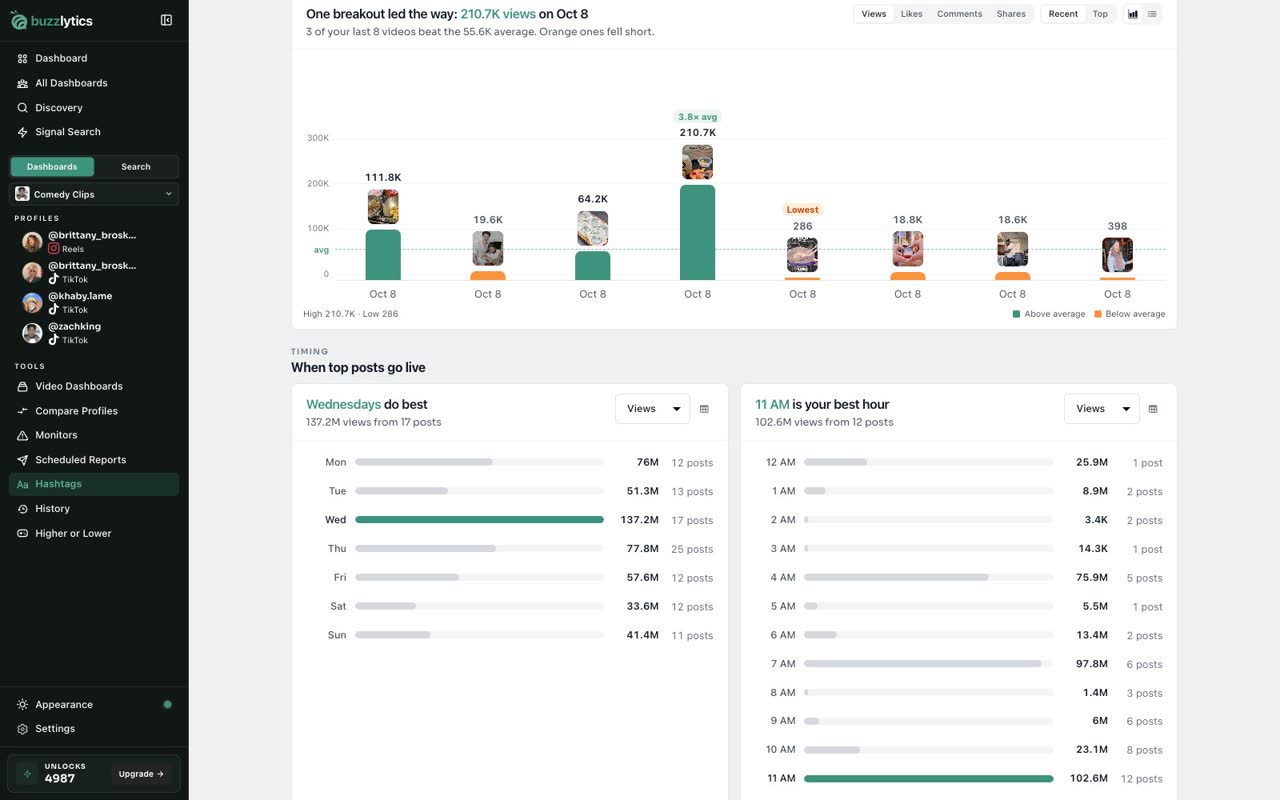
When top posts go live
Open Metrics to see which posts broke out, and the best day and hour to post.
-
6
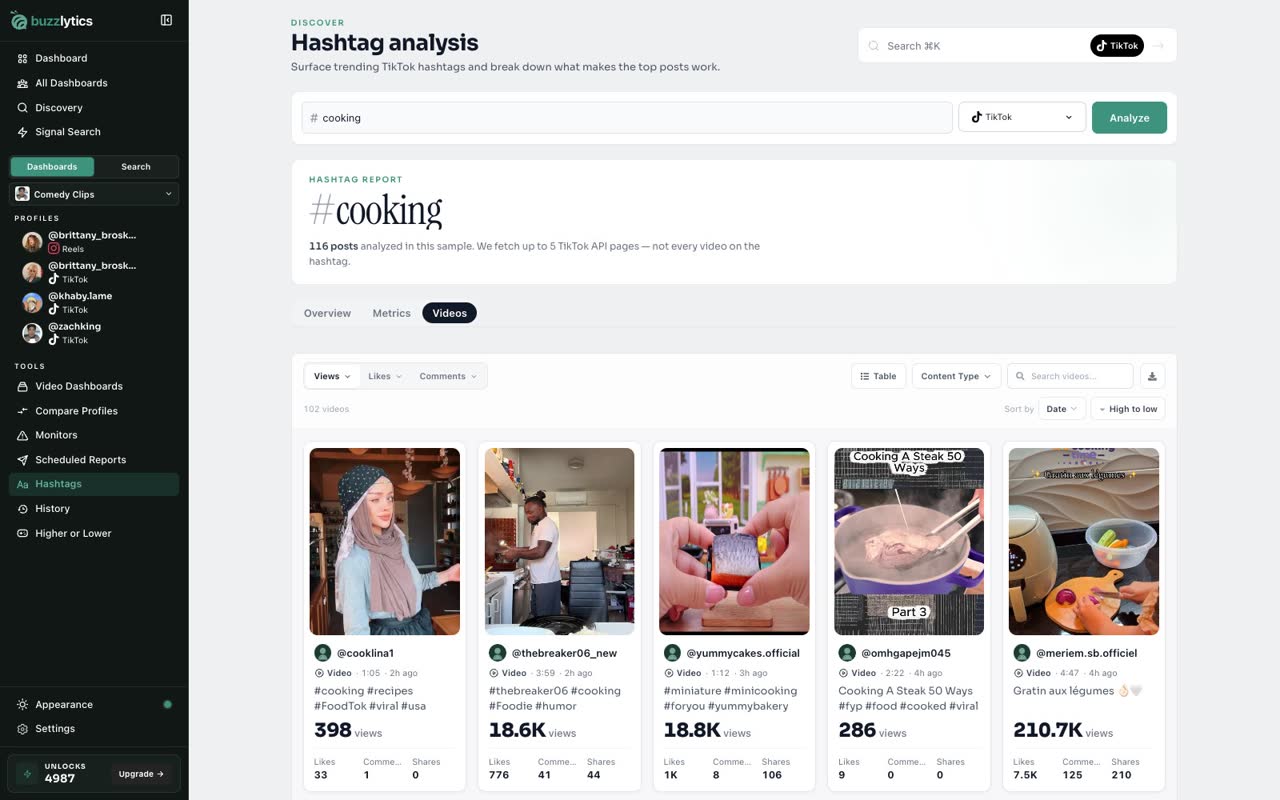
Browse the videos
And the Videos tab lists every post in the sample, so you can watch what works.
Good to know
- A new hashtag usually takes 1 to 2 minutes to analyze. Results are a sample of up to 5 pages of recent TikTok posts, not every video.
- On the free plan you can browse trending hashtags. Analyzing your own needs Starter or above.
Read the full transcript
In this video, you will analyze a TikTok hashtag.
Open Hashtags from the sidebar. It starts with the most viewed hashtags this week, with their posts and total views.
Type any hashtag and click Analyze. A new hashtag can take a minute or two.
The report samples recent top posts, and shows their average views, likes, comments, shares and engagement.
Top creators shows who is winning with this hashtag right now.
Open Metrics to see which posts broke out, and the best day and hour to post.
And the Videos tab lists every post in the sample, so you can watch what works.
Next up, your search history.