Signal Search
Search one name, topic or hashtag across TikTok, Reels, Shorts, Meta, Snapchat and Bluesky at once, for both accounts and posts.
Quick steps
- Pick your networks
- Search once
- Matching accounts
- Matching posts
- Sort and filter
Step by step
Prefer reading? Every step shows the screen you’ll see. Click a time to jump the video there.
-
1
Pick your networks
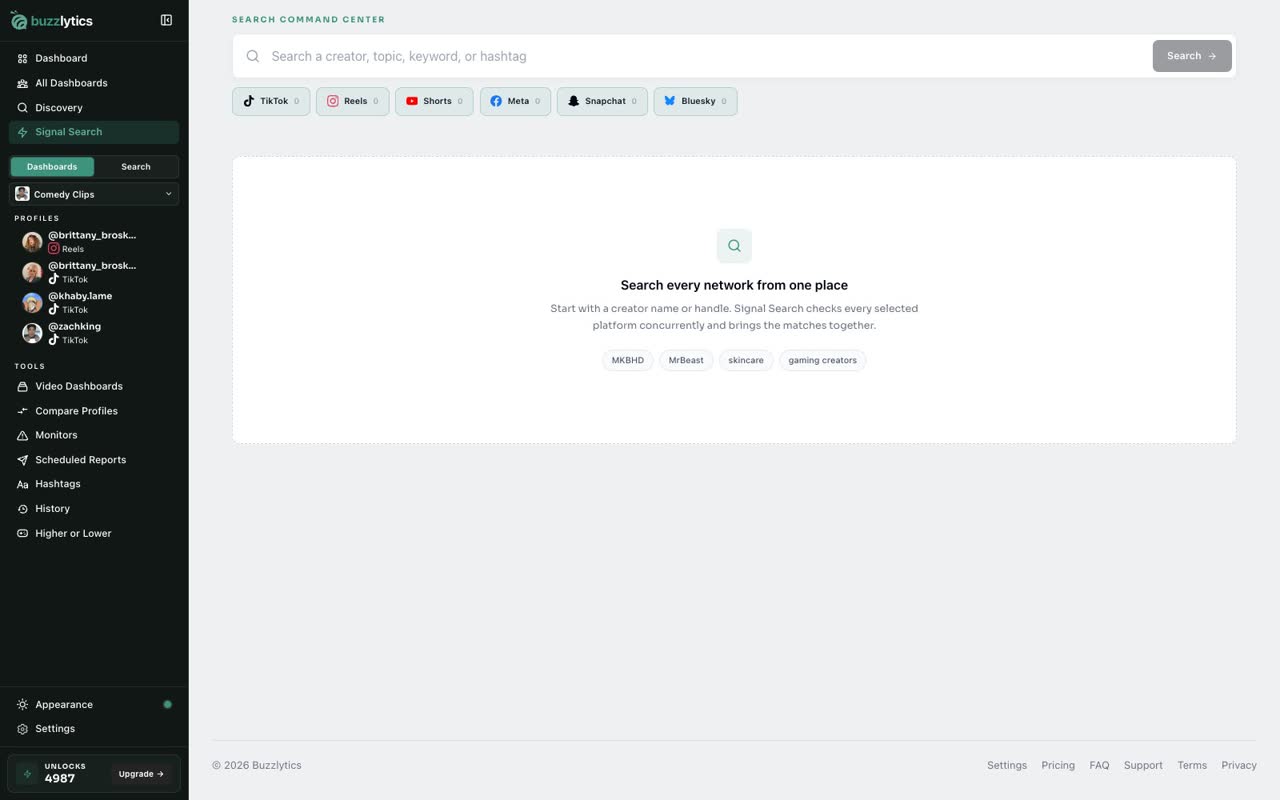
Open Signal Search from the sidebar. Every network is on by default. Click one to leave it out.
-
2
Search once
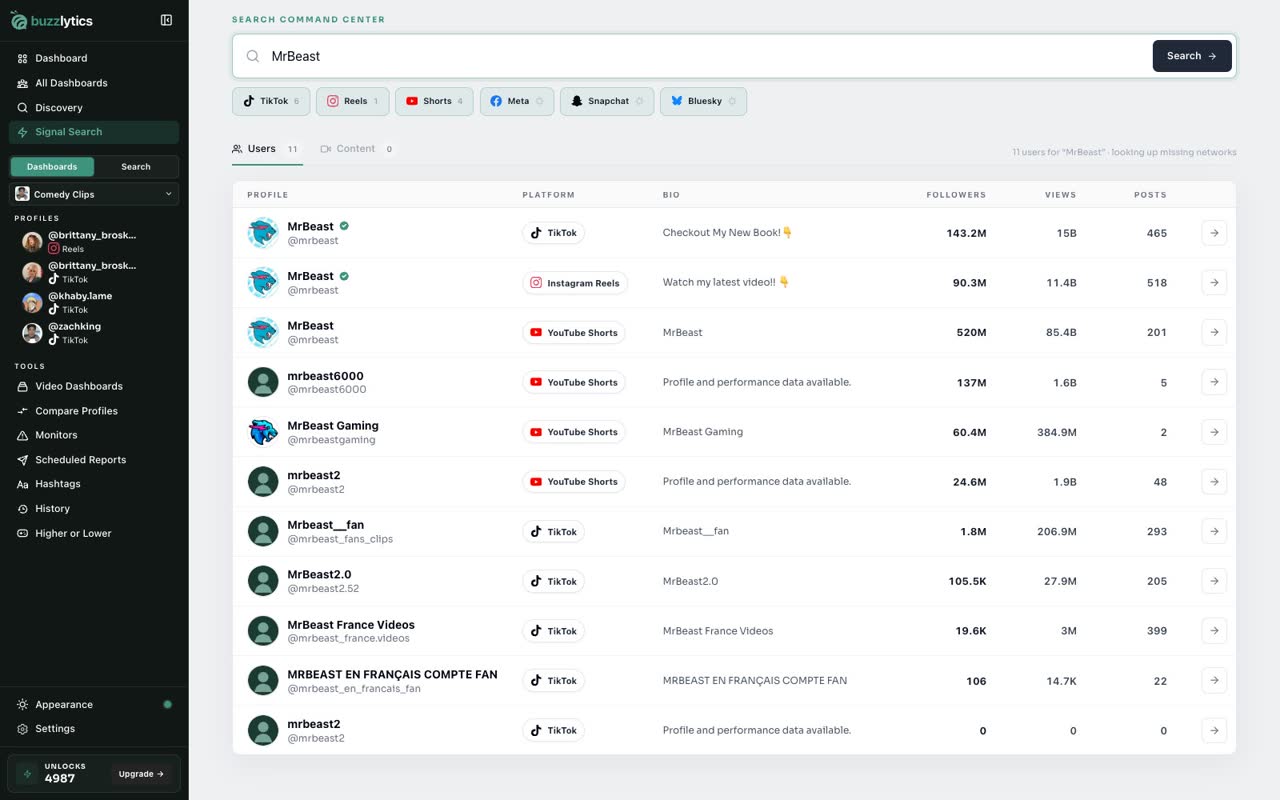
Type a creator, topic, keyword or hashtag, and click Search.
-
3
Matching accounts
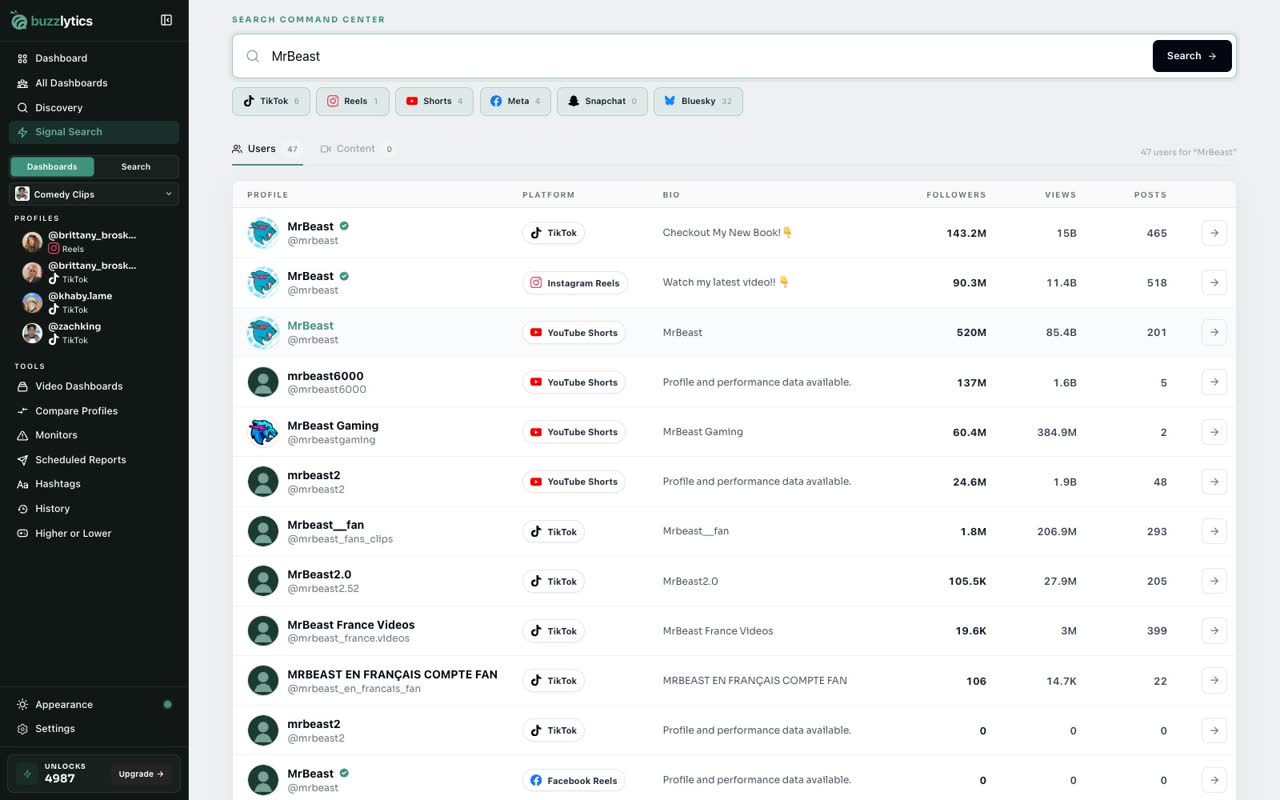
The Users tab lists matching accounts on every platform, with followers, views and posts side by side.
-
4
Matching posts
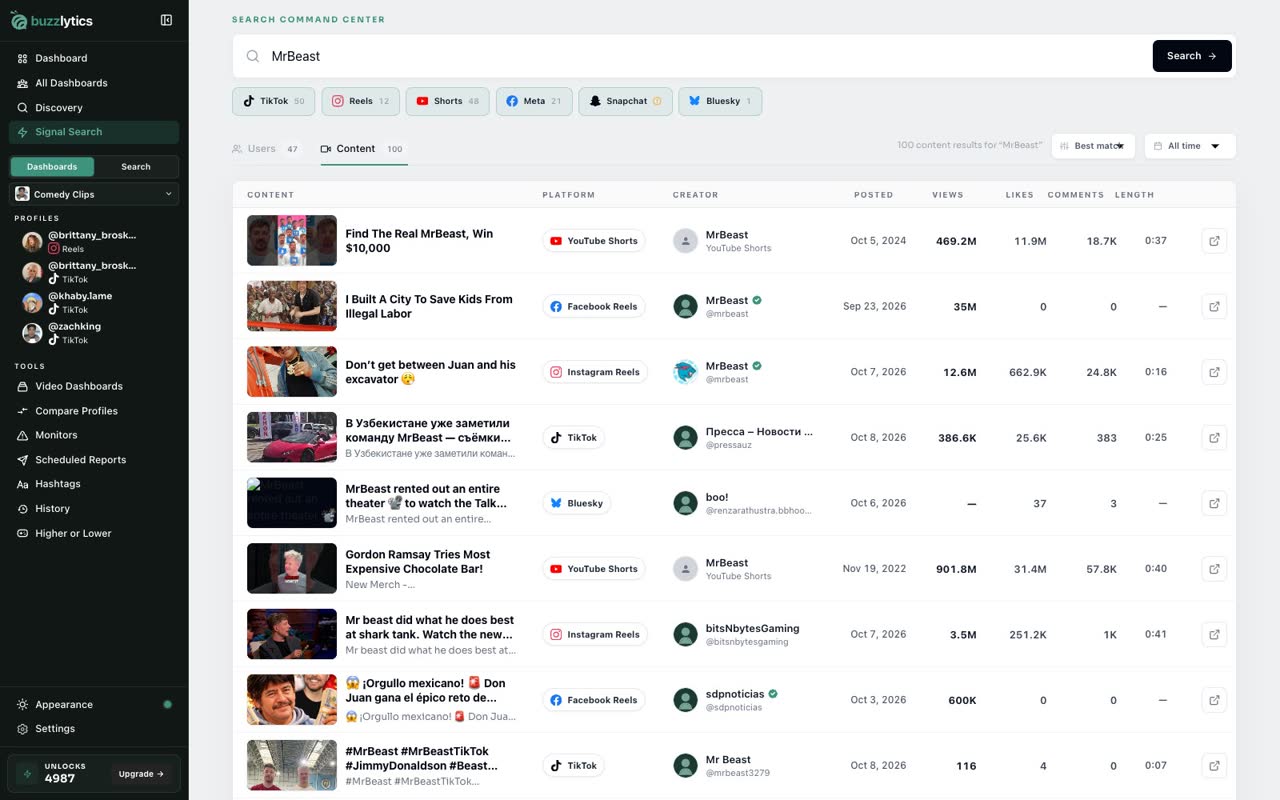
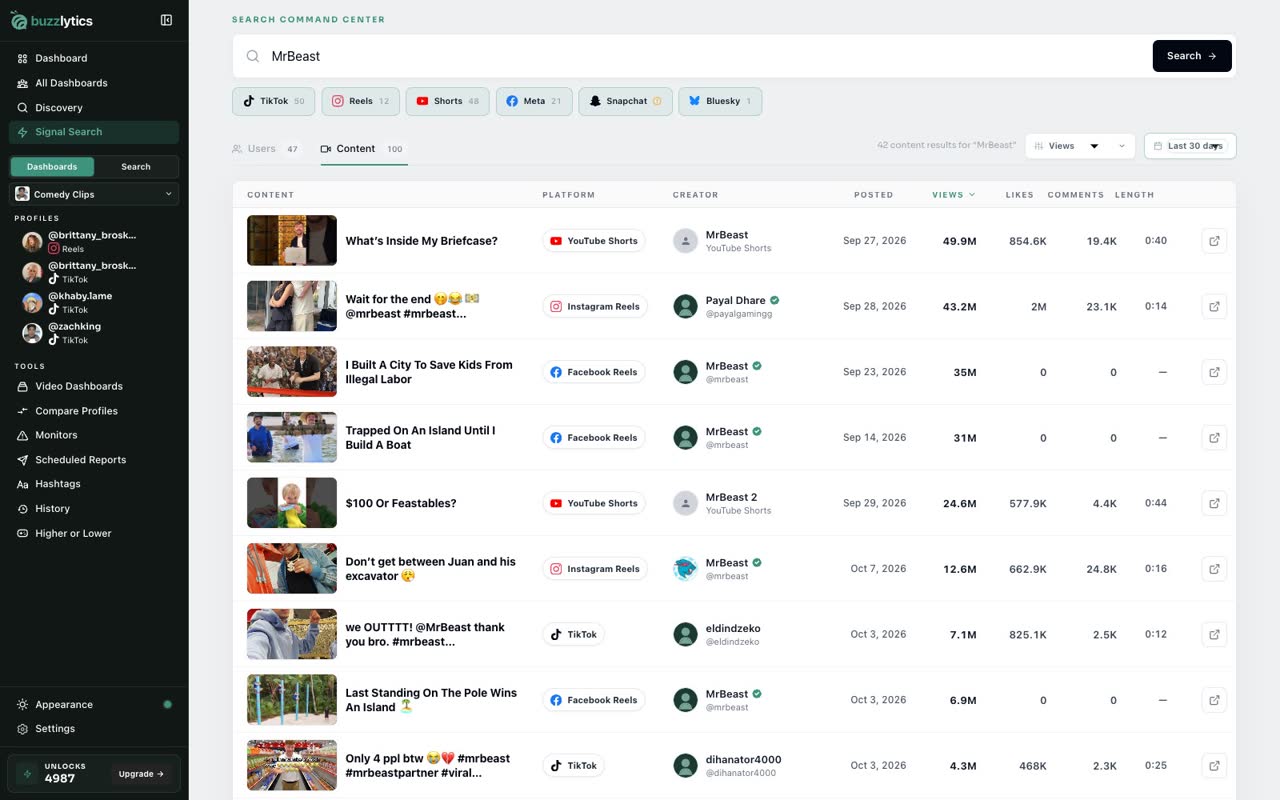
Switch to the Content tab to see matching posts from every network in one list.
-
5
Sort and filter
Sort by views, likes, comments or date, and narrow it to the last day, week or month.
Good to know
- Searching does not use unlocks. Opening a profile you have not looked up before uses 1.
- On the free plan, Signal Search shows a preview of matching accounts. The Content tab needs Starter or above.
Read the full transcript
In this video, you will search every network at once with Signal Search.
Open Signal Search from the sidebar. Every network is on by default. Click one to leave it out.
Type a creator, topic, keyword or hashtag, and click Search.
The Users tab lists matching accounts on every platform, with followers, views and posts side by side.
Switch to the Content tab to see matching posts from every network in one list.
Sort by views, likes, comments or date, and narrow it to the last day, week or month.
Next up, hashtag analysis.