Invite your team
Invite teammates by email, pick their role, fine-tune what each person can do, and cap how many unlocks they spend.
Quick steps
- Open Team settings
- Invite by email
- Pick a role
- Send the invite
- Fine-tune permissions
- Set an unlock limit
Step by step
Prefer reading? Every step shows the screen you’ll see. Click a time to jump the video there.
-
1
Open Team settings
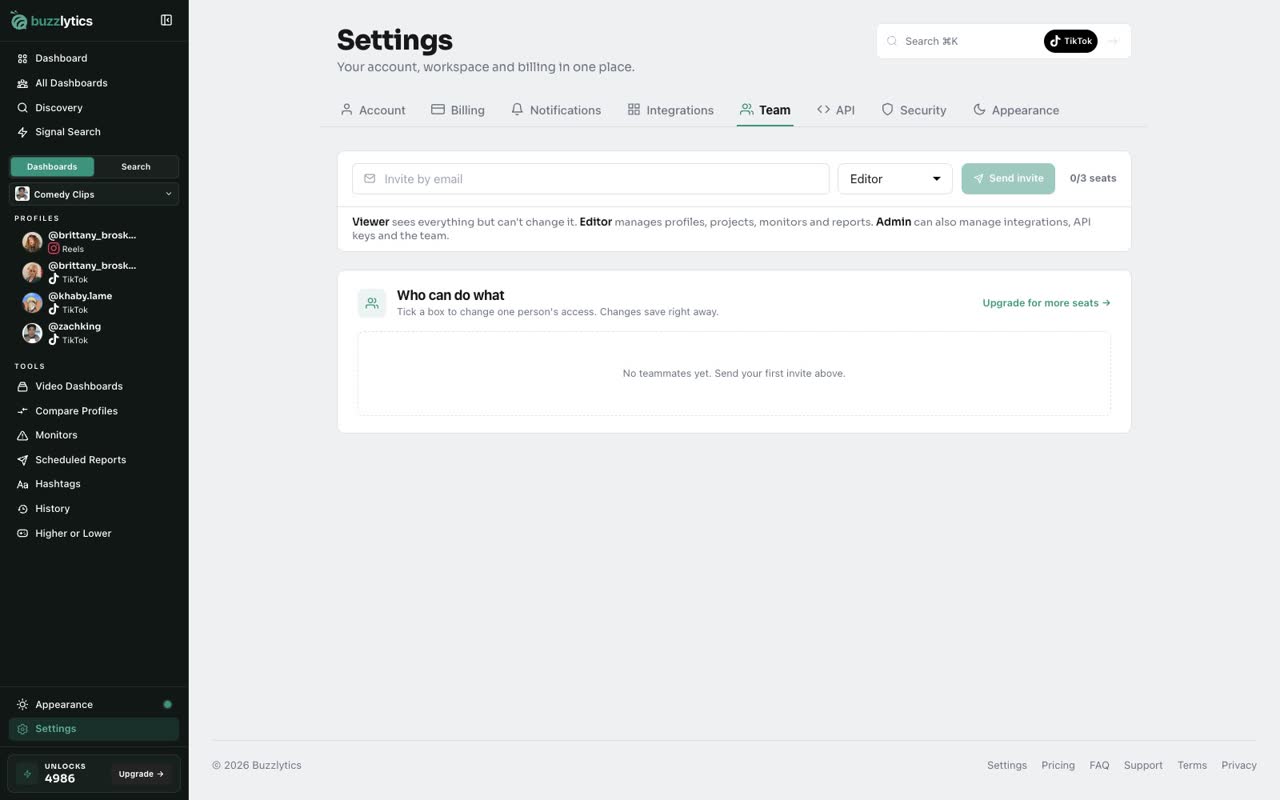
Go to Settings and open the Team tab. The counter shows how many seats your plan has left.
-
2
Invite by email
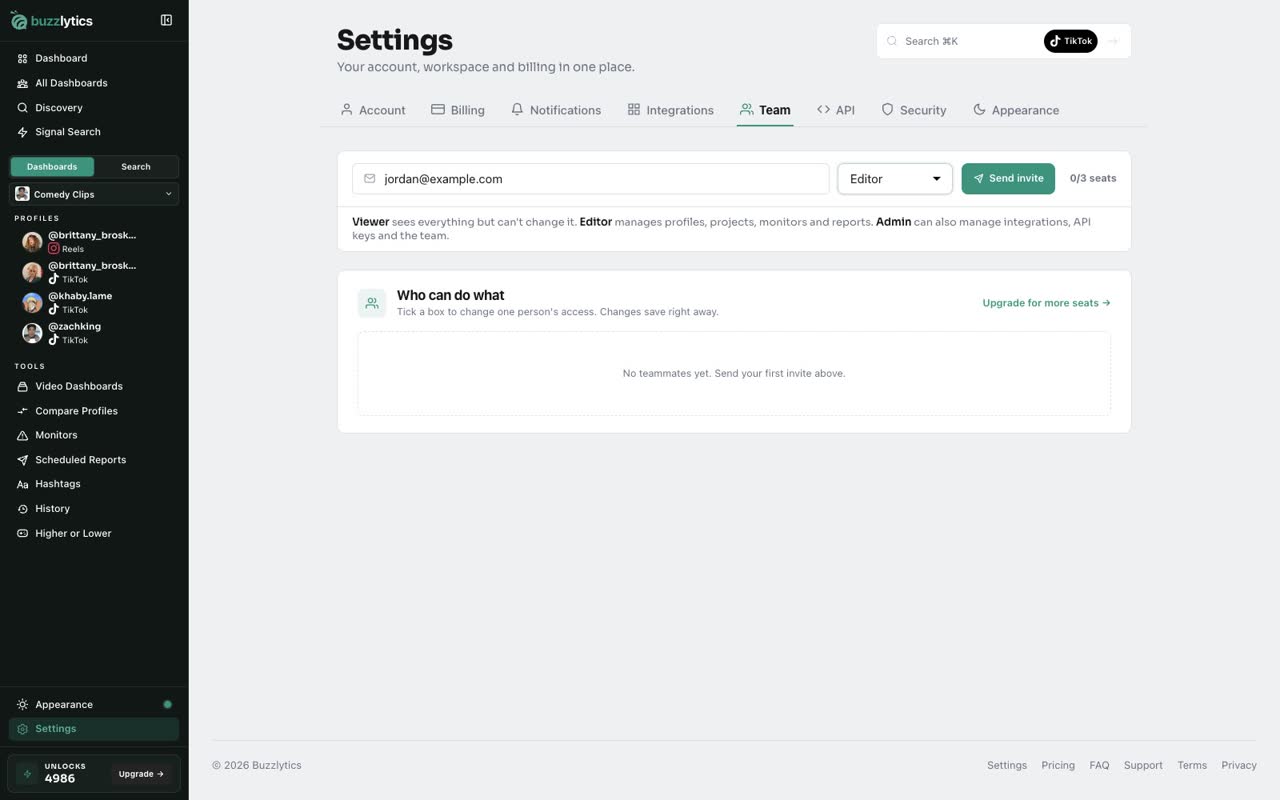
Type your teammate's email in Invite by email, then choose a Role.
-
3
Pick a role
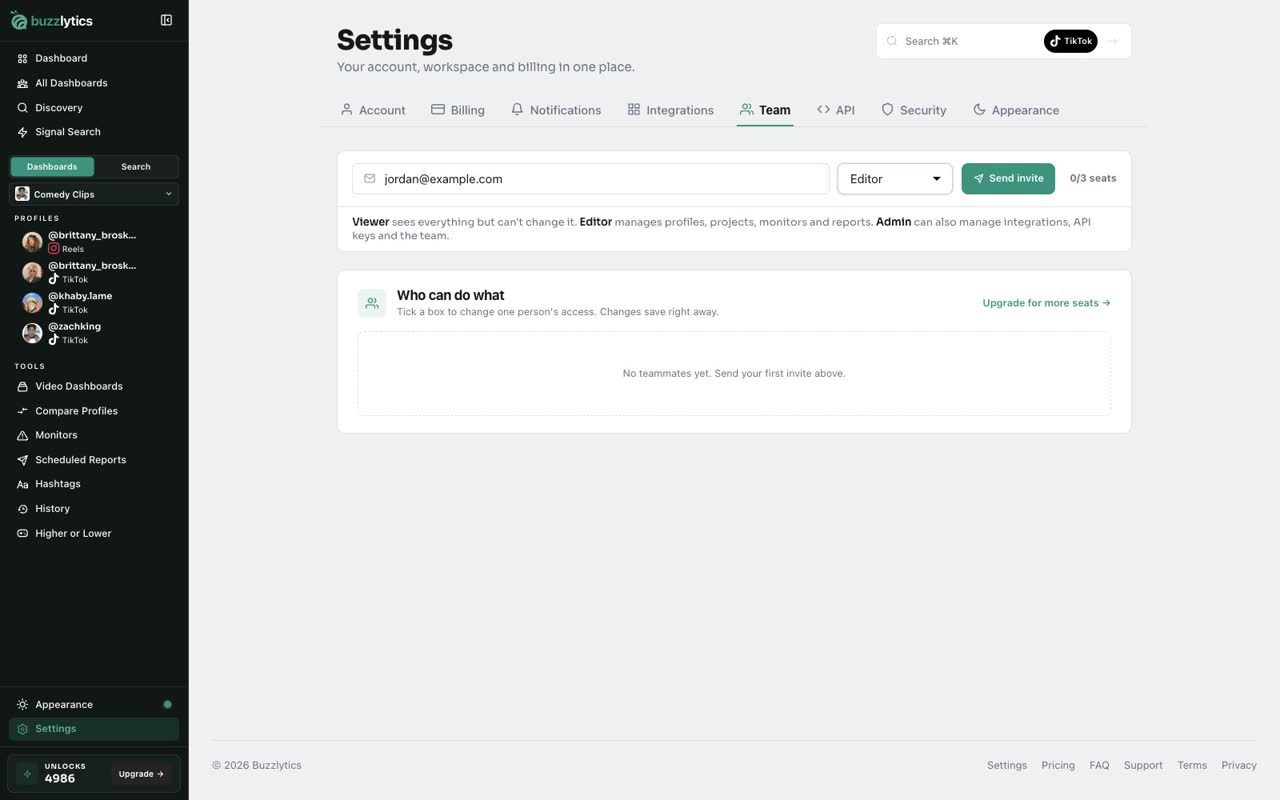
Viewers can look but not change anything. Editors manage profiles, projects, monitors and reports. Admins can also manage integrations, the API and the team.
-
4
Send the invite
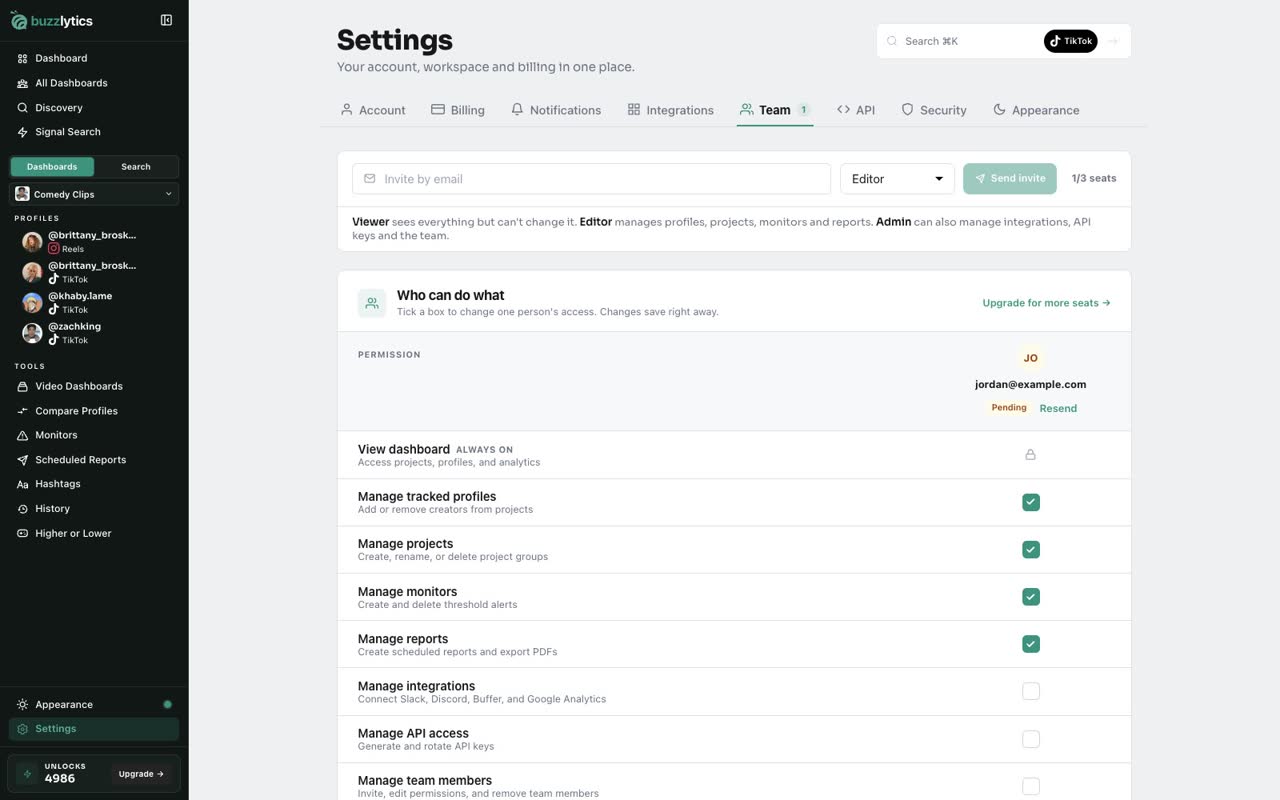
Click Send invite. They get an email with a link to join, and show up as Pending until they accept.
-
5
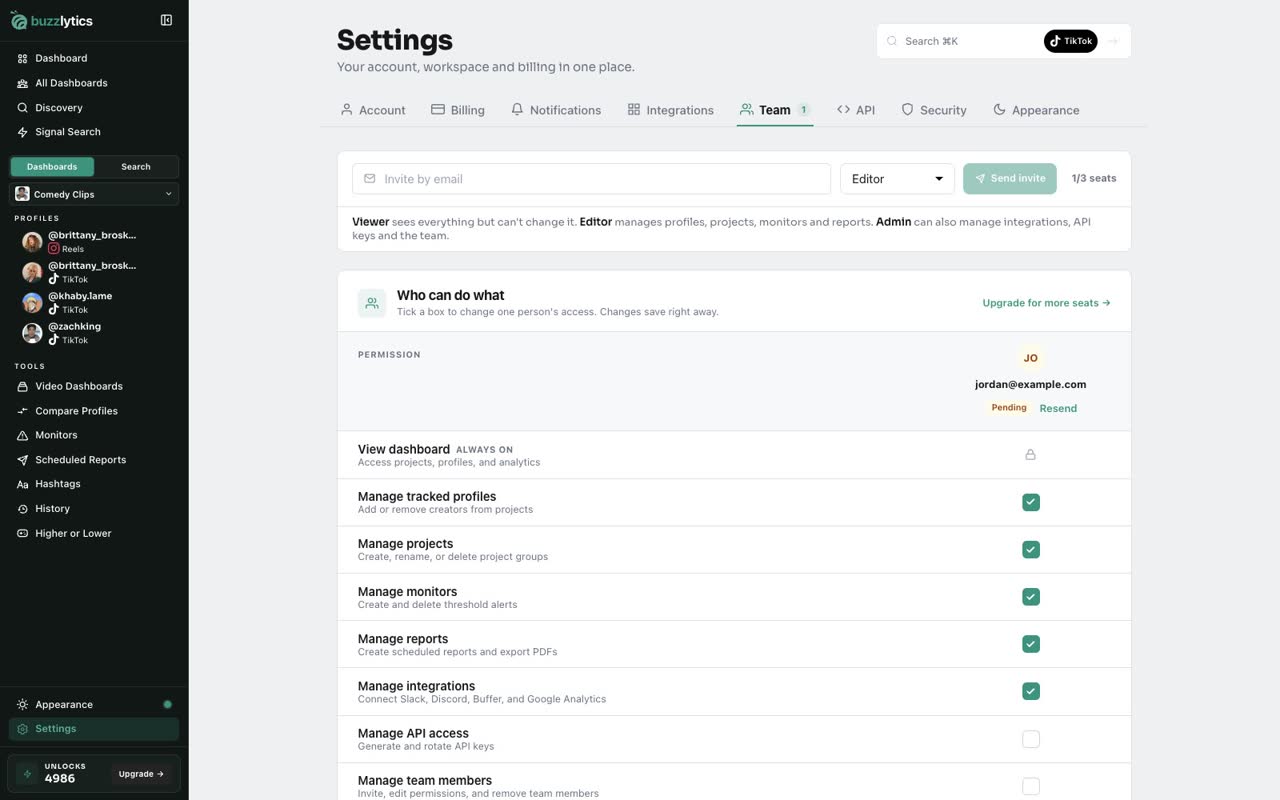
Fine-tune permissions
In Who can do what, tick a box to change one person's access. Changes save right away.
-
6
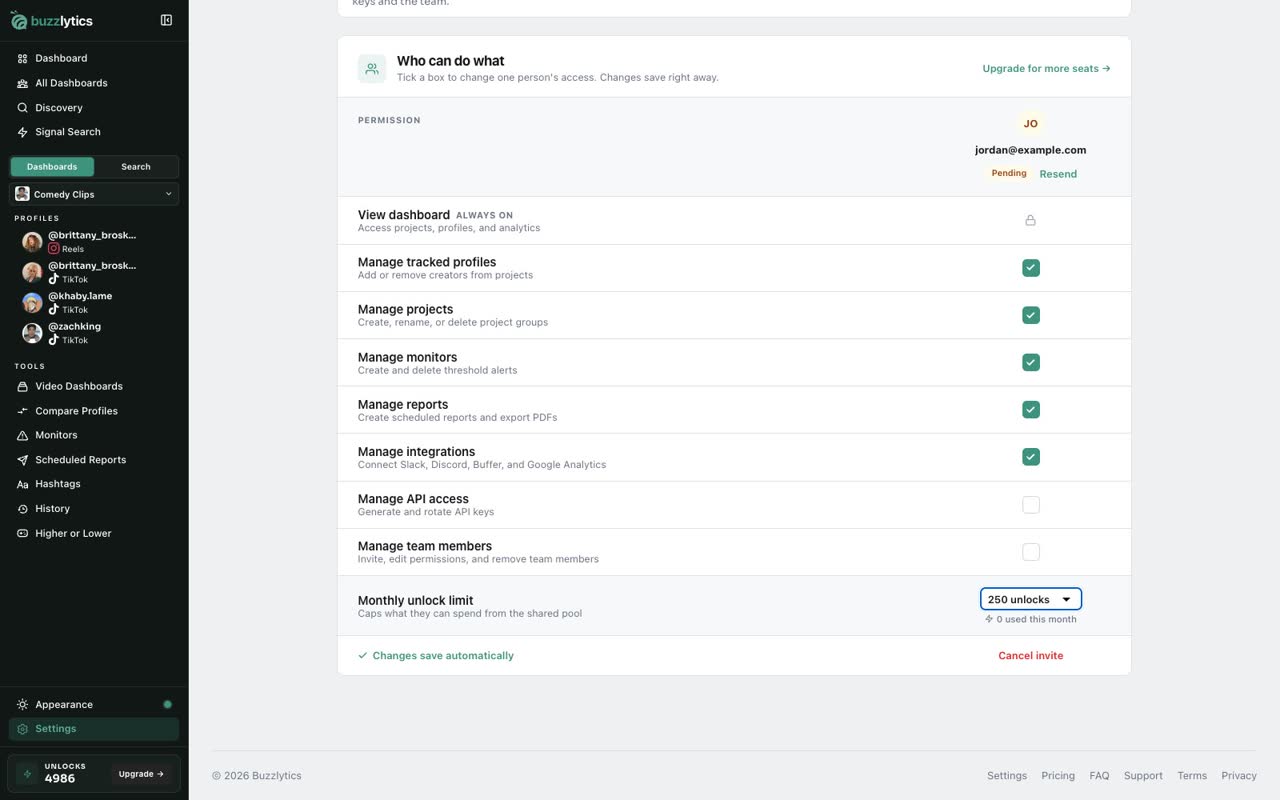
Set an unlock limit
Use Monthly unlock limit to cap how many of your shared unlocks this teammate can spend.
Good to know
- Starter includes 1 seat, Growth 3 and Scale 25. Pending invites use a seat.
- Teammates share your plan's unlocks. The monthly unlock limit caps what one person can spend.
- Remove a teammate or cancel an invite from the bottom of their column.
Read the full transcript
In this video, you will invite a teammate and choose exactly what they can do.
Go to Settings and open the Team tab. The counter shows how many seats your plan has left.
Type your teammate's email in Invite by email, then choose a Role.
Viewers can look but not change anything. Editors manage profiles, projects, monitors and reports. Admins can also manage integrations, the API and the team.
Click Send invite. They get an email with a link to join, and show up as Pending until they accept.
In Who can do what, tick a box to change one person's access. Changes save right away.
Use Monthly unlock limit to cap how many of your shared unlocks this teammate can spend.
Next up, accept a team invite.