Metrics, Content, Sounds and Historic
A quick tour of the deeper dashboard tabs: reach and posting patterns, top sounds and hashtags, sound tracking and month by month history.
Quick steps
- Metrics: reach efficiency
- Metrics: views over time
- Metrics: breakouts and when to post
- Content: sounds, hashtags, duration
- Sounds: track a sound
- Historic: month by month
Step by step
Prefer reading? Every step shows the screen you’ll see. Click a time to jump the video there.
-
1
Metrics: reach efficiency
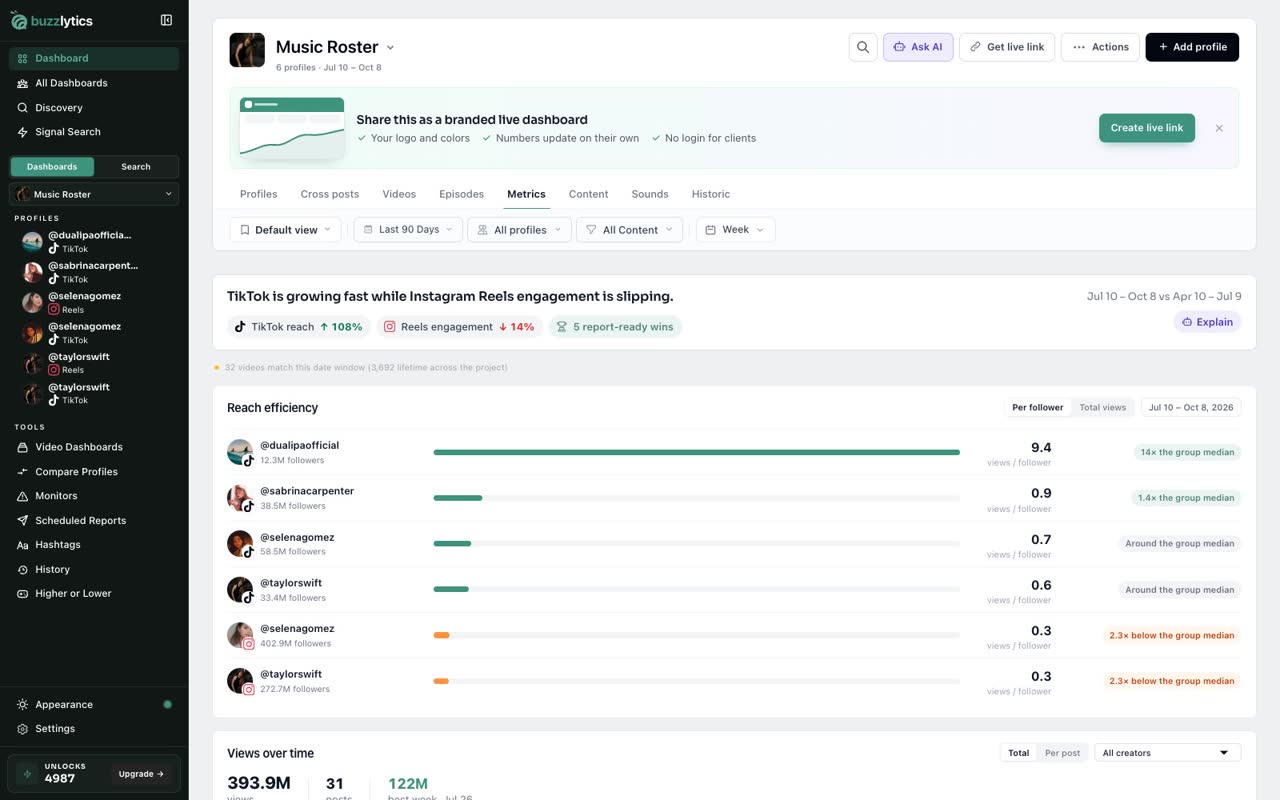
Open Metrics. Reach efficiency shows views per follower, so you can see which accounts punch above their size.
-
2
Metrics: views over time
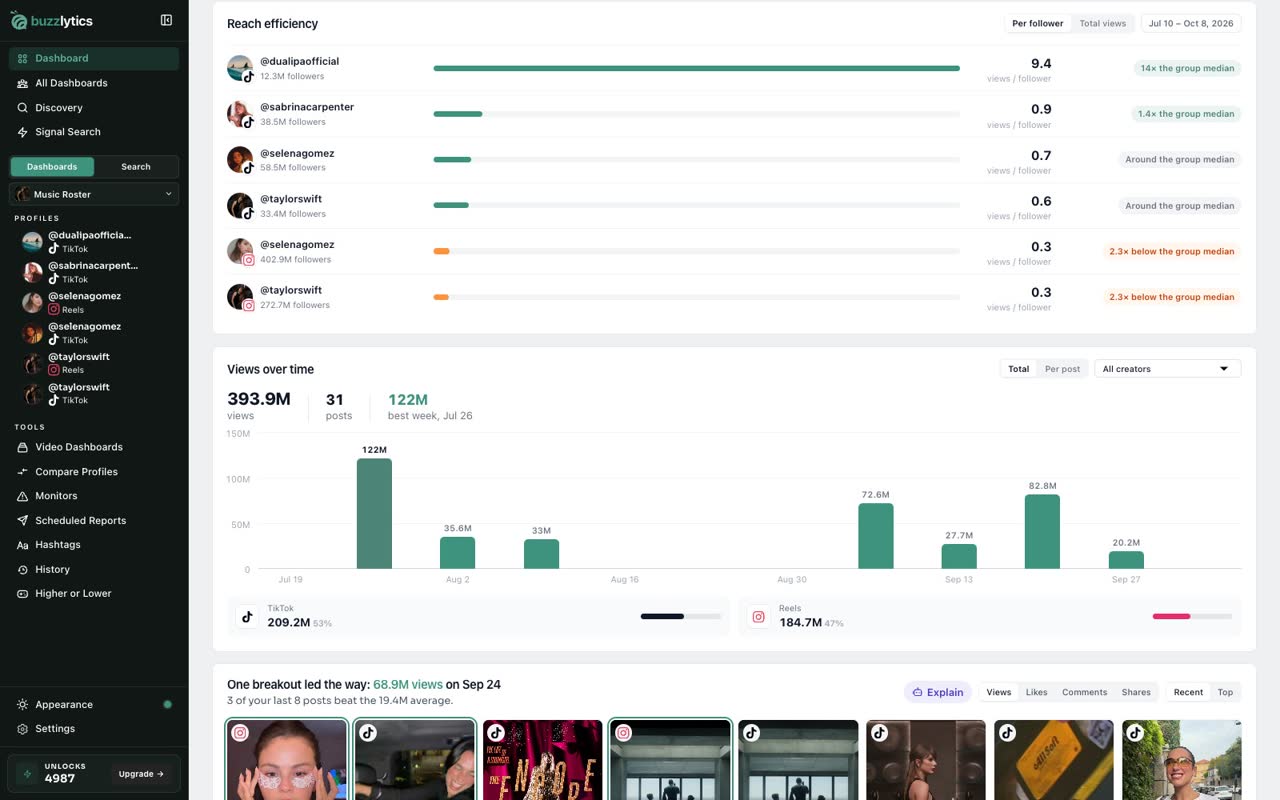
Views over time charts the whole roster week by week, with the best week called out.
-
3
Metrics: breakouts and when to post
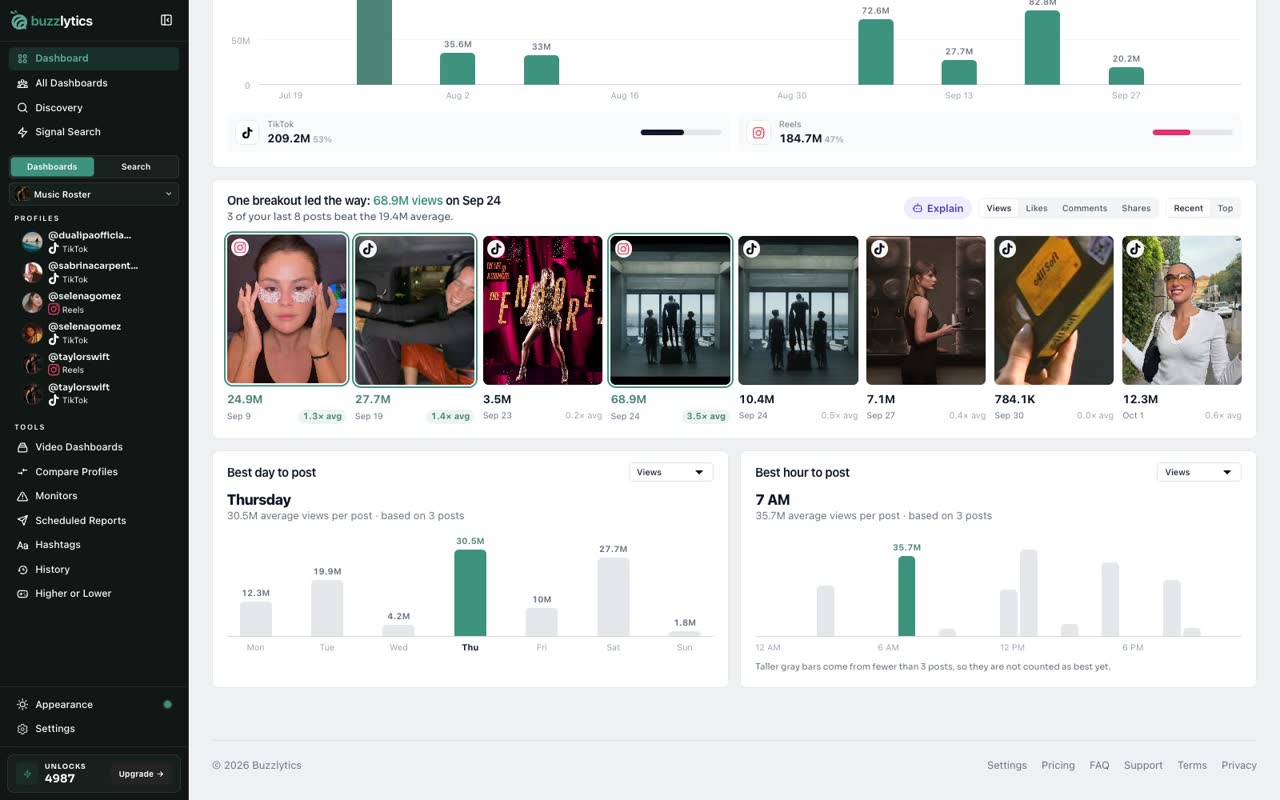
Further down, you will see which posts broke out, and the best day and hour for this roster to post.
-
4
Content: sounds, hashtags, duration
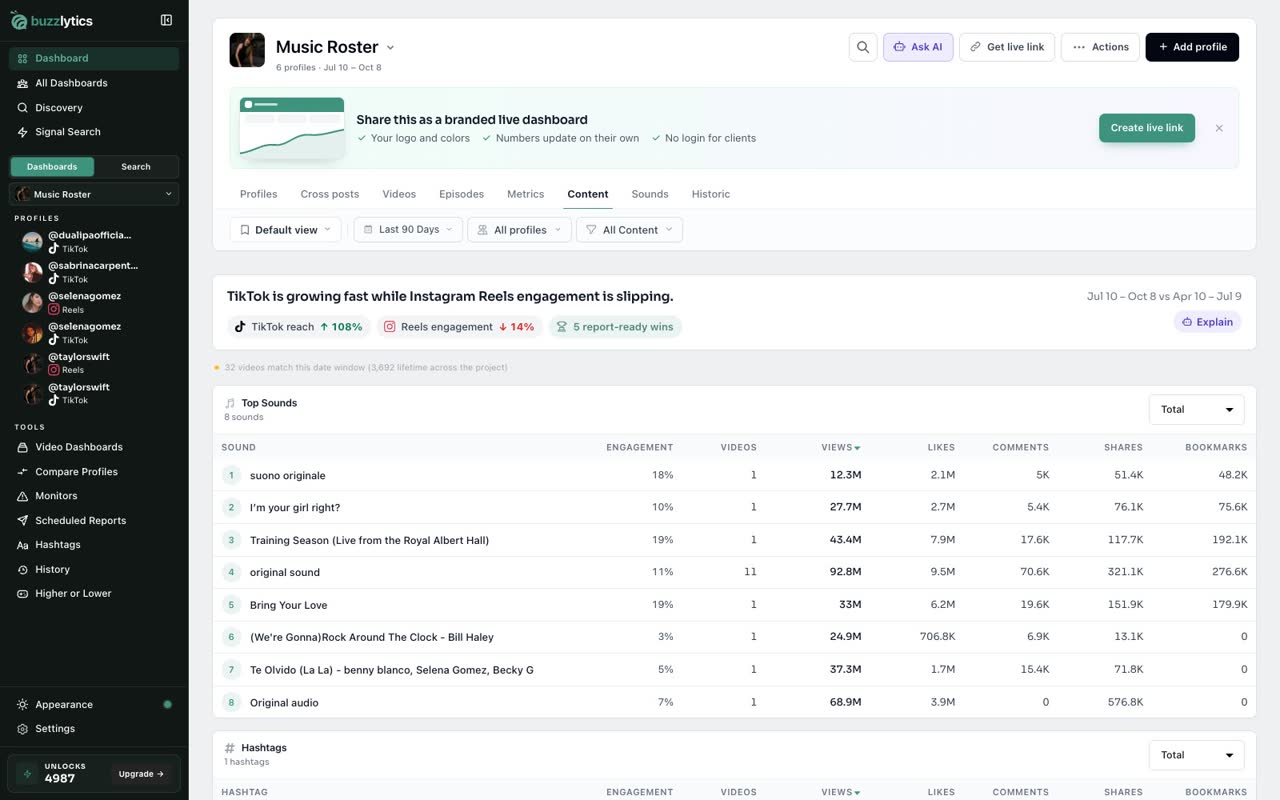
The Content tab ranks the top sounds and hashtags, and shows which video lengths get the most views.
-
5
Sounds: track a sound
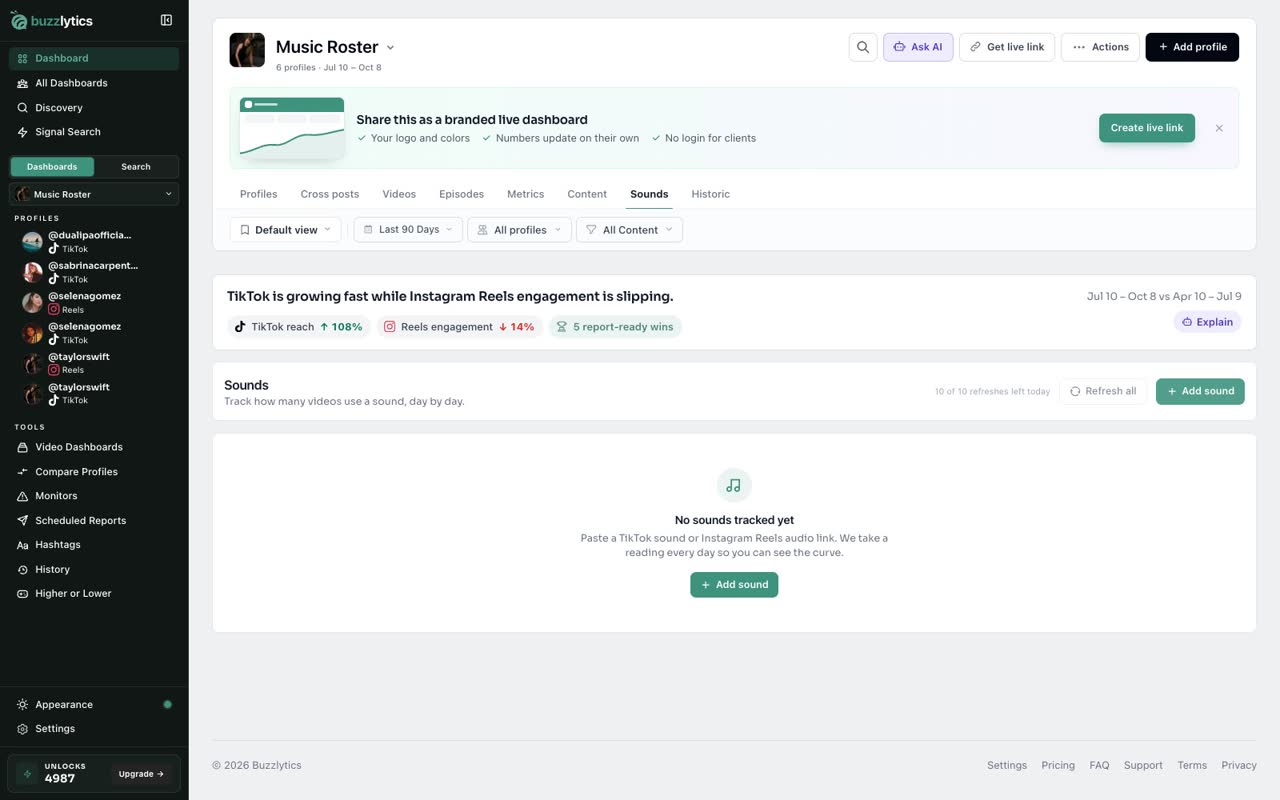
On Sounds, click Add sound and paste a TikTok sound or Reels audio link. Buzzlytics counts the videos using it every day.
-
6
Historic: month by month
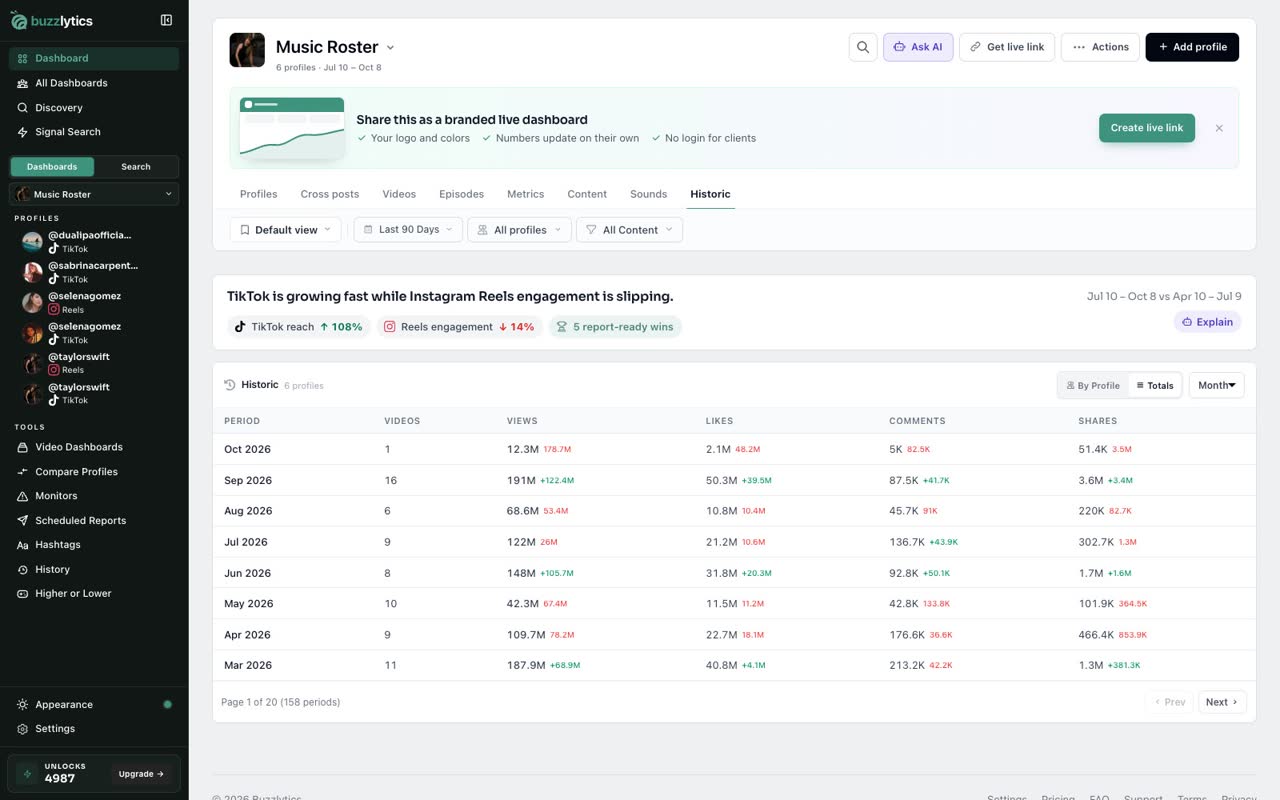
Historic breaks every profile down month by month. Switch to Totals for one line per period.
Good to know
- On the Metrics tab, the Day, Week, Month and Year switch in the filter bar changes how charts are grouped.
- The Sounds tab is for paid plans and is never shown on shared dashboards.
- Every tab follows the date range and profile filters at the top.
Read the full transcript
In this video, you will take a quick tour of the Metrics, Content, Sounds and Historic tabs.
Open Metrics. Reach efficiency shows views per follower, so you can see which accounts punch above their size.
Views over time charts the whole roster week by week, with the best week called out.
Further down, you will see which posts broke out, and the best day and hour for this roster to post.
The Content tab ranks the top sounds and hashtags, and shows which video lengths get the most views.
On Sounds, click Add sound and paste a TikTok sound or Reels audio link. Buzzlytics counts the videos using it every day.
Historic breaks every profile down month by month. Switch to Totals for one line per period.
Next up, find cross posts.