Read the Profiles tab
See what changed across your roster: summary stats, who is growing or slipping, earned media value and every profile in one table.
Quick steps
- The headline
- Summary Stats
- Performance by profile
- Roster health
- Earned media value
- Find who needs attention
- The Profiles table
Step by step
Prefer reading? Every step shows the screen you’ll see. Click a time to jump the video there.
-
1
The headline
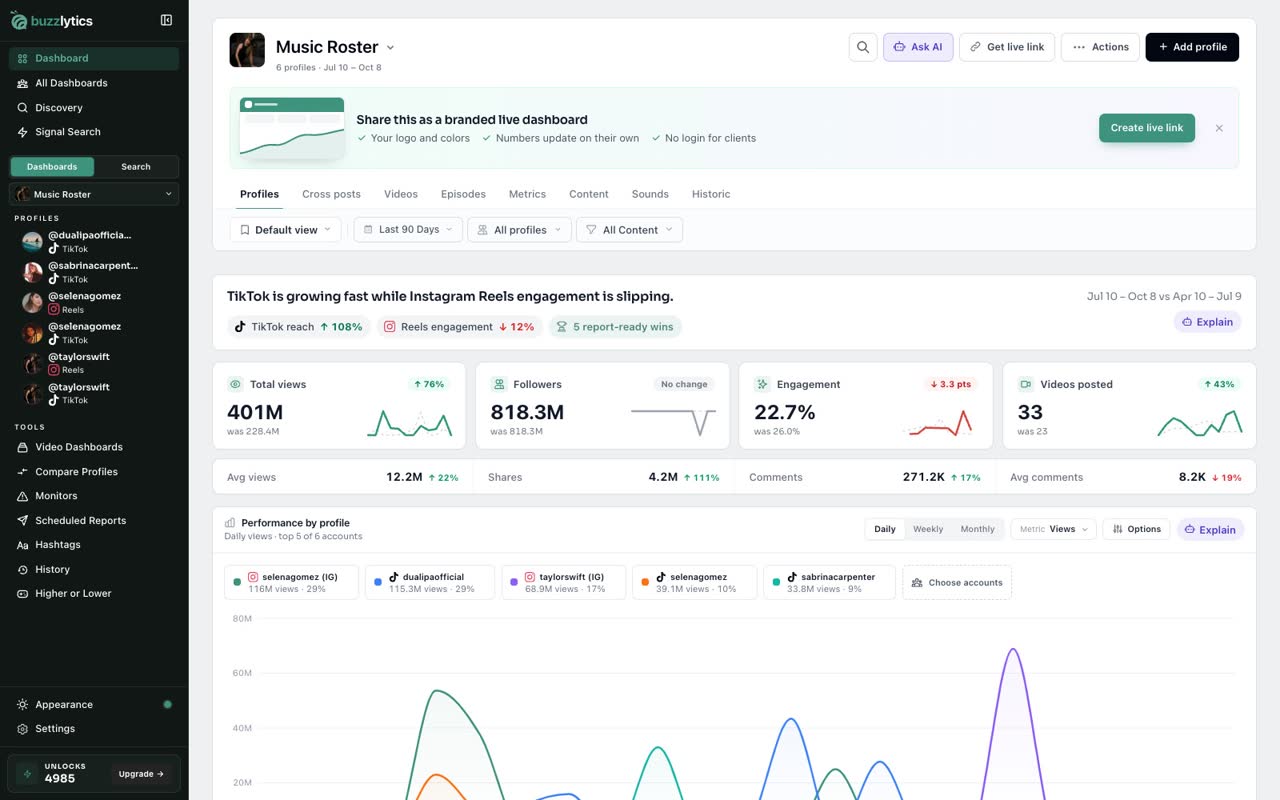
The top line sums up the period in plain words, with the biggest changes by platform right under it.
-
2
Summary Stats
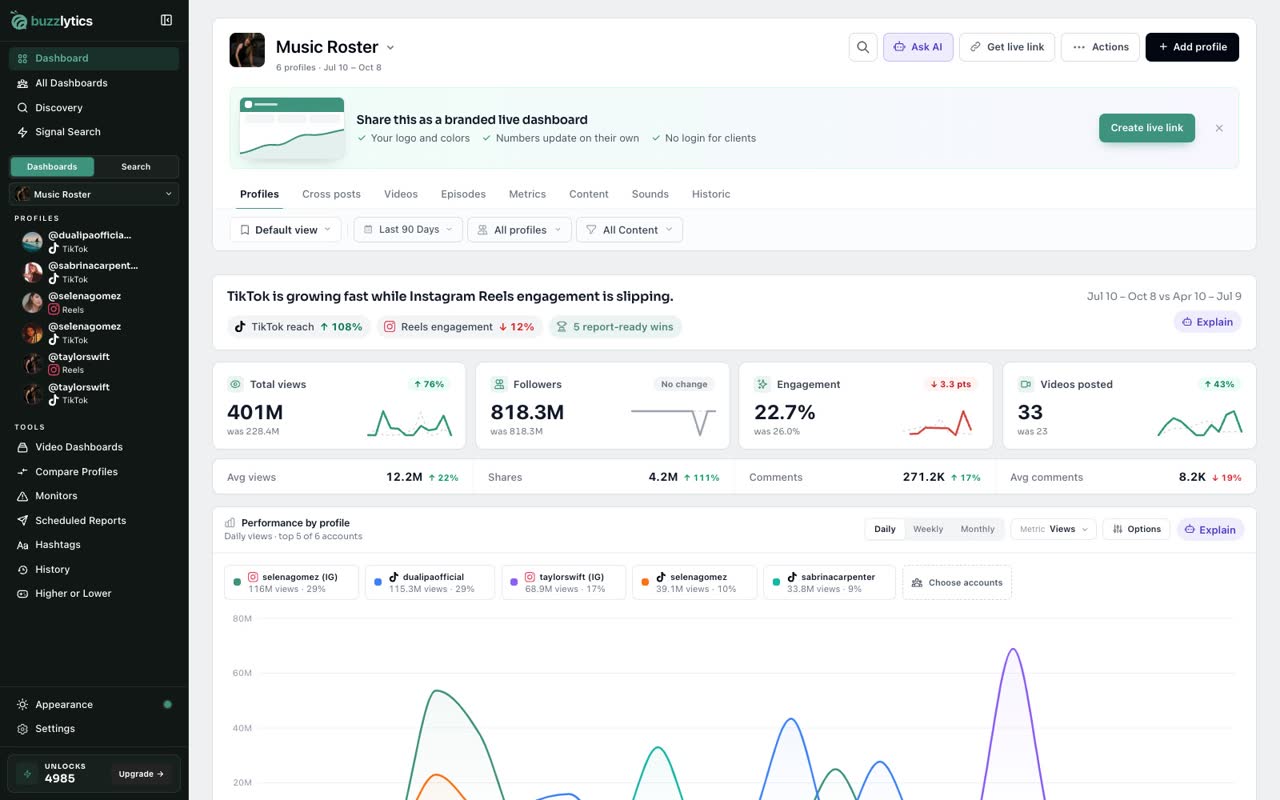
Summary Stats show total views, followers, engagement and videos posted. Each card compares this period with the one before.
-
3
Performance by profile
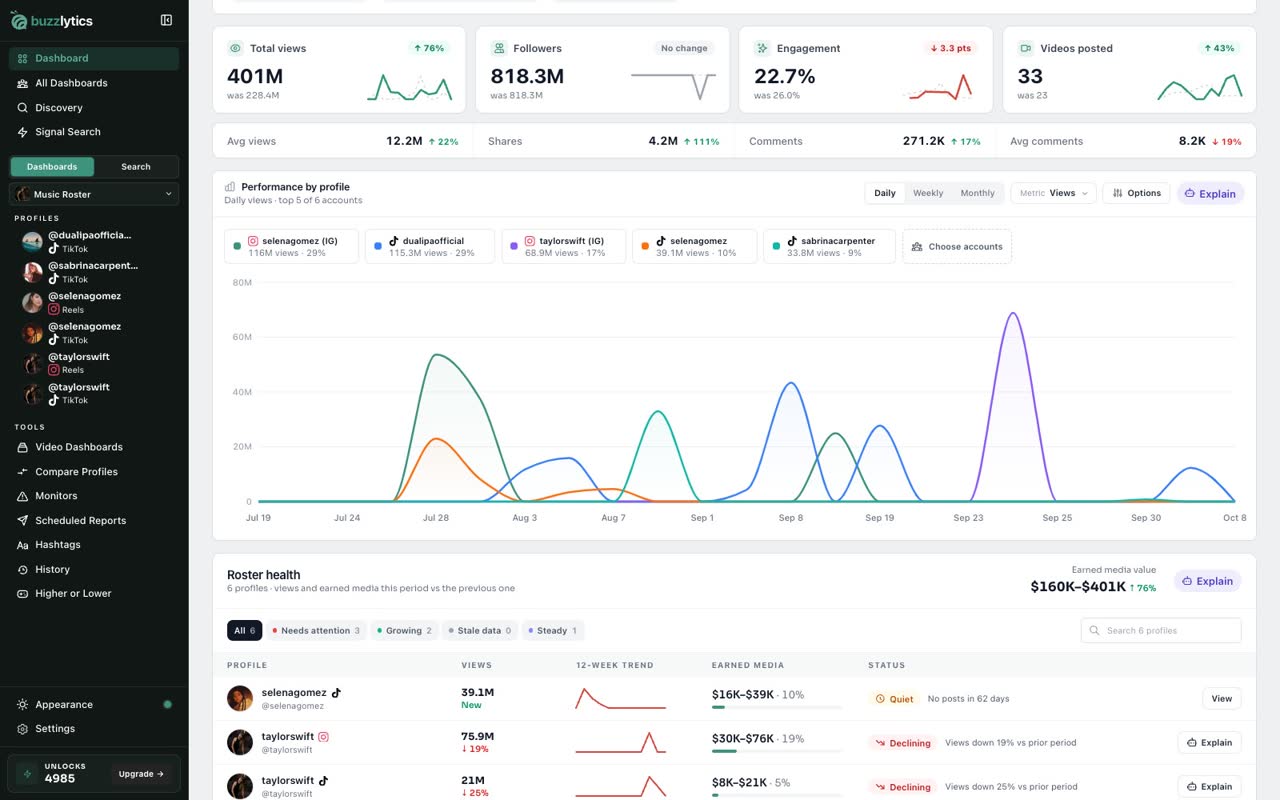
Performance by profile charts daily views for each account, so you can spot exactly when a post took off.
-
4
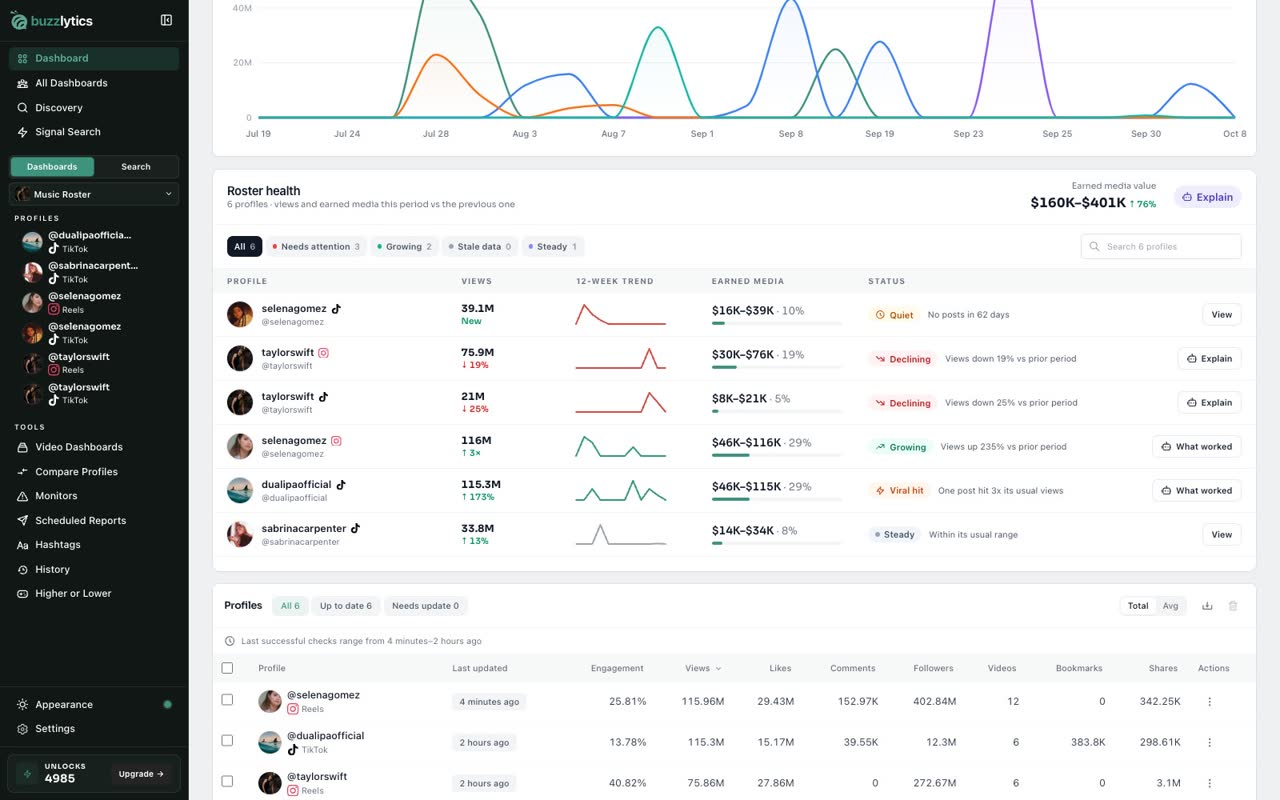
Roster health
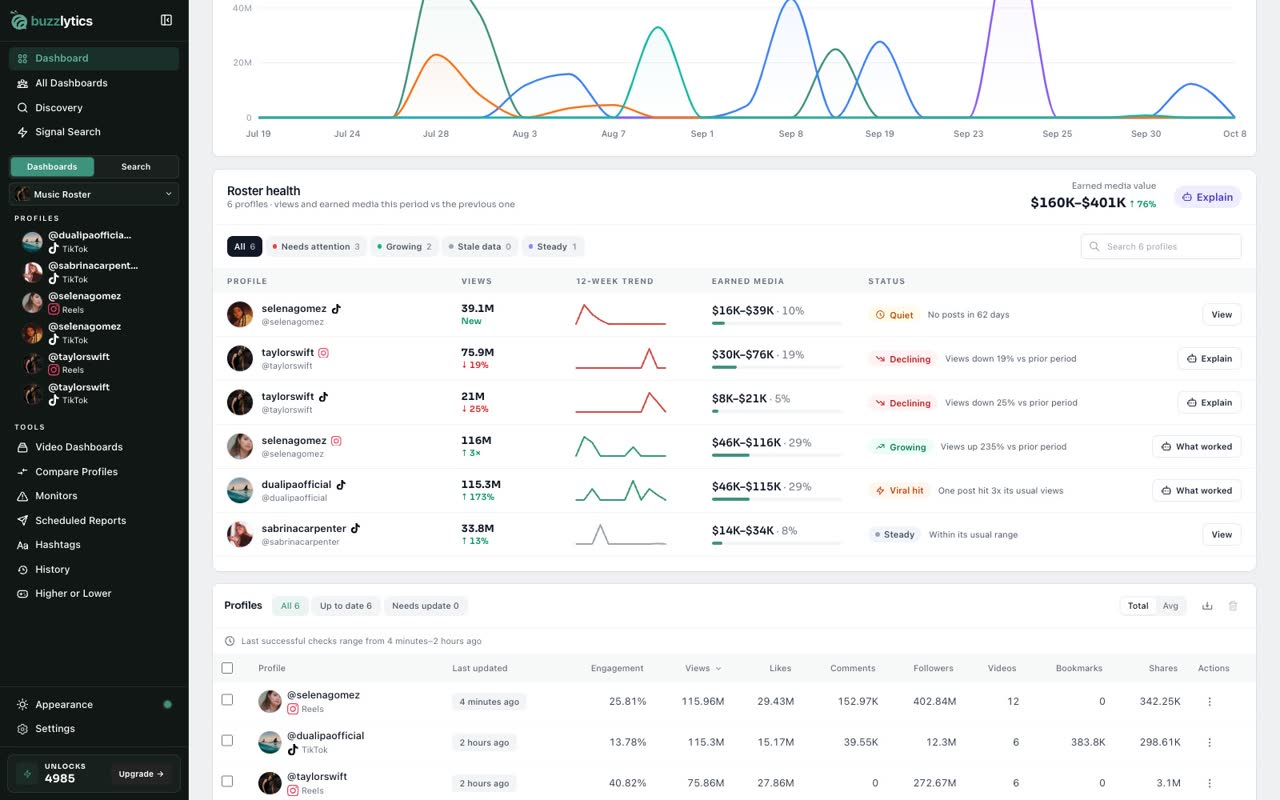
Roster health sorts every profile into groups like viral hit, growing, declining or stale data, with its views and trend.
-
5
Earned media value
Earned media value puts a dollar range on those views, handy for client reports.
-
6
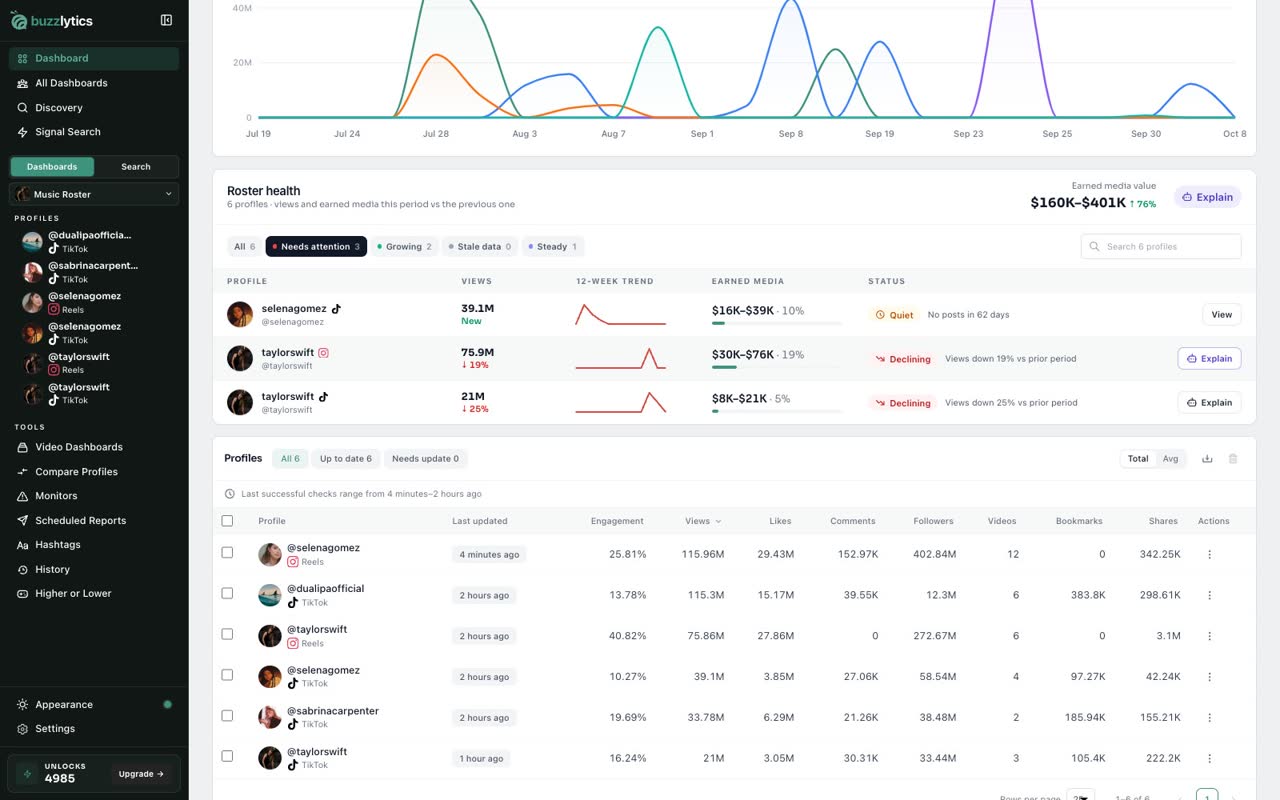
Find who needs attention
Click Needs attention to see only the profiles that are slipping, and Explain to ask AI why.
-
7
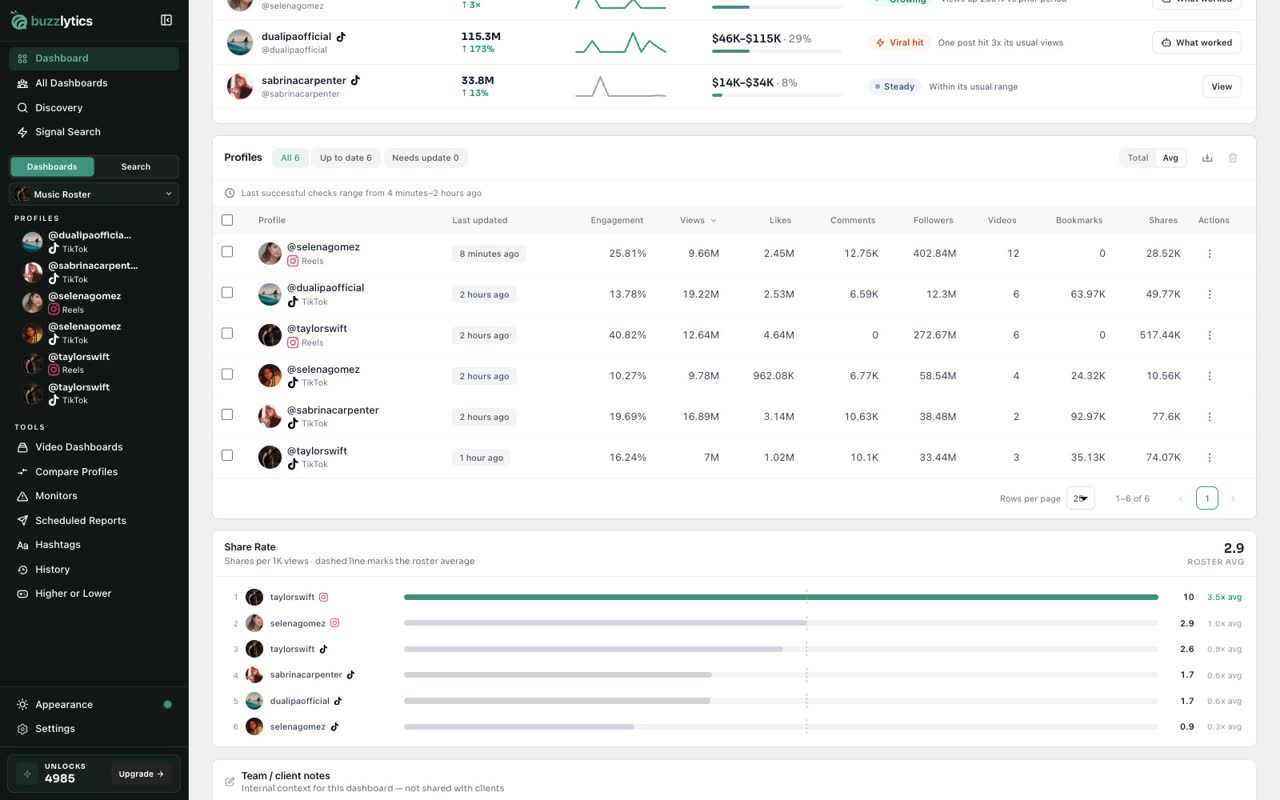
The Profiles table
Below, the Profiles table lists every account with views, likes, followers and when it was last updated.
Good to know
- Every number compares the selected date range with the period just before it.
- Earned media value is an estimate at a $0.40 to $1.00 CPM per 1,000 qualified views.
- Updating a profile uses 1 unlock. Auto-refresh can do it for you on a schedule.
Read the full transcript
In this video, you will learn to read the Profiles tab, the home of every dashboard.
The top line sums up the period in plain words, with the biggest changes by platform right under it.
Summary Stats show total views, followers, engagement and videos posted. Each card compares this period with the one before.
Performance by profile charts daily views for each account, so you can spot exactly when a post took off.
Roster health sorts every profile into groups like viral hit, growing, declining or stale data, with its views and trend.
Earned media value puts a dollar range on those views, handy for client reports.
Click Needs attention to see only the profiles that are slipping, and Explain to ask AI why.
Below, the Profiles table lists every account with views, likes, followers and when it was last updated.
Next up, filters, date ranges and saved views.