Ask AI about your dashboard
Ask plain English questions about a whole roster and get answers built from the real numbers on the page.
Quick steps
- Open Ask AI
- Pick a question
- Read the answer
- Highlight accounts in the table
- Keep the conversation going
Step by step
Prefer reading? Every step shows the screen you’ll see. Click a time to jump the video there.
-
1
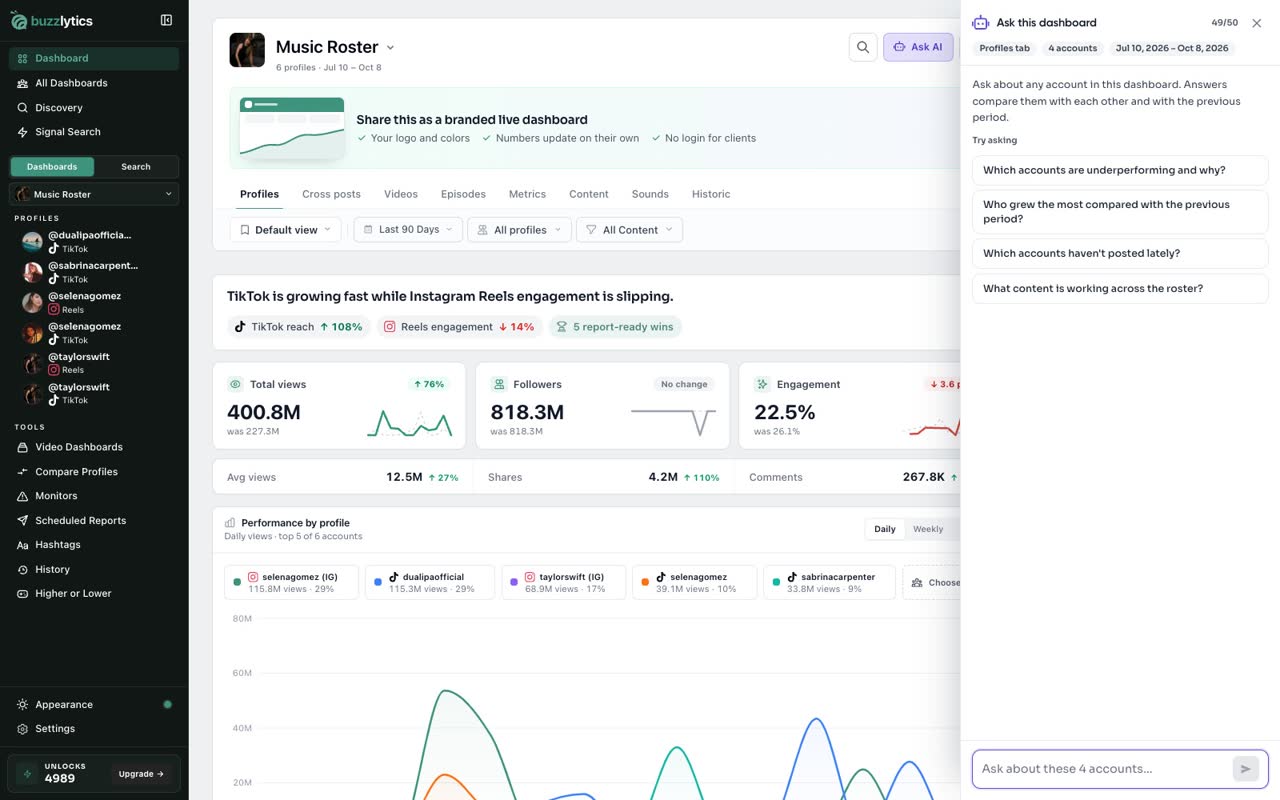
Open Ask AI
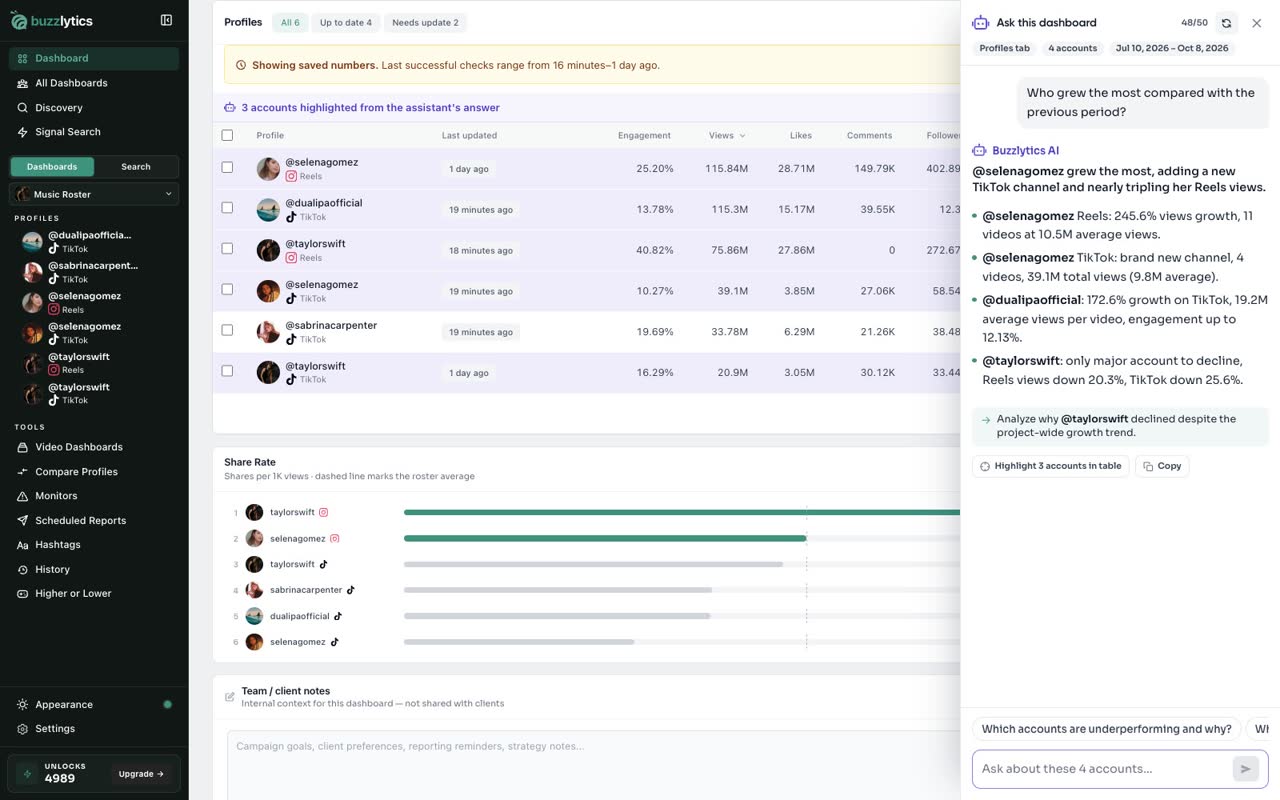
On any dashboard, click Ask AI at the top. The assistant reads every account on this dashboard.
-
2
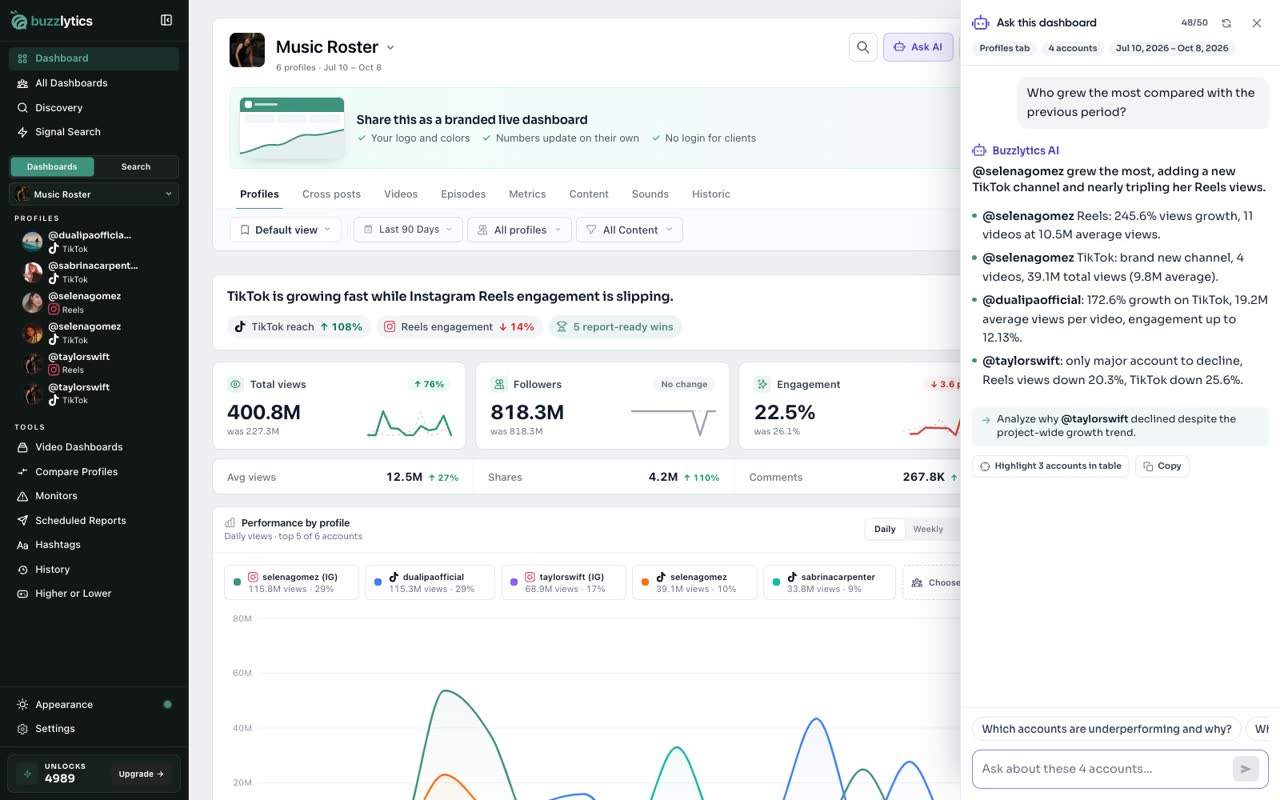
Pick a question
Start with one of the suggested questions, or type your own at the bottom.
-
3
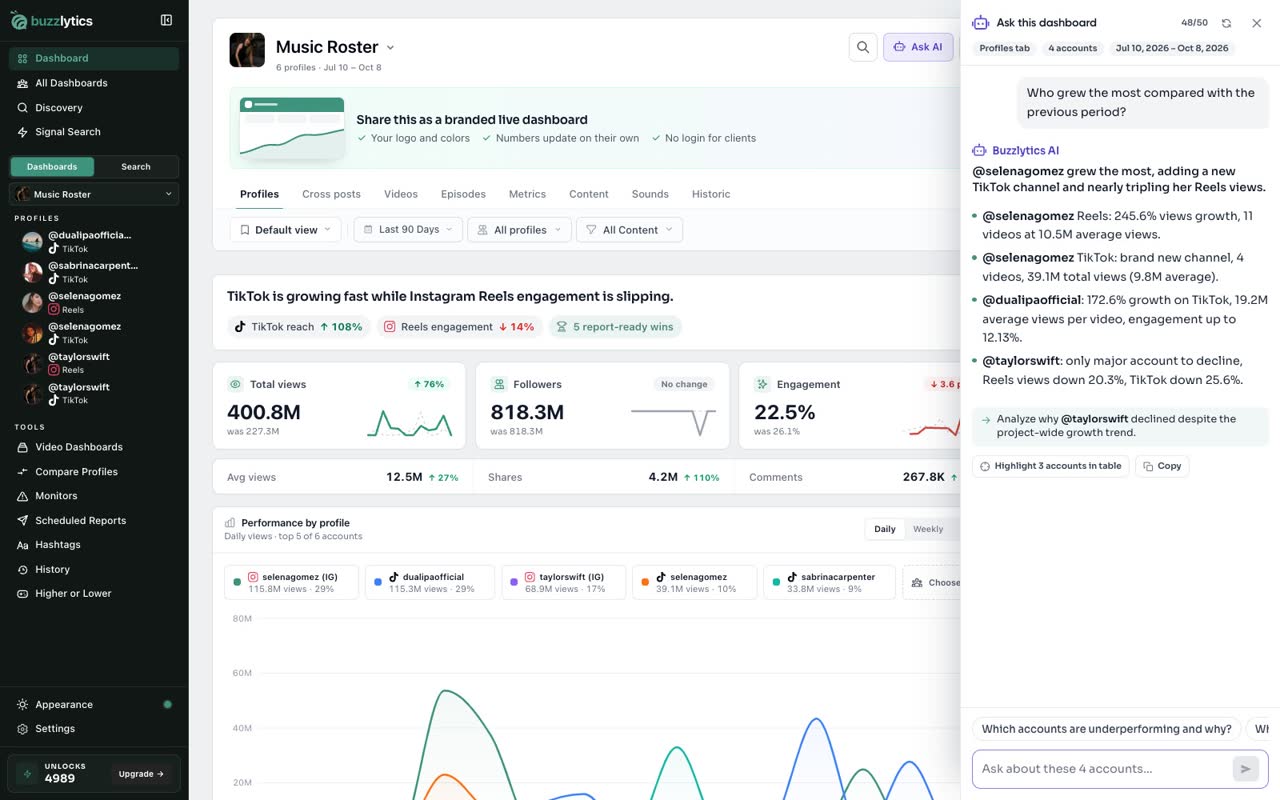
Read the answer
The answer streams in, built from the real numbers on this dashboard, and names the accounts and videos behind it.
-
4
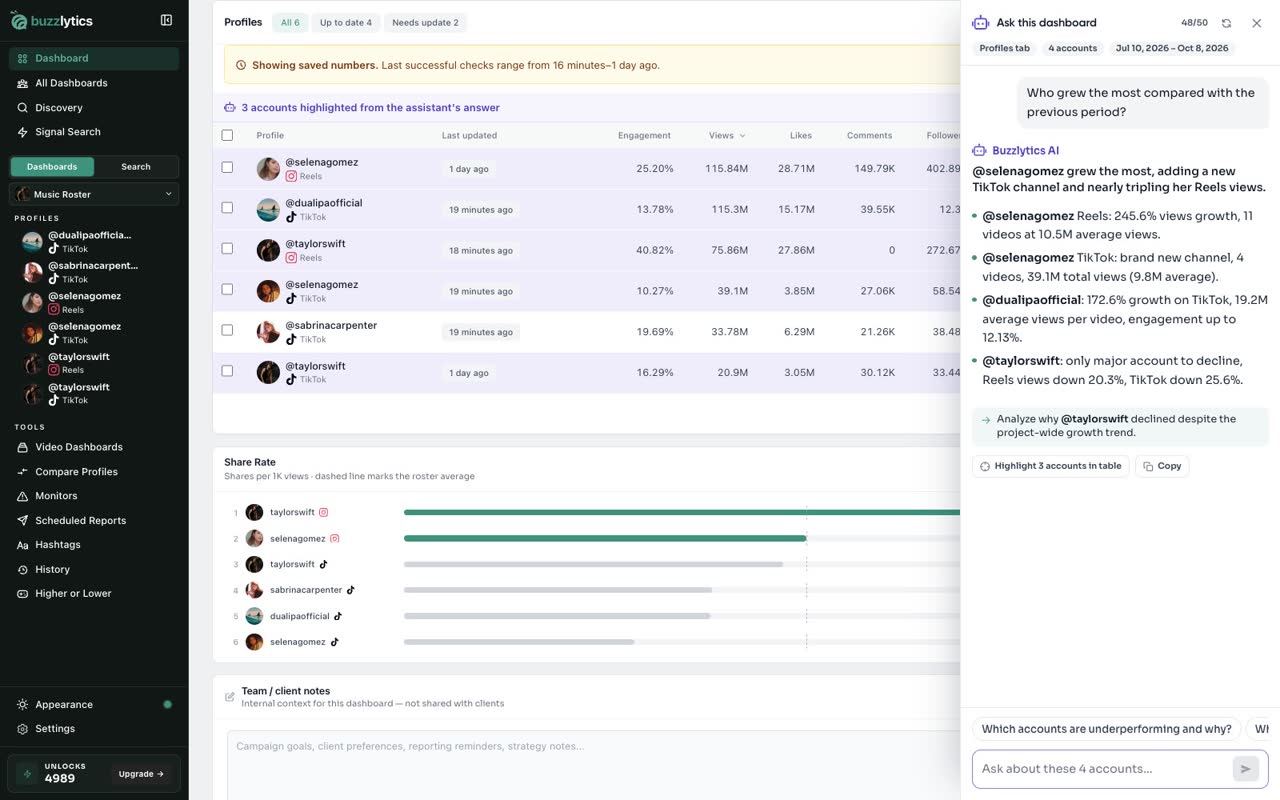
Highlight accounts in the table
Click Highlight in table to mark the accounts the answer talks about on your dashboard.
-
5
Keep the conversation going
Follow up with your own question, or tap a suggestion. The assistant remembers the conversation, and the counter shows questions left today.
Good to know
- Asking questions does not use unlocks. There is a daily question limit that resets at midnight UTC.
- Look for Ask AI and Explain buttons on charts and cards to ask about one thing in particular.
- Open a creator profile and click Ask AI to ask about that one account.
Read the full transcript
In this video, you will ask the AI assistant a question about your dashboard.
On any dashboard, click Ask AI at the top. The assistant reads every account on this dashboard.
Start with one of the suggested questions, or type your own at the bottom.
The answer streams in, built from the real numbers on this dashboard, and names the accounts and videos behind it.
Click Highlight in table to mark the accounts the answer talks about on your dashboard.
Follow up with your own question, or tap a suggestion. The assistant remembers the conversation, and the counter shows questions left today.
Next up, use Buzzlytics in Claude and ChatGPT.