How unlocks work
What an unlock is, what uses one, and how to see the cost before you refresh.
Quick steps
- Your unlock balance
- What uses an unlock
- Update a whole dashboard
- Auto-refresh shows the cost
- Running low
Step by step
Prefer reading? Every step shows the screen you’ll see. Click a time to jump the video there.
-
1
Your unlock balance
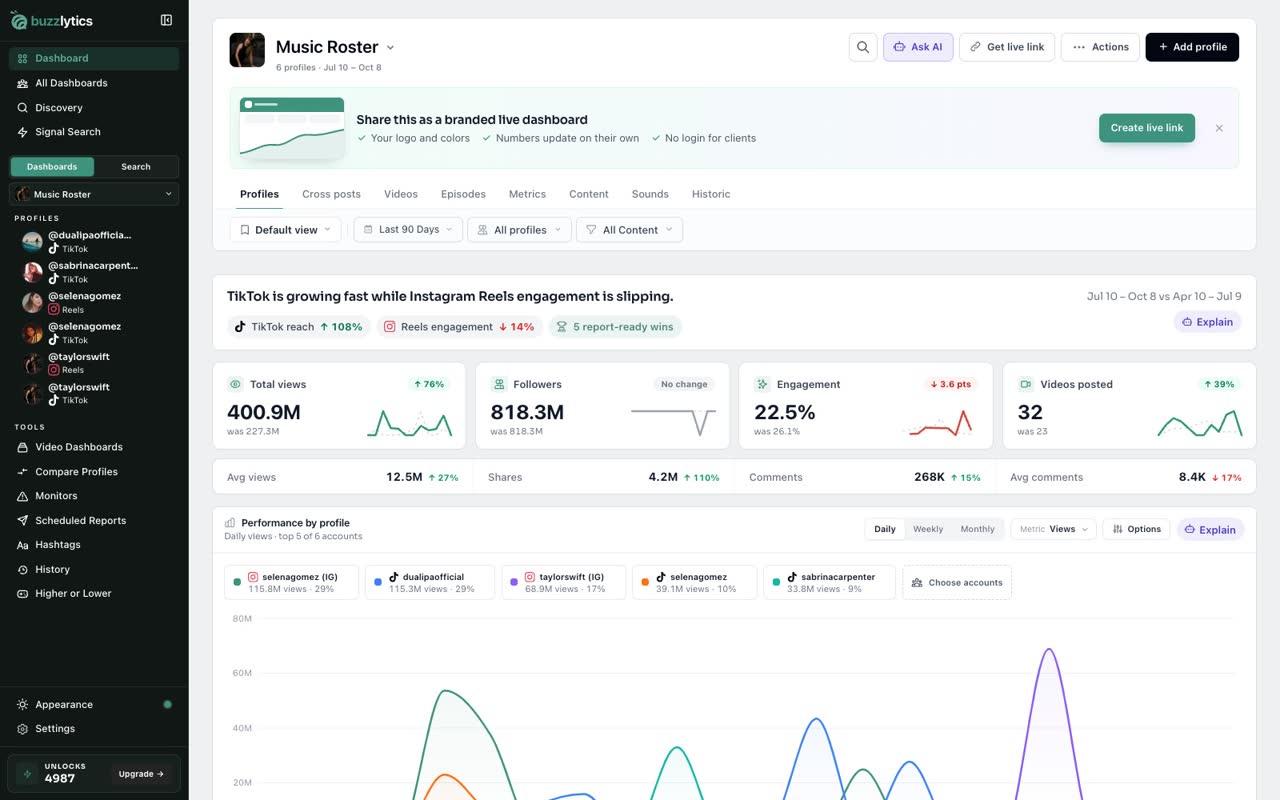
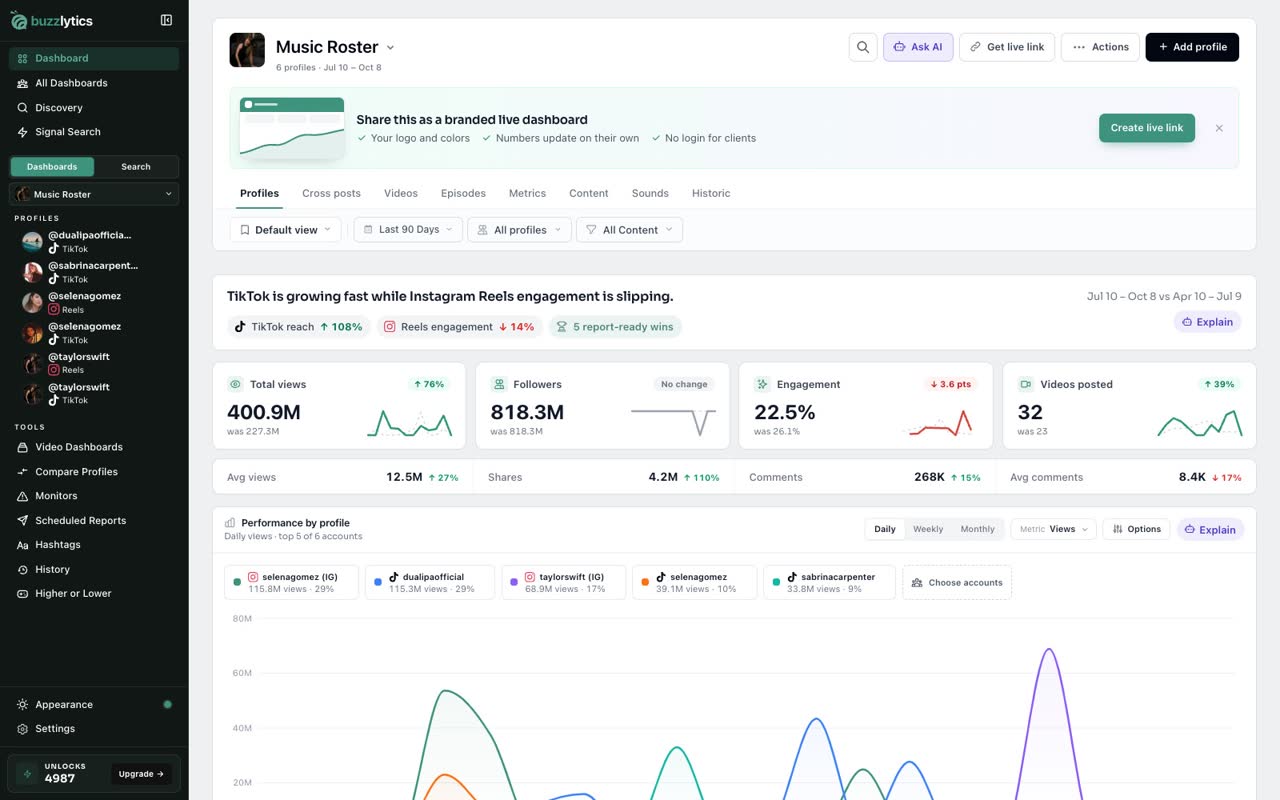
Your balance is at the bottom of the sidebar, under Unlocks. Your plan adds a fresh allowance every month.
-
2
What uses an unlock
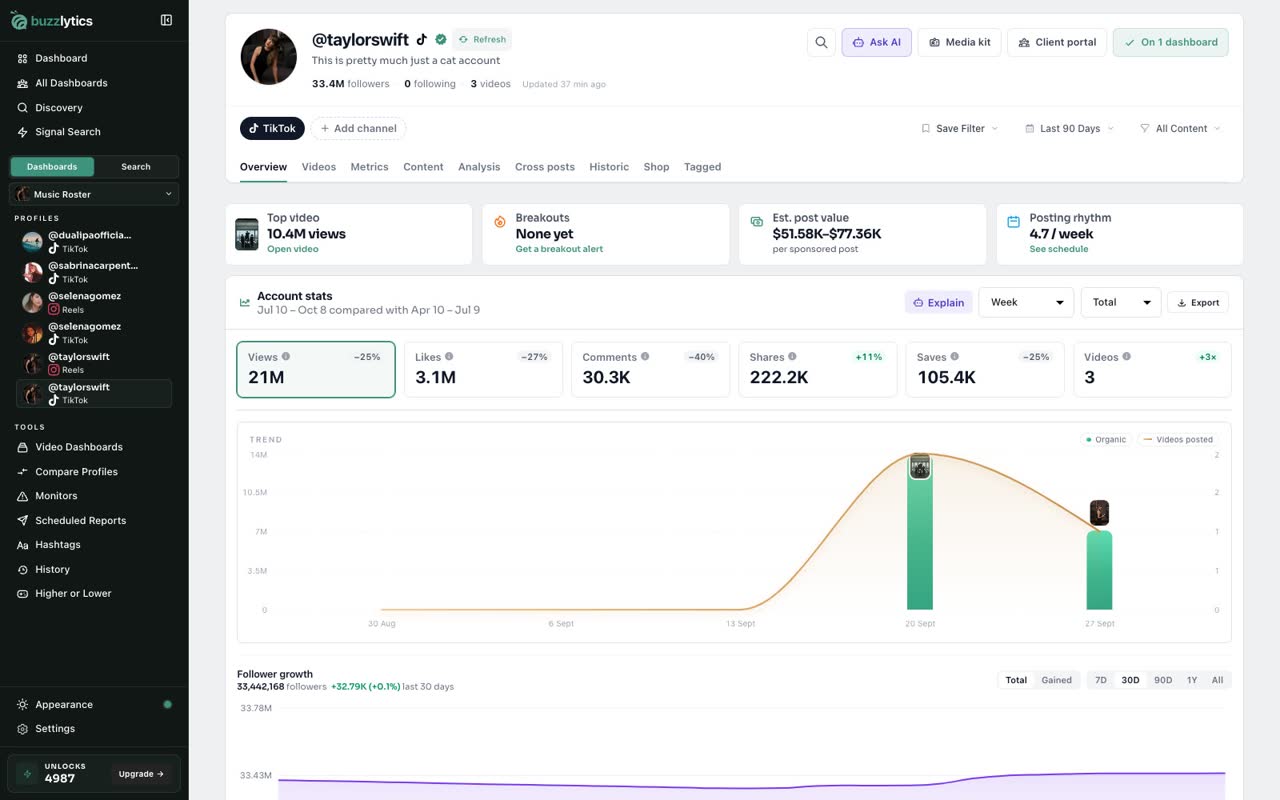
Looking up a new profile uses 1 unlock, and so does refreshing one. Click Refresh on a profile to pull its latest numbers.
-
3
Update a whole dashboard
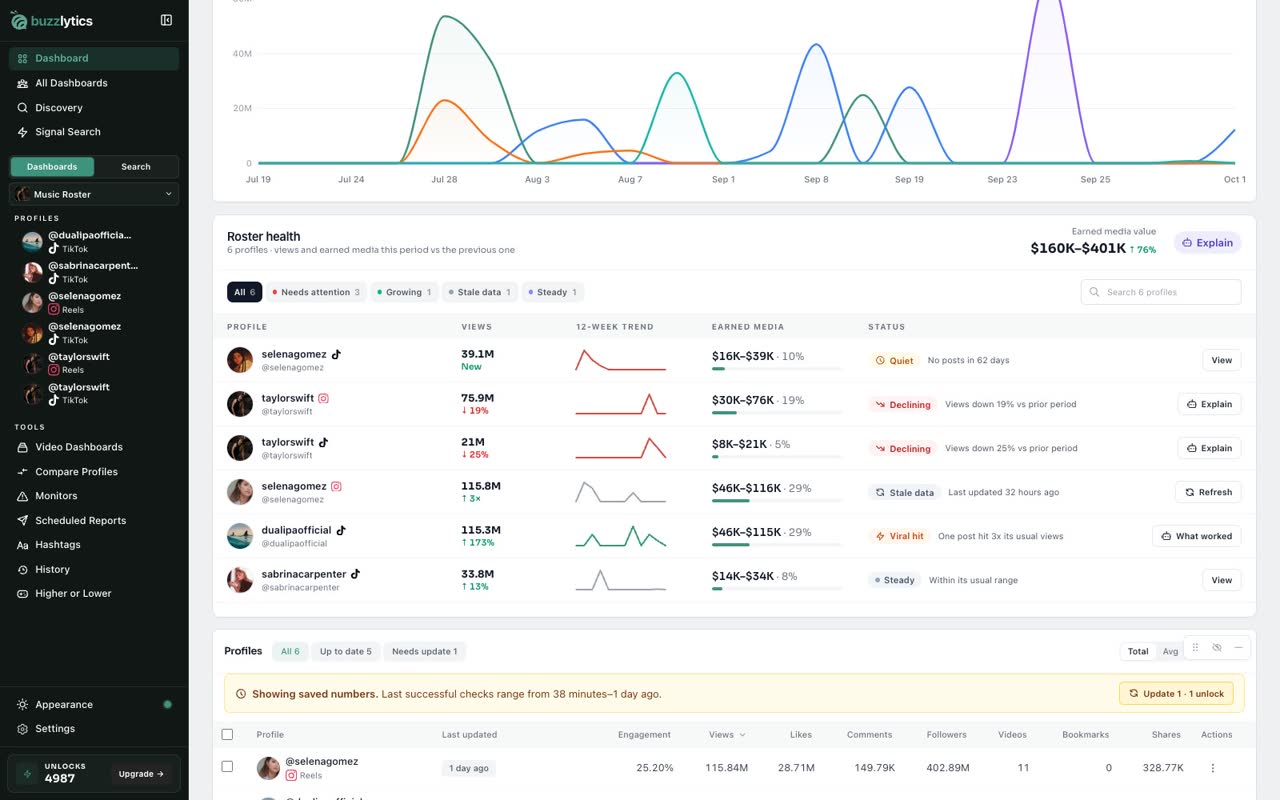
On a dashboard, the Update button tells you how many unlocks it will use before you click. One per profile that needs an update.
-
4
Auto-refresh shows the cost
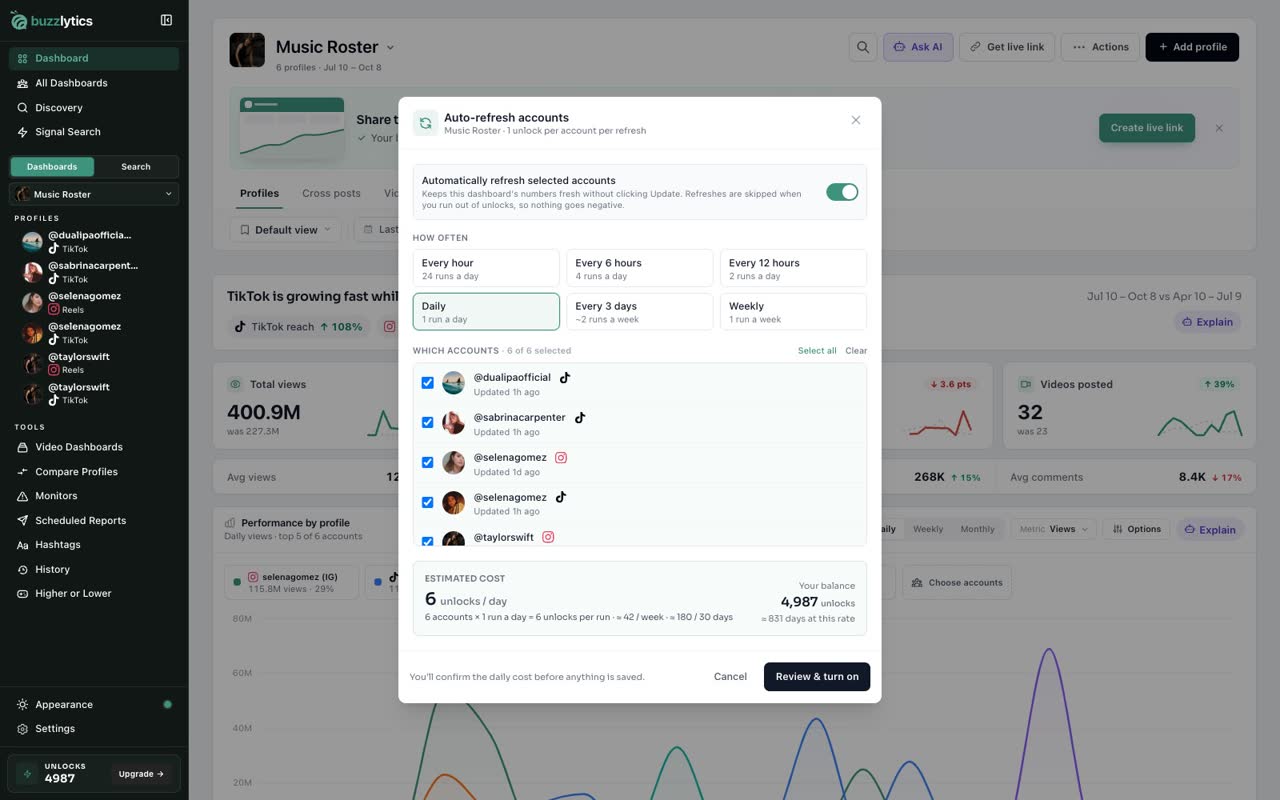
Auto-refresh uses 1 unlock per account each time it runs. Open Actions, then Auto-refresh, and the estimate shows unlocks per day next to your balance.
-
5
Running low
Nothing is charged until you confirm. If you run low, click Upgrade for a bigger monthly allowance.
Good to know
- Starter includes 100 unlocks a month, Growth 250 and Scale 500. The allowance resets every month.
- Auto-refresh uses 1 unlock per account per run. If you run out, accounts are skipped and your balance never goes below zero.
- On a paid plan, you can buy extra unlocks when you run out, or upgrade for a bigger allowance.
Read the full transcript
In this video, you will learn what unlocks are and where they go.
Your balance is at the bottom of the sidebar, under Unlocks. Your plan adds a fresh allowance every month.
Looking up a new profile uses 1 unlock, and so does refreshing one. Click Refresh on a profile to pull its latest numbers.
On a dashboard, the Update button tells you how many unlocks it will use before you click. One per profile that needs an update.
Auto-refresh uses 1 unlock per account each time it runs. Open Actions, then Auto-refresh, and the estimate shows unlocks per day next to your balance.
Nothing is charged until you confirm. If you run low, click Upgrade for a bigger monthly allowance.
Next up, create your first dashboard.