Plans explained
Compare Starter, Growth and Scale: prices, monthly unlocks, dashboards, monitors and seats.
Quick steps
- Three plans
- Pay yearly and save 20%
- What each plan includes
- Compare side by side
- See your current plan
Step by step
Prefer reading? Every step shows the screen you’ll see. Click a time to jump the video there.
-
1
Three plans
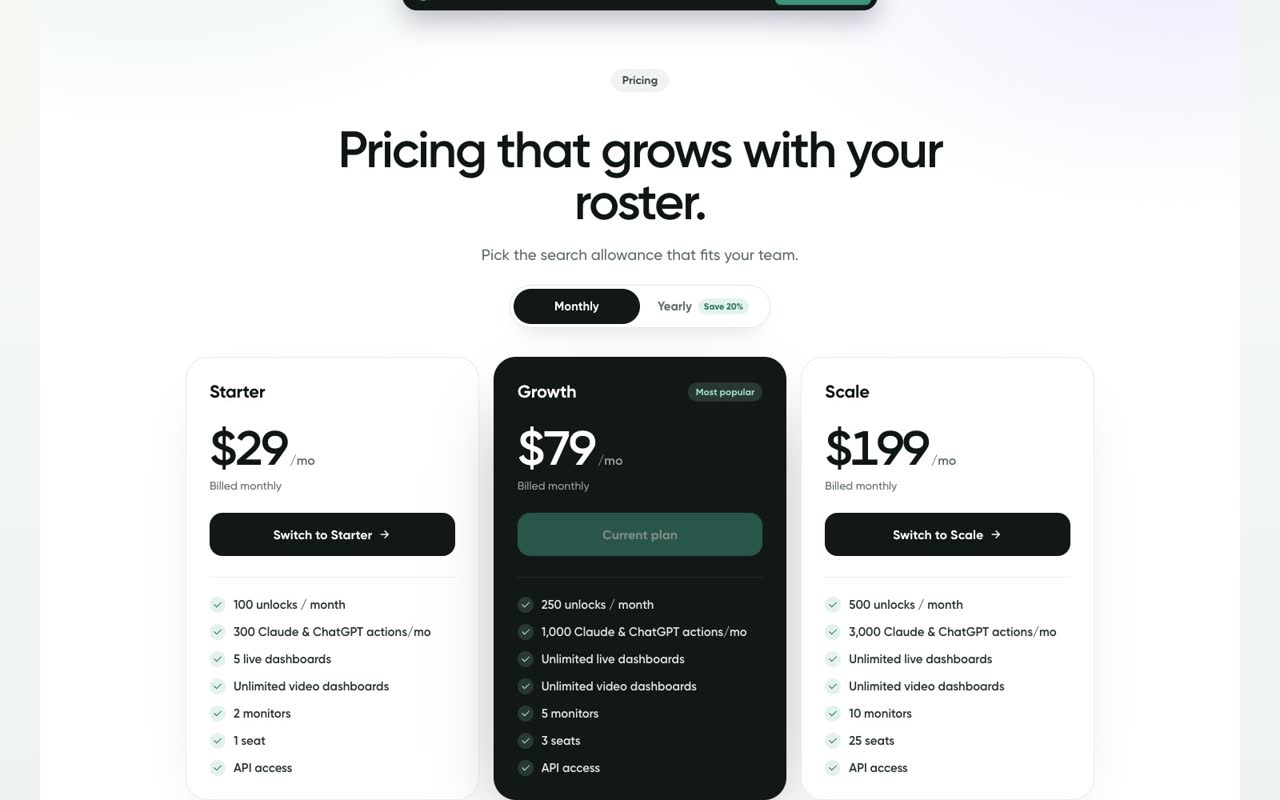
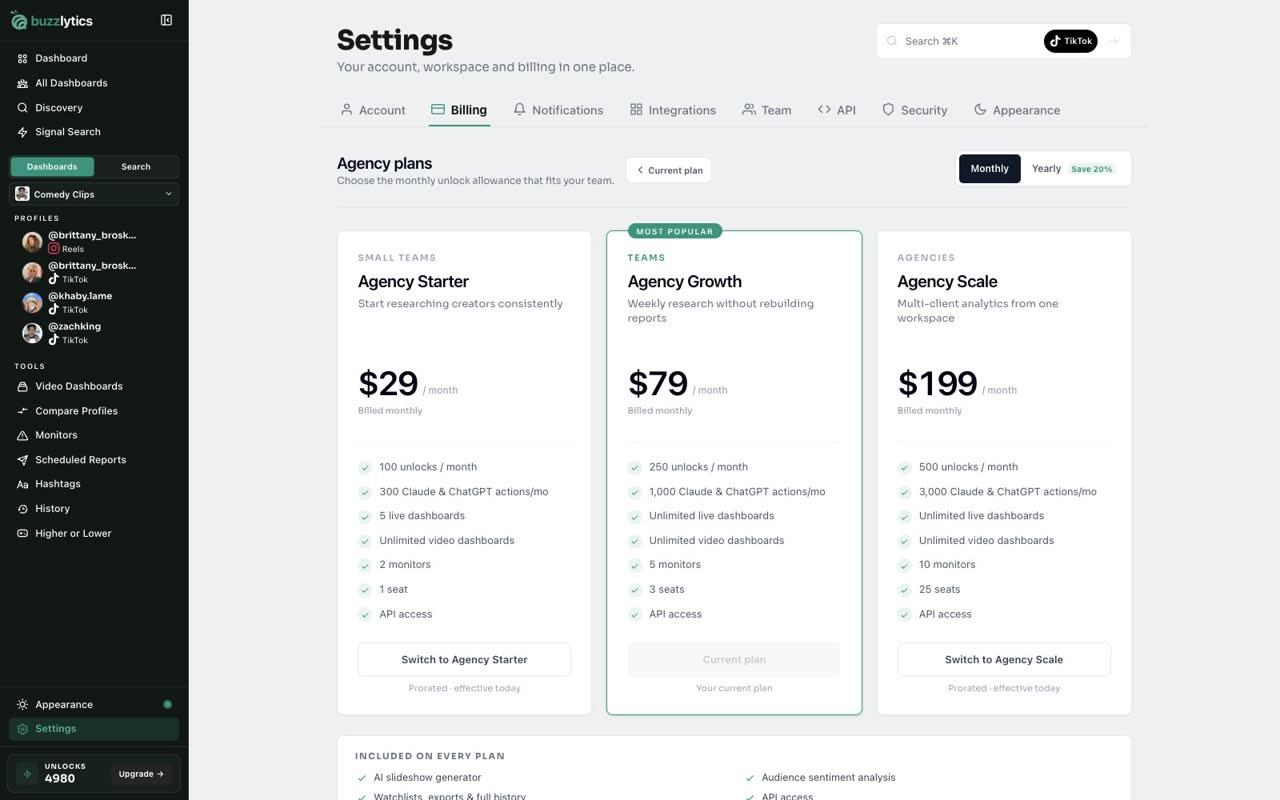
There are three plans. Starter is 29 dollars a month, Growth is 79, and Scale is 199.
-
2
Pay yearly and save 20%
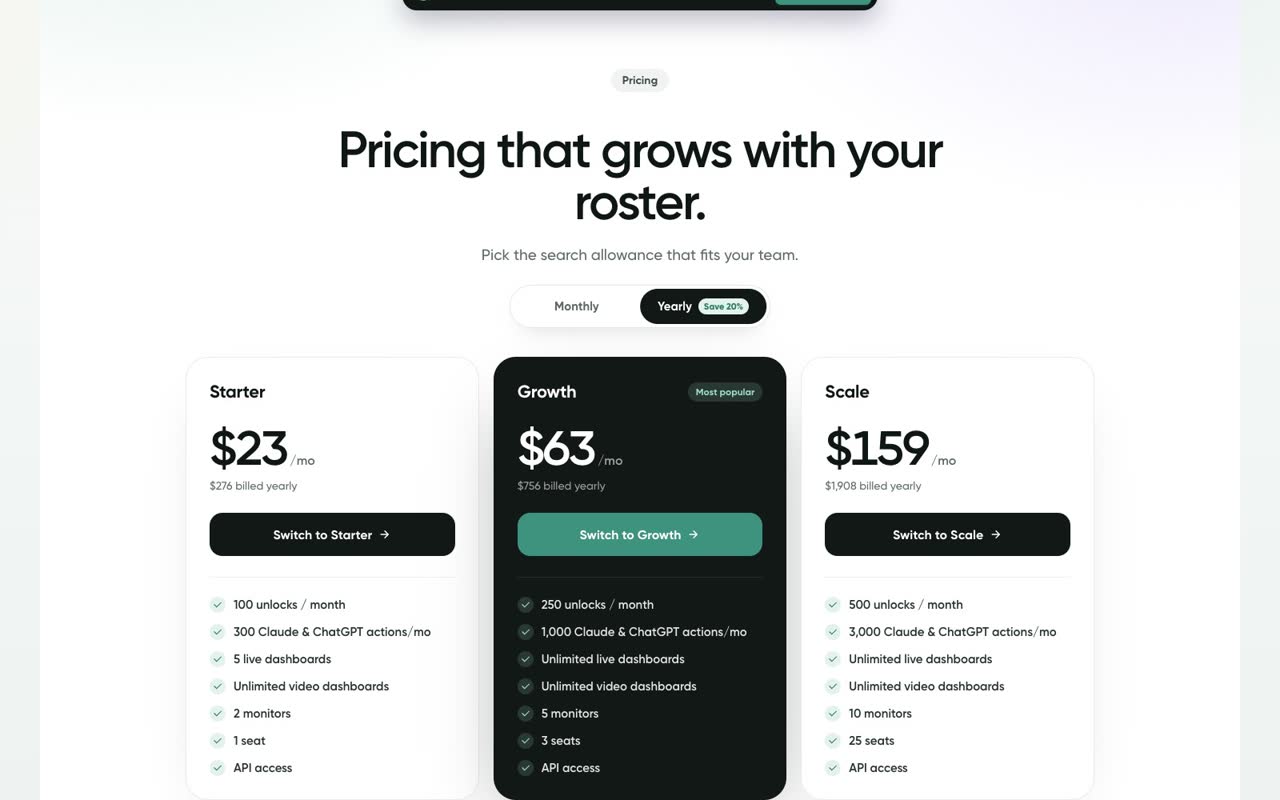
Switch to Yearly to pay for the year up front. It works out to 20% less: 23, 63 or 159 dollars a month.
-
3
What each plan includes
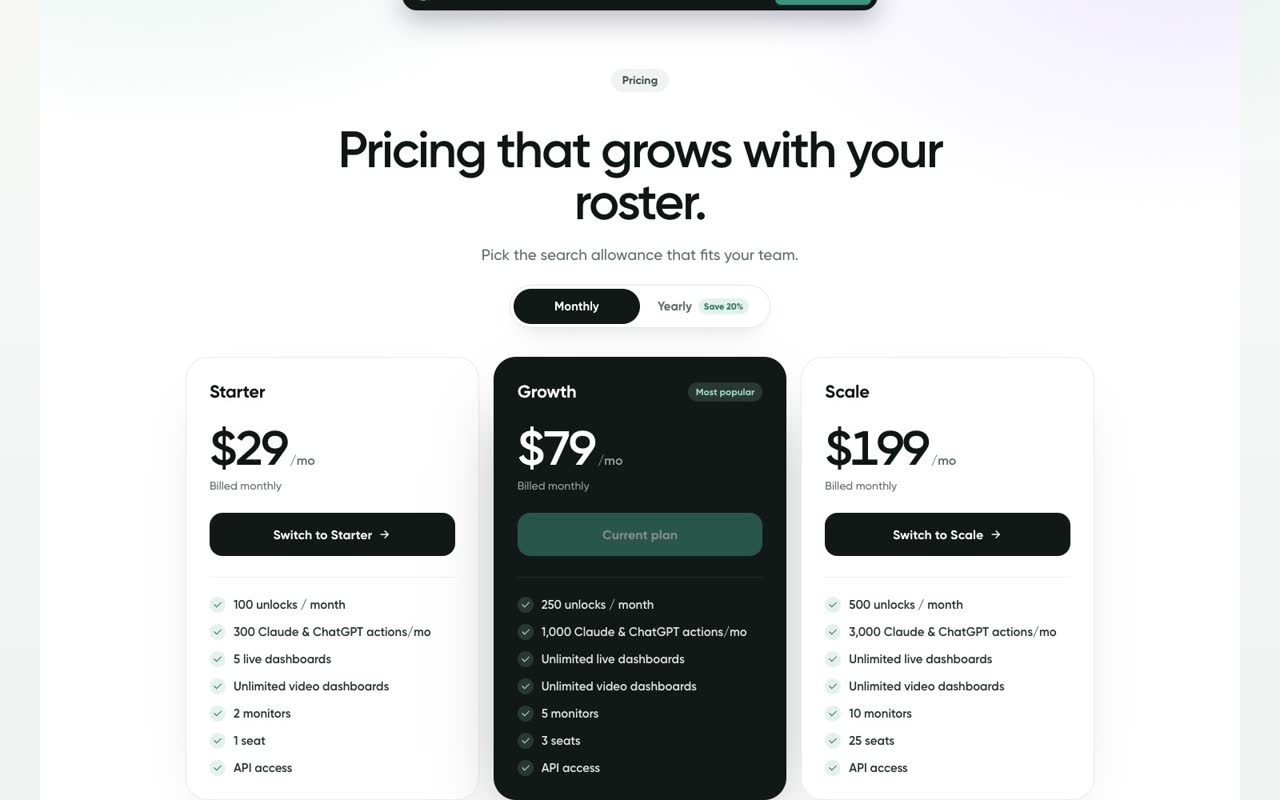
Each plan comes with monthly unlocks: 100 on Starter, 250 on Growth and 500 on Scale. An unlock opens or refreshes one profile.
-
4
Compare side by side
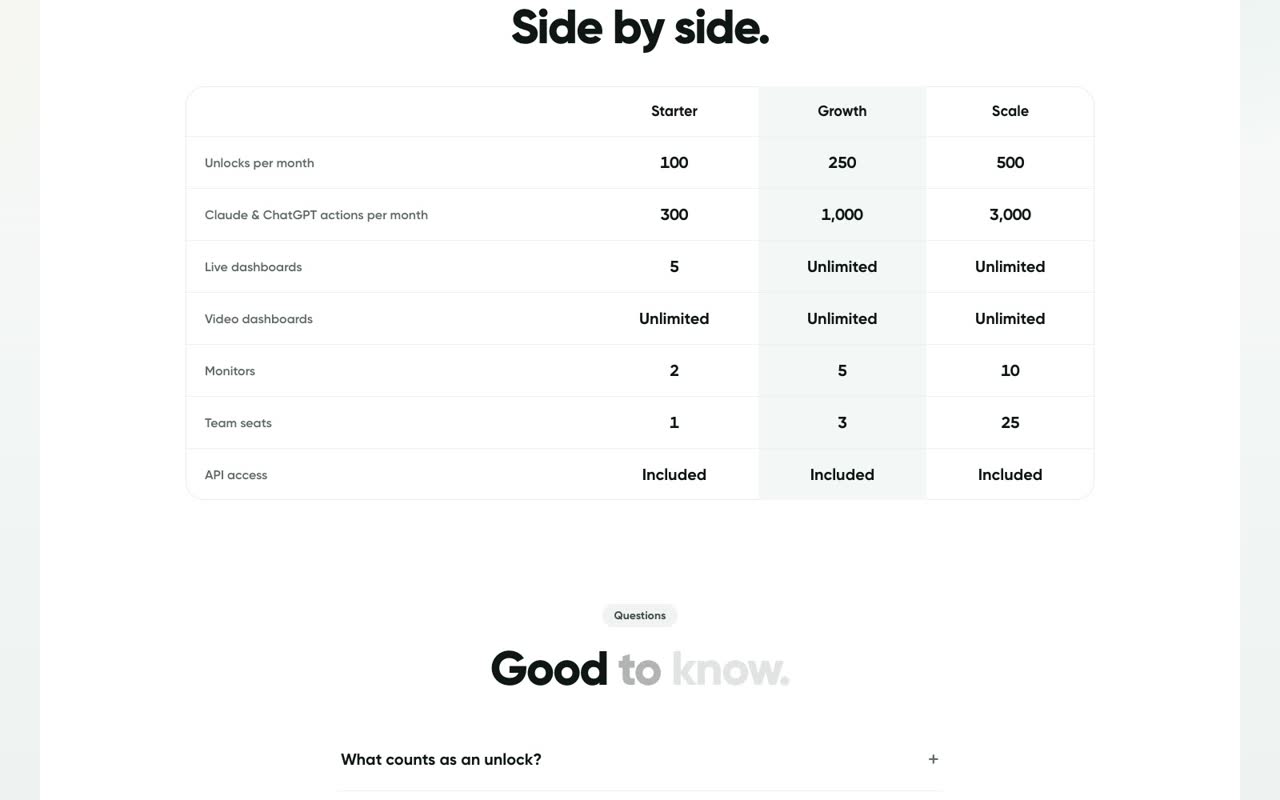
Scroll down to compare. Starter has 5 live dashboards, 2 monitors and 1 seat. Growth has unlimited dashboards, 5 monitors and 3 seats. Scale has 10 monitors and 25 seats.
-
5
See your current plan
In the app, open Settings, then Billing, and click Change plan. Your current plan is marked, so you can see what an upgrade adds.
Good to know
- Yearly billing works out to 20% less than paying monthly.
- Only Starter comes with a 3-day free trial. Growth and Scale are billed when you subscribe.
- Unused unlocks do not carry over. Your allowance resets every month.
Read the full transcript
In this video, you will compare the three Buzzlytics plans.
There are three plans. Starter is 29 dollars a month, Growth is 79, and Scale is 199.
Switch to Yearly to pay for the year up front. It works out to 20% less: 23, 63 or 159 dollars a month.
Each plan comes with monthly unlocks: 100 on Starter, 250 on Growth and 500 on Scale. An unlock opens or refreshes one profile.
Scroll down to compare. Starter has 5 live dashboards, 2 monitors and 1 seat. Growth has unlimited dashboards, 5 monitors and 3 seats. Scale has 10 monitors and 25 seats.
In the app, open Settings, then Billing, and click Change plan. Your current plan is marked, so you can see what an upgrade adds.
Next up, change plan, card or billing period.