Share a clipper leaderboard
Copy a no-login link that ranks every account on a dashboard by views gained, for your clippers or creators.
Quick steps
- Open Reports
- Share clipper leaderboard
- Open the leaderboard
- See who is winning
- Switch the window
Step by step
Prefer reading? Every step shows the screen you’ll see. Click a time to jump the video there.
-
1
Open Reports
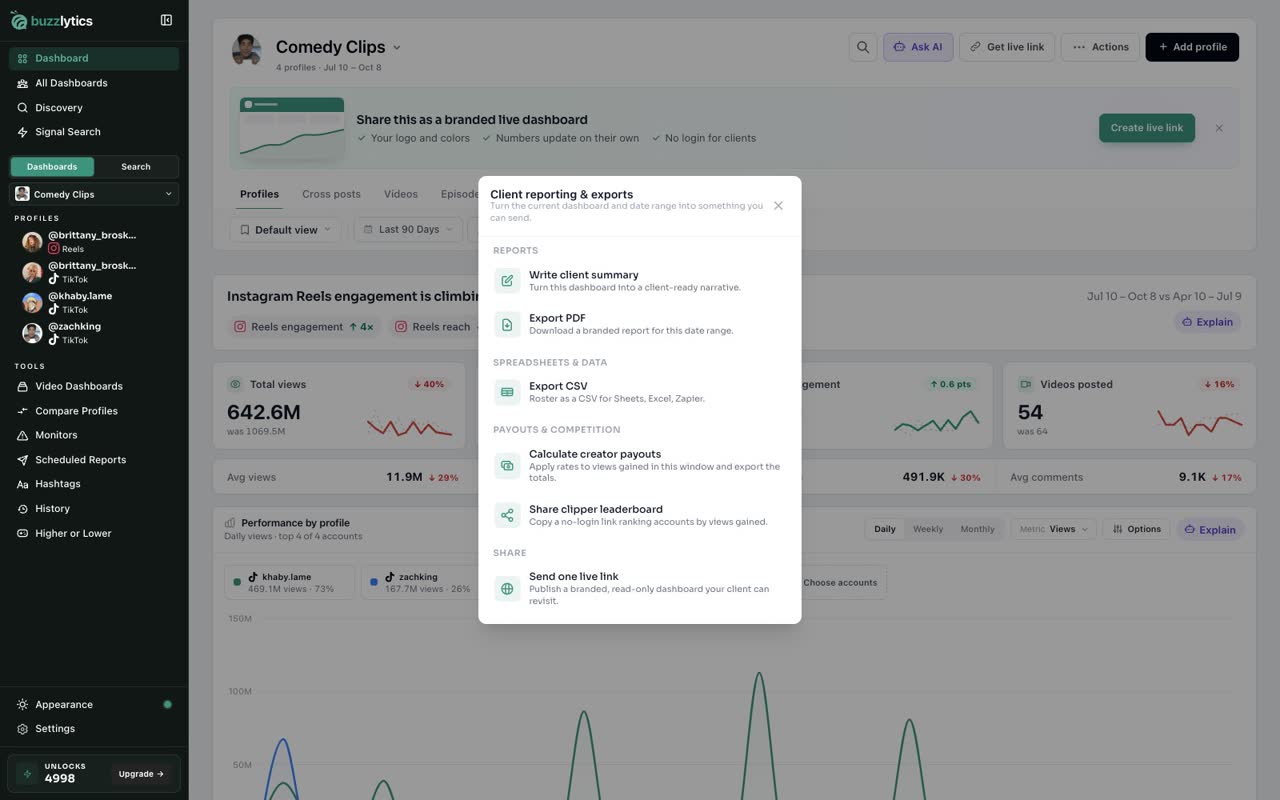
On your dashboard, click Actions, then Reports.
-
2
Share clipper leaderboard
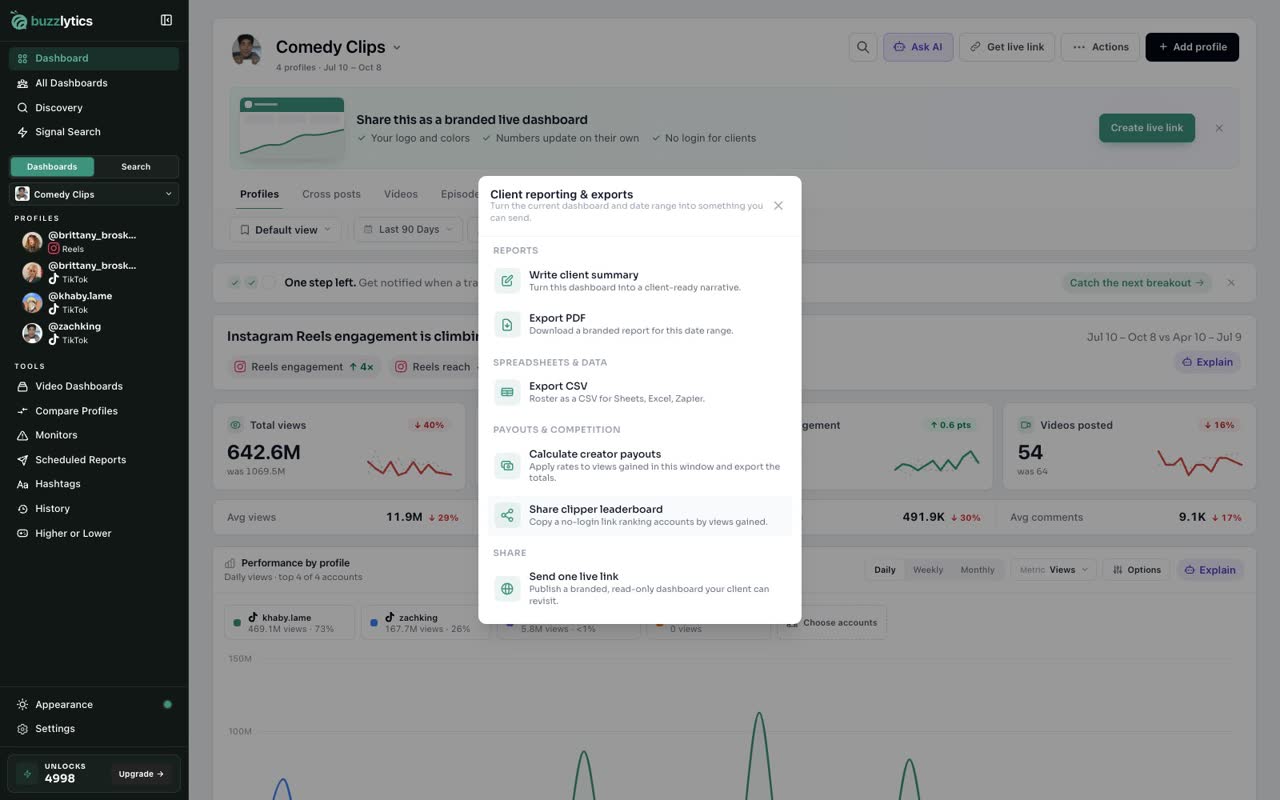
Under Payouts and competition, click Share clipper leaderboard. The link is copied, ready to paste in your team chat or Discord.
-
3
Open the leaderboard
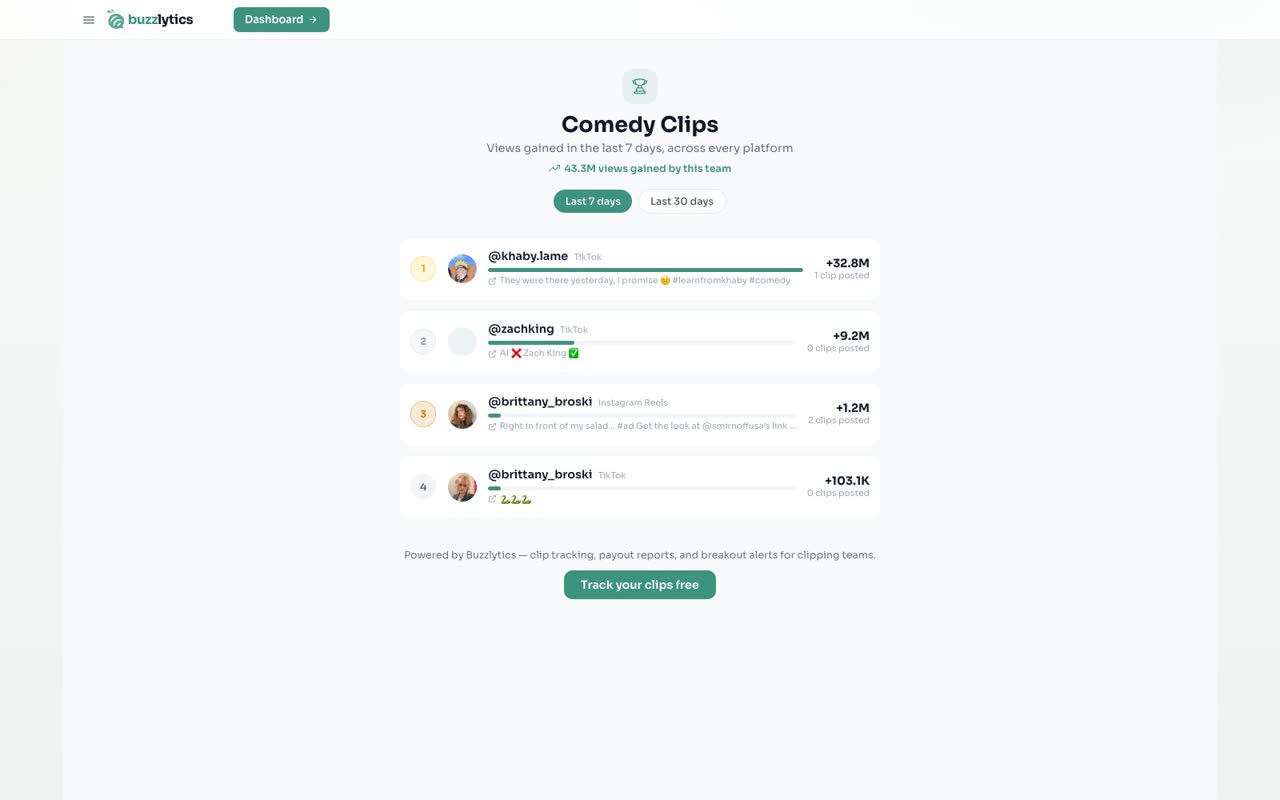
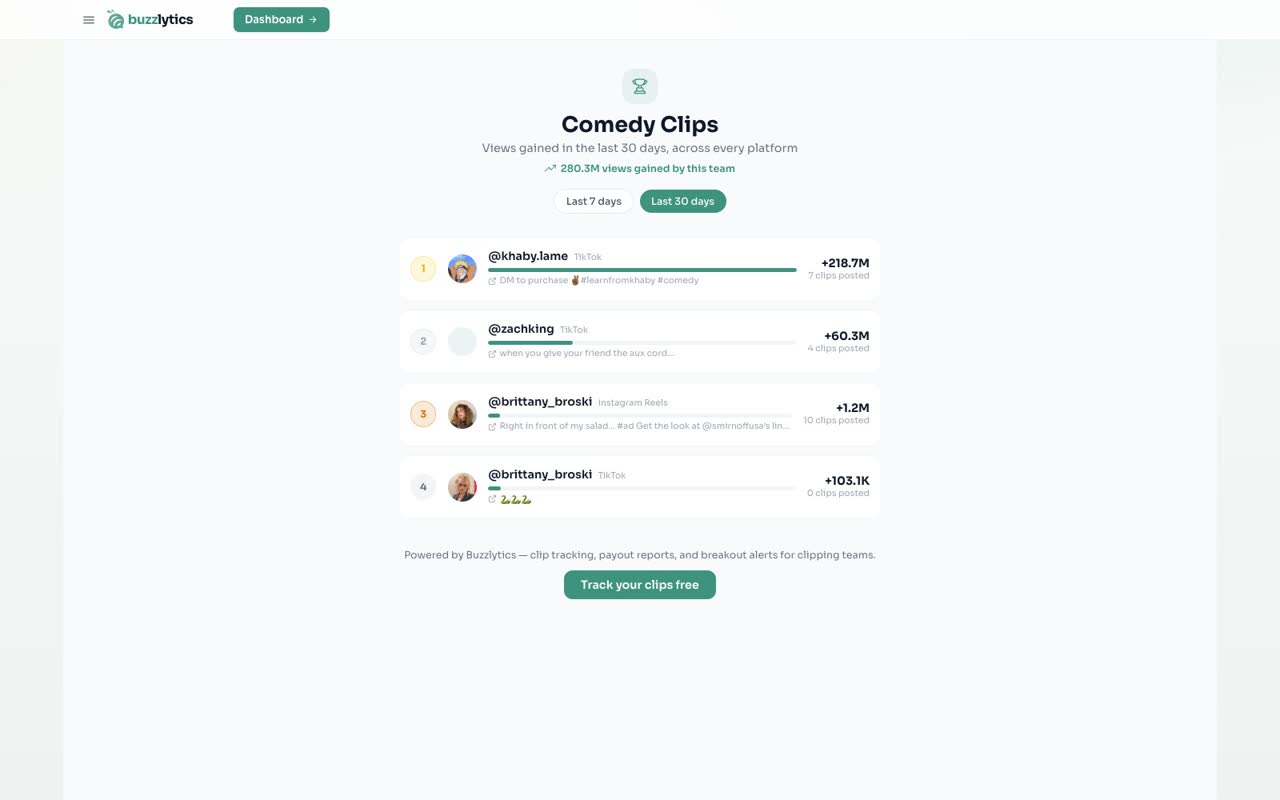
Anyone who opens the link sees every account ranked by views gained. No login needed.
-
4
See who is winning
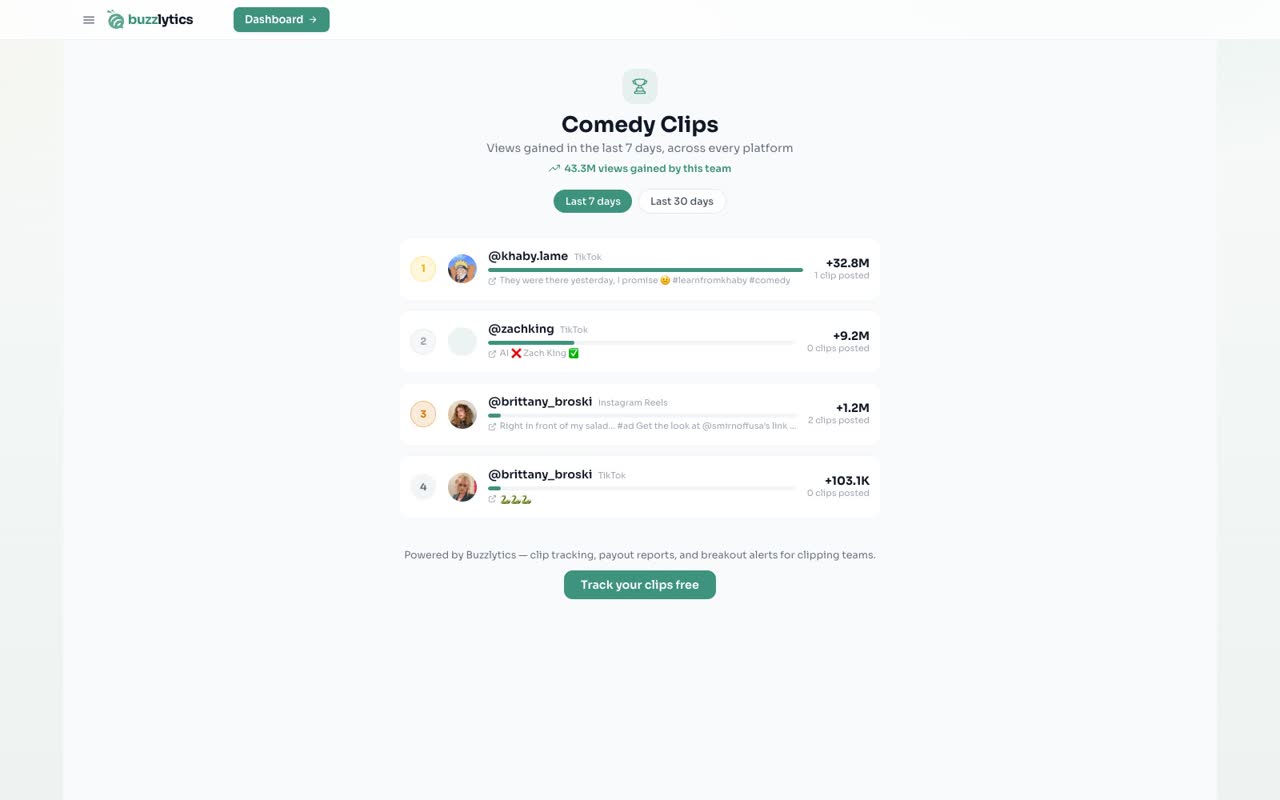
Each row shows the creator, the views they gained, how many clips they posted, and a link to their best clip.
-
5
Switch the window
Switch between Last 7 days and Last 30 days to see the weekly race or the whole month.
Good to know
- Anyone with the link can see the leaderboard. Nobody needs a Buzzlytics account.
- The link is tied to the dashboard name. Renaming the dashboard turns the old link off.
- The leaderboard has its own Last 7 days and Last 30 days views. It does not follow your dashboard date range.
Read the full transcript
In this video, you will share a live leaderboard that ranks your creators by the views they gained.
On your dashboard, click Actions, then Reports.
Under Payouts and competition, click Share clipper leaderboard. The link is copied, ready to paste in your team chat or Discord.
Anyone who opens the link sees every account ranked by views gained. No login needed.
Each row shows the creator, the views they gained, how many clips they posted, and a link to their best clip.
Switch between Last 7 days and Last 30 days to see the weekly race or the whole month.
Next up, track posts with Video Dashboards.