API access
Create an API key and pull TikTok, Instagram, YouTube, X and Facebook profile data into your own tools.
Quick steps
- Open the API tab
- Create your API key
- Start a scrape
- Poll for the result
- Endpoints and balance
Step by step
Prefer reading? Every step shows the screen you’ll see. Click a time to jump the video there.
-
1
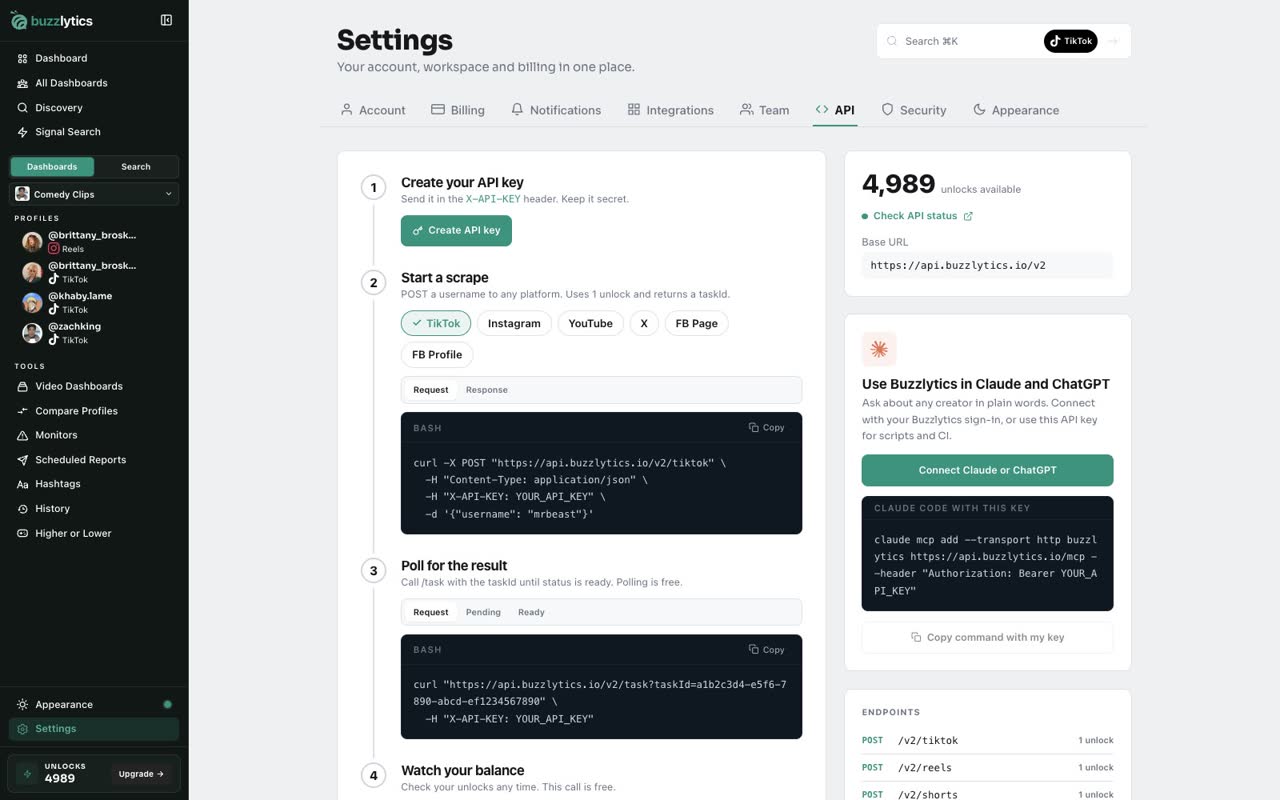
Open the API tab
Open Settings and choose the API tab. The steps on this page take you from key to data.
-
2
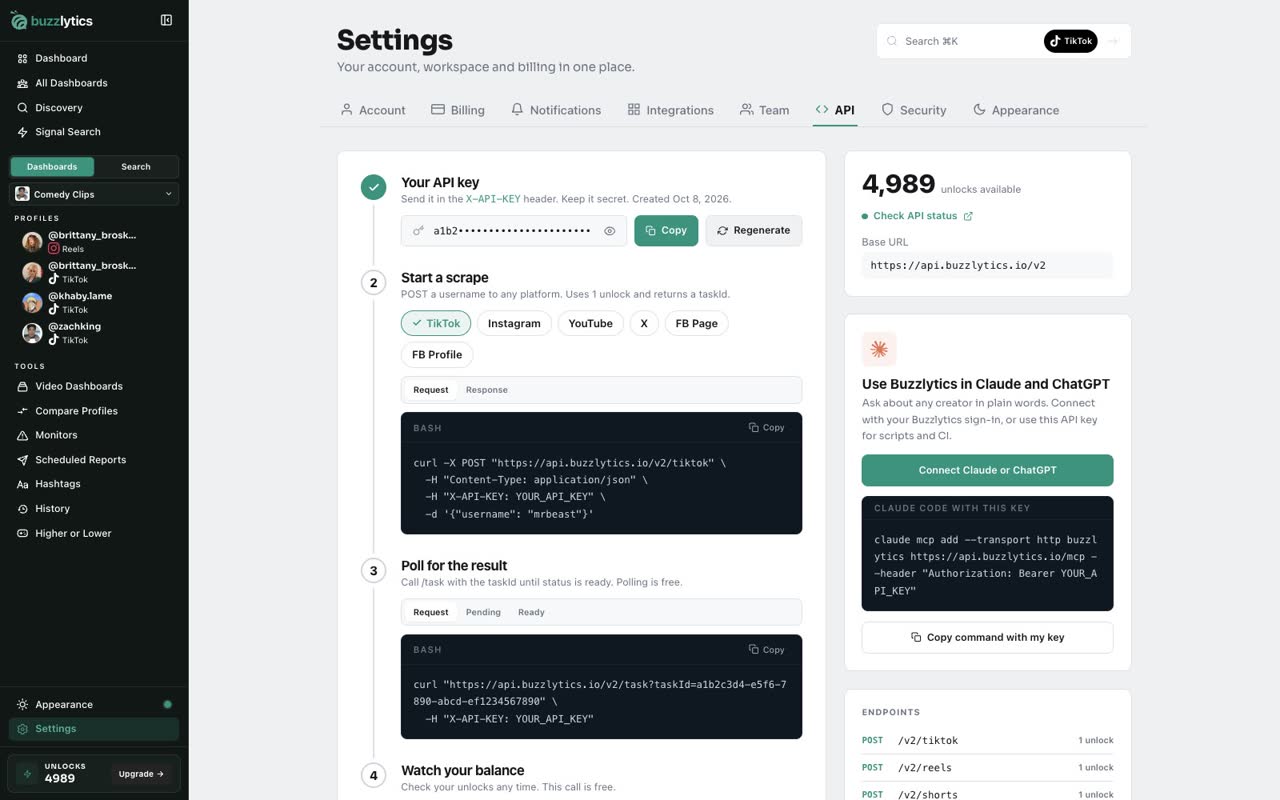
Create your API key
Click Create API key. Keep it secret, and send it in the X-API-KEY header.
-
3
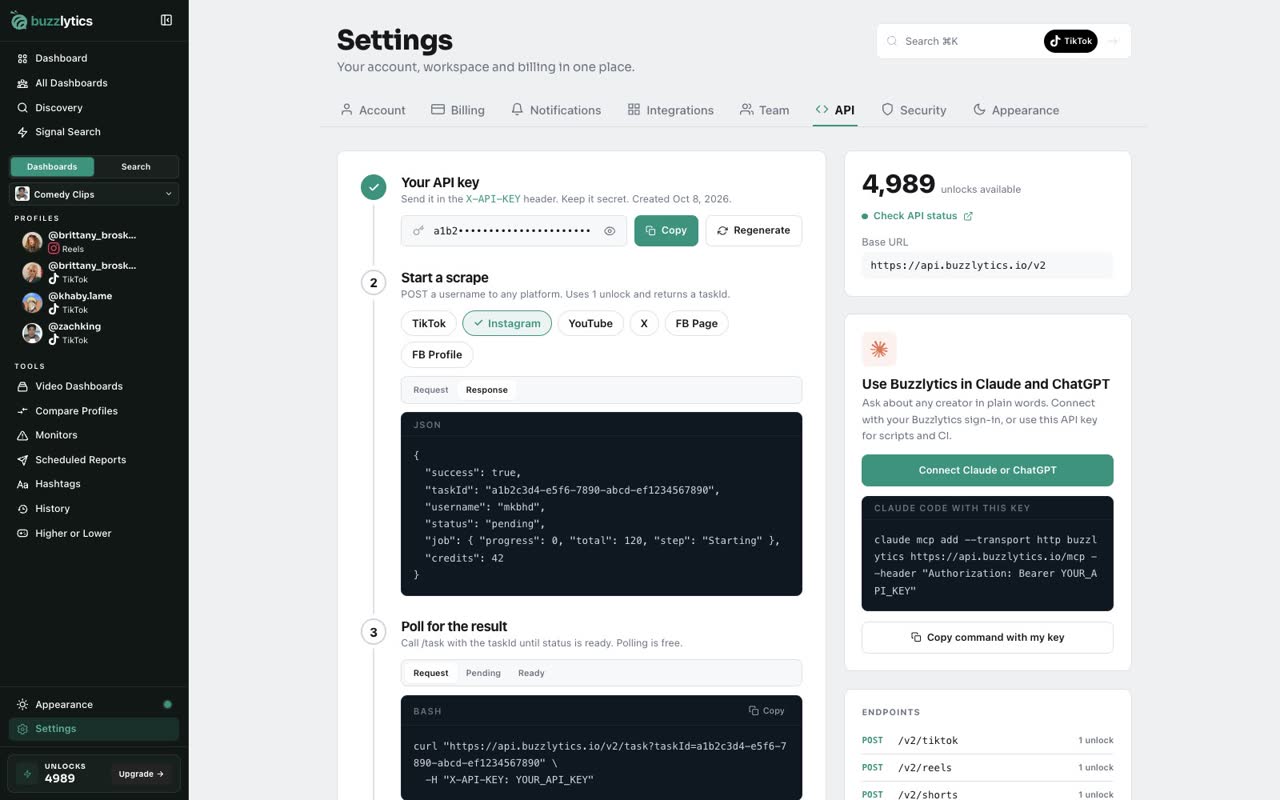
Start a scrape
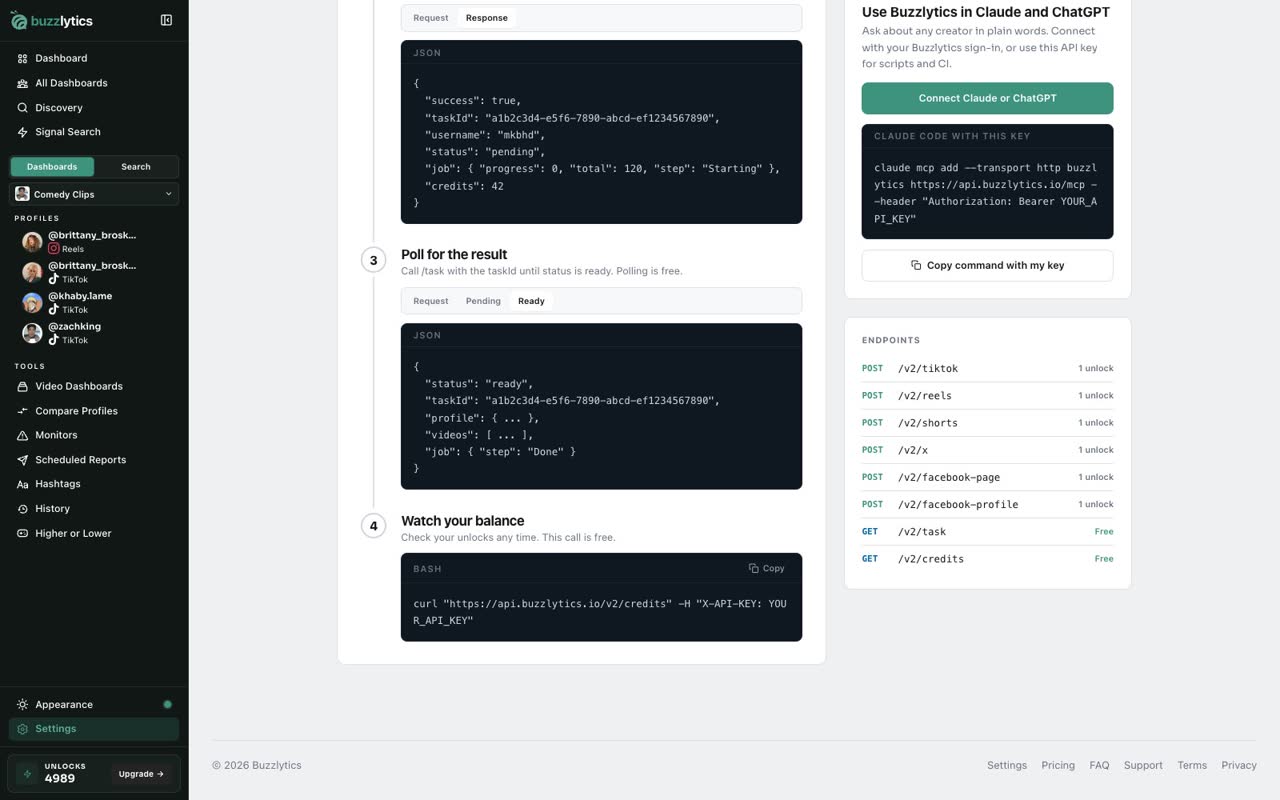
Pick a platform and post a username to start a scrape. Each one uses 1 unlock and returns a task ID.
-
4
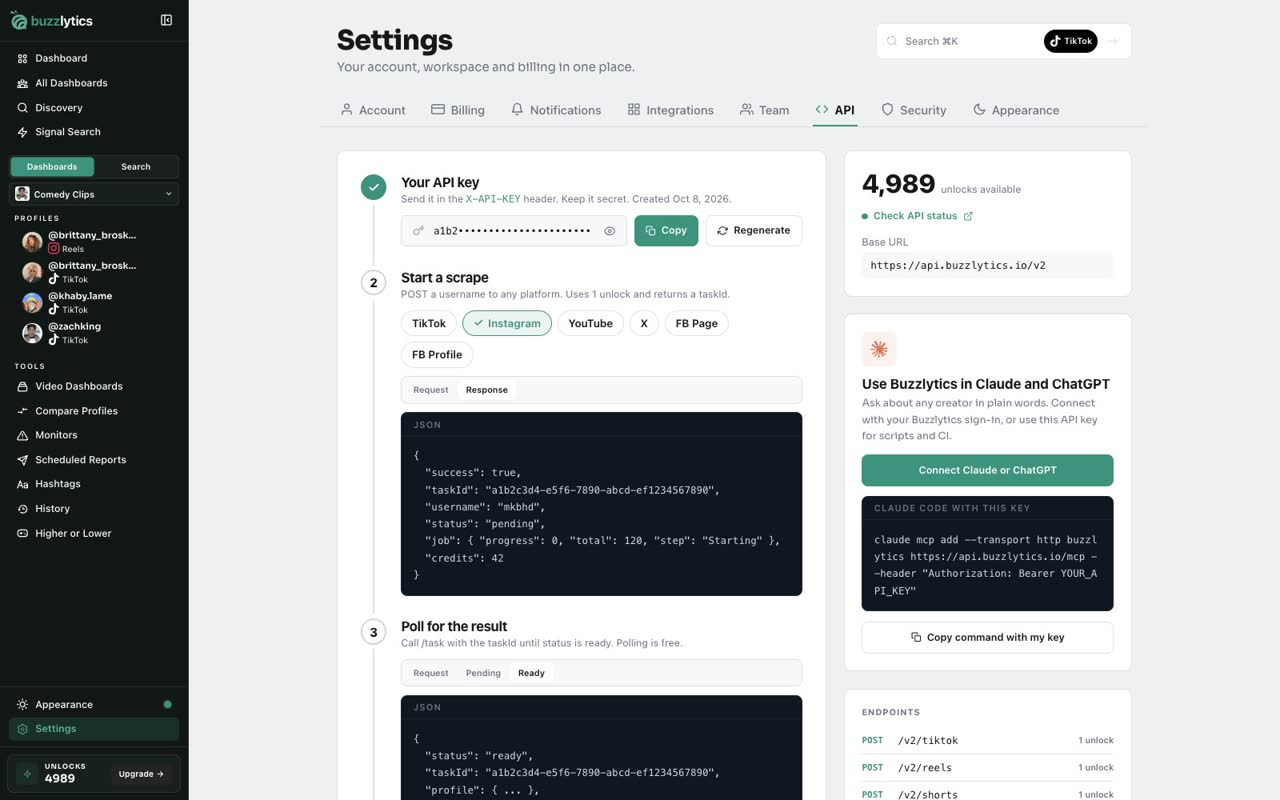
Poll for the result
Then call the task endpoint with that ID until the status is ready. Polling is free.
-
5
Endpoints and balance
The side panel lists every endpoint and what it costs, plus your unlock balance. Checking the balance is free.
Good to know
- Starting a scrape uses 1 unlock. Polling for the result and checking your balance are free.
- Regenerate replaces your key, and the old one stops working right away.
- Keep your key secret. Send it in the X-API-KEY header from your server, not from a web page.
Read the full transcript
In this video, you will create an API key and see how to pull data with it.
Open Settings and choose the API tab. The steps on this page take you from key to data.
Click Create API key. Keep it secret, and send it in the X-API-KEY header.
Pick a platform and post a username to start a scrape. Each one uses 1 unlock and returns a task ID.
Then call the task endpoint with that ID until the status is ready. Polling is free.
The side panel lists every endpoint and what it costs, plus your unlock balance. Checking the balance is free.
Next up, plans explained.