Change plan, card or billing period
Switch plans, move to yearly billing, update your card and find your invoices on the Billing tab.
Quick steps
- Open the Billing tab
- Update your card
- Find your invoices
- Change plan
- Switch to yearly billing
- Your new billing period
Step by step
Prefer reading? Every step shows the screen you’ll see. Click a time to jump the video there.
-
1
Open the Billing tab
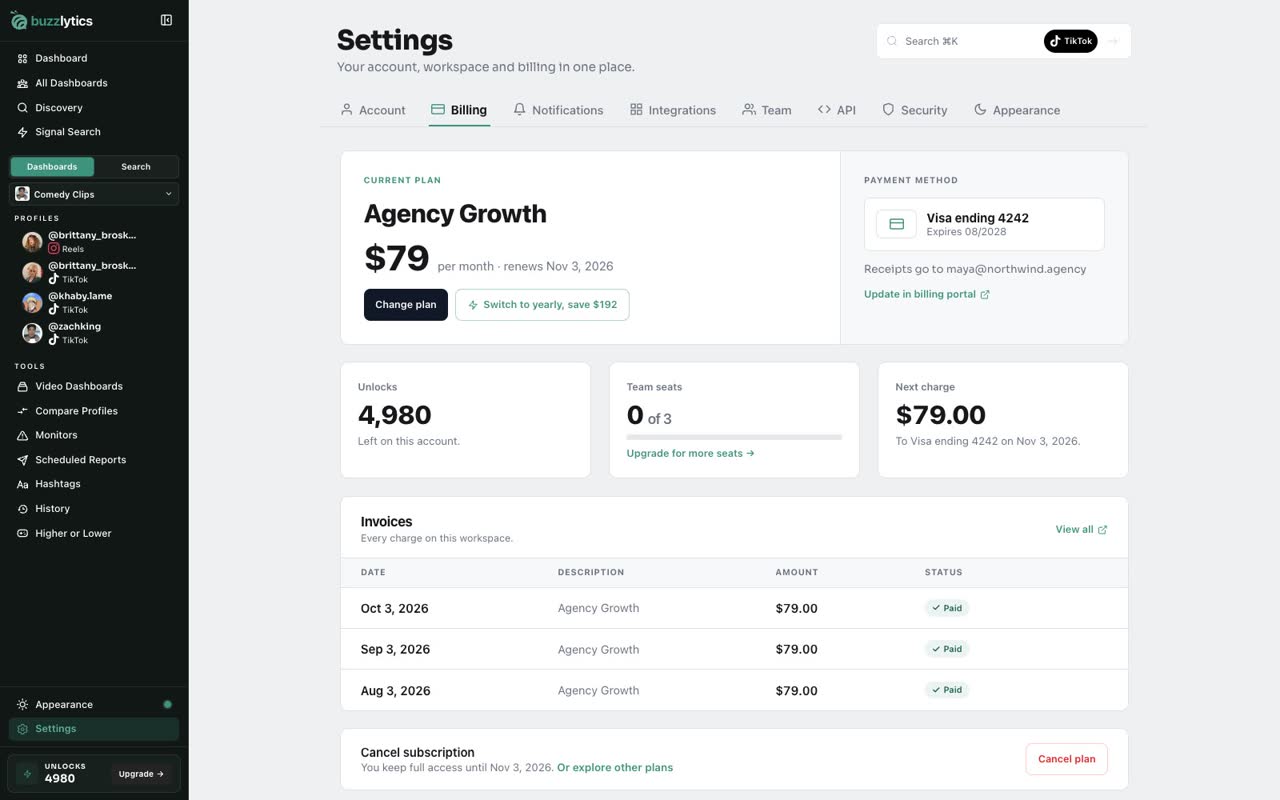
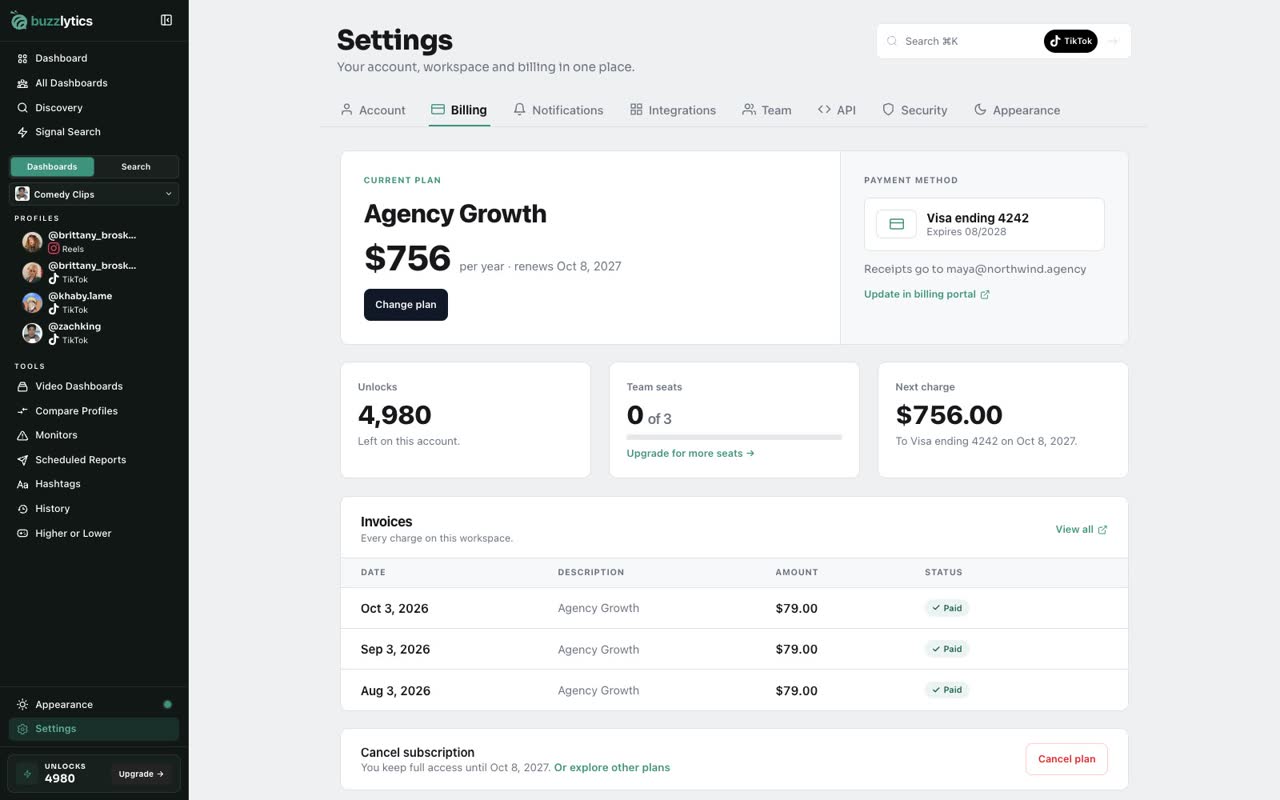
In Settings, open the Billing tab. You see your current plan, what it costs, and when it renews.
-
2
Update your card
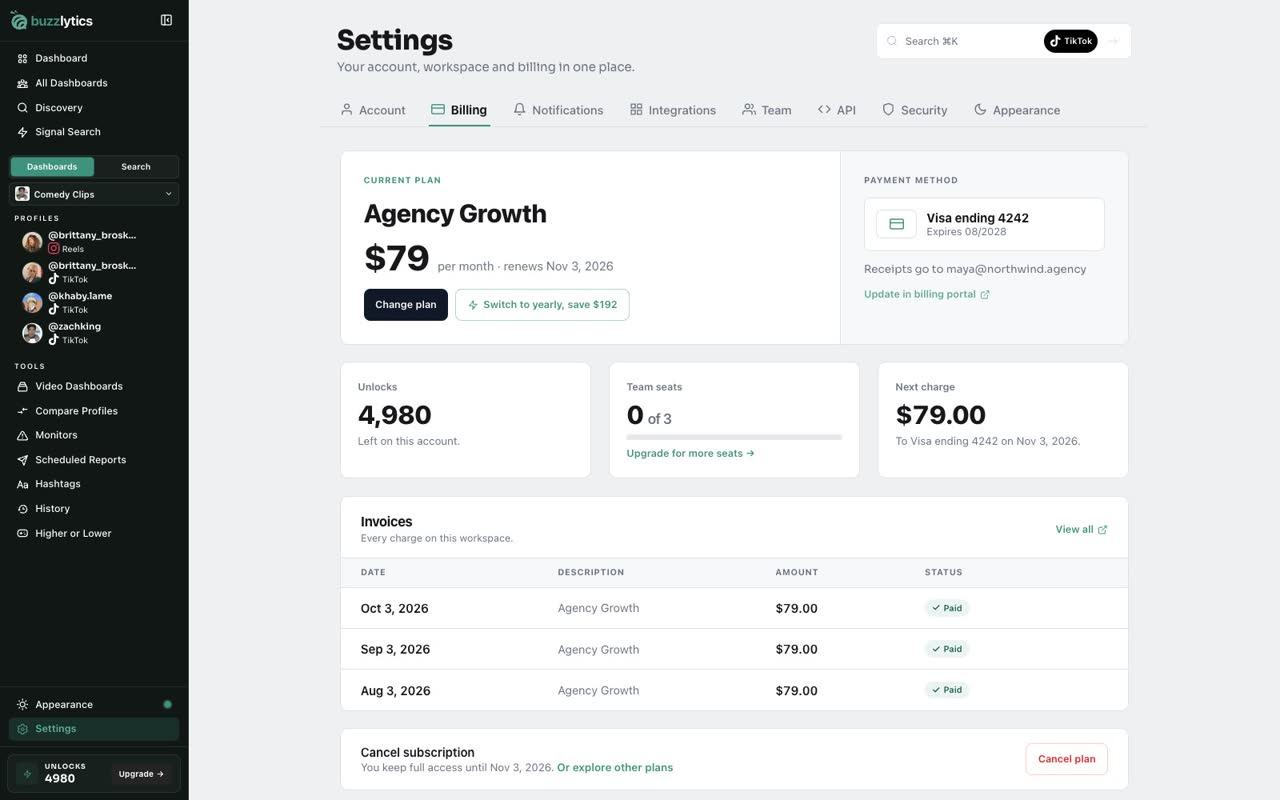
Your card is on the right. To change it, click Update in billing portal. Stripe opens a secure page where you can add a new card.
-
3
Find your invoices
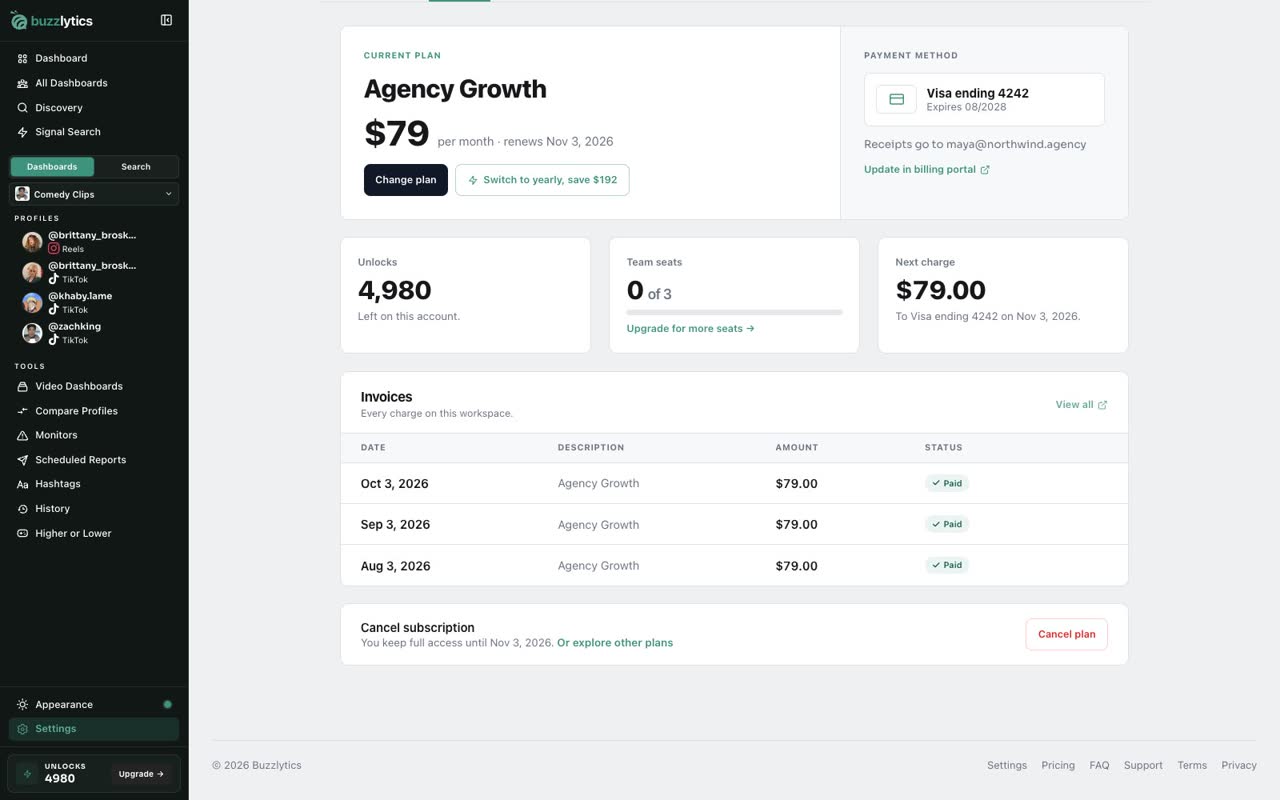
Scroll down to Invoices to see every charge. View all opens the full list in the billing portal.
-
4
Change plan
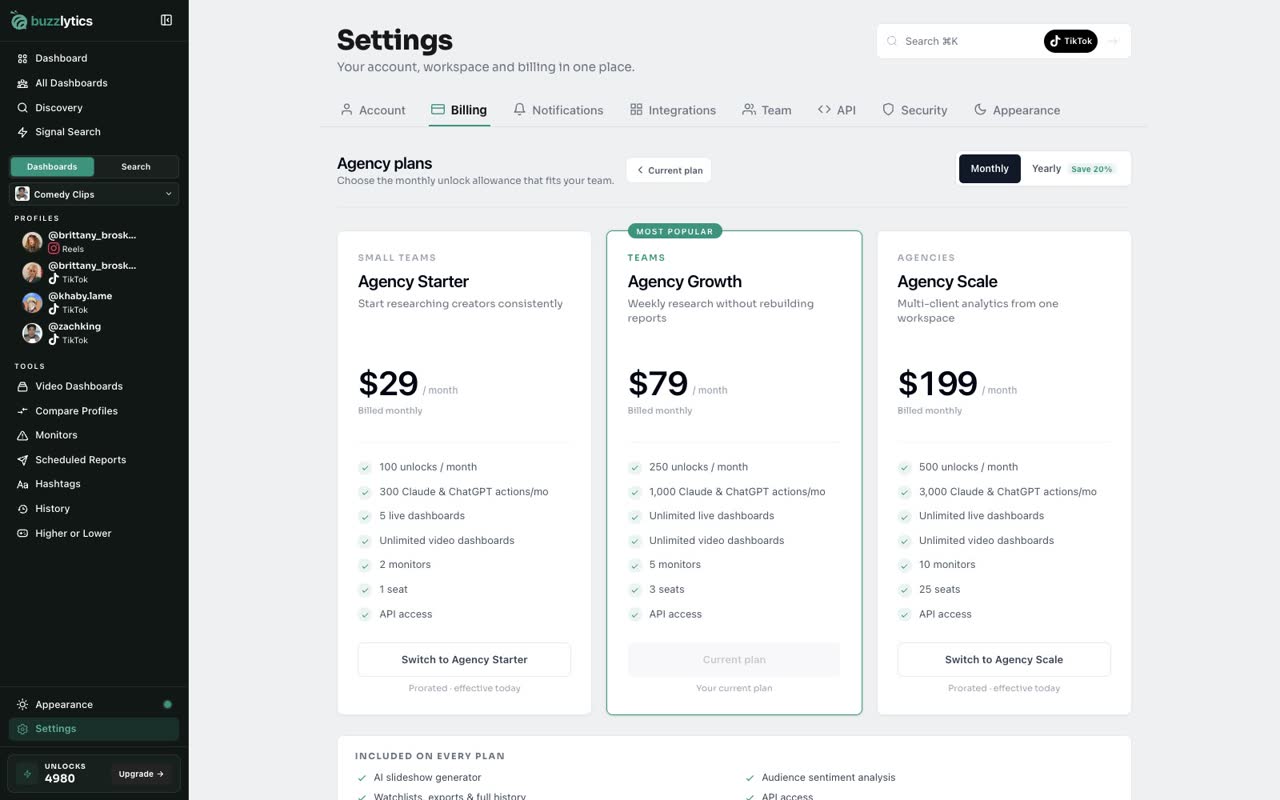
To move up or down, scroll back up and click Change plan. Pick a plan and click Switch. The change is prorated and takes effect today.
-
5
Switch to yearly billing
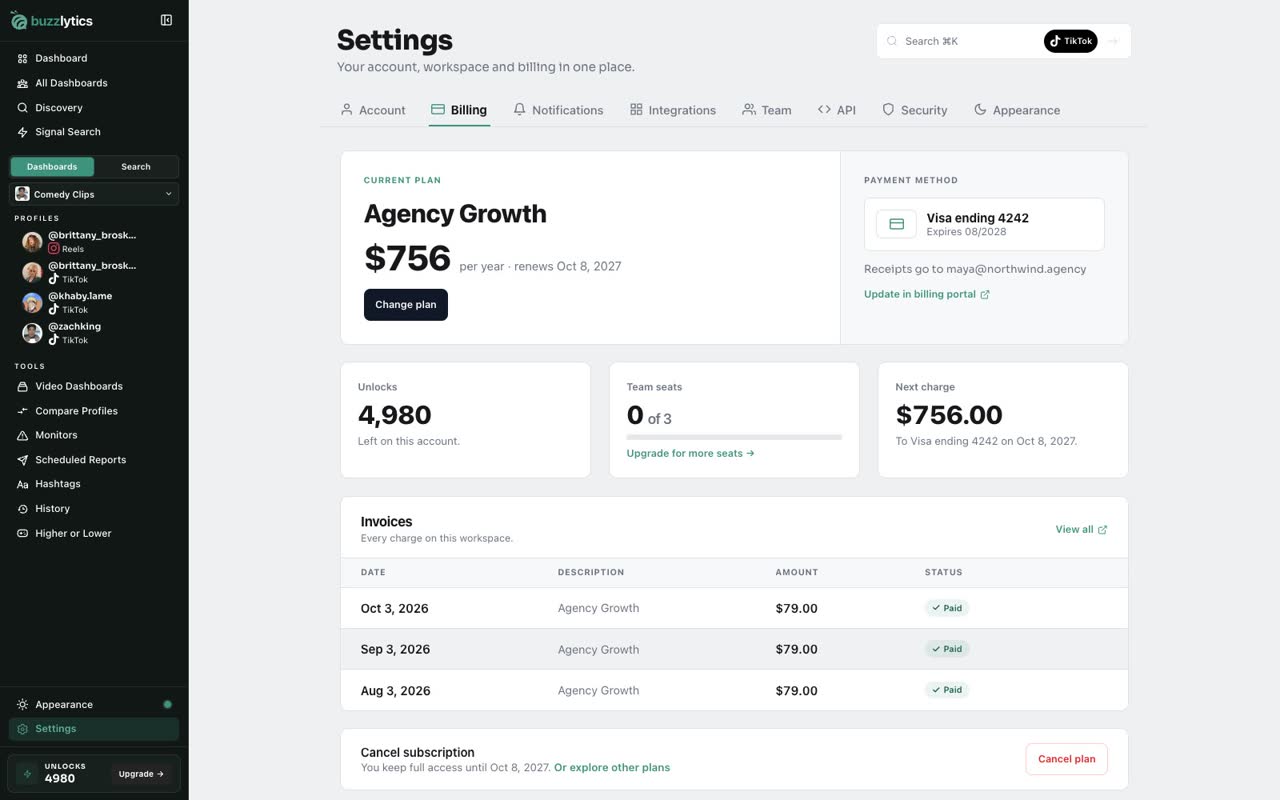
Back on your plan, click Switch to yearly. Choose Yearly, then switch to the yearly version of your plan. Yearly saves you 20%.
-
6
Your new billing period
Done. The plan card now shows your yearly price and the new renewal date.
Good to know
- Plan switches are prorated and take effect right away.
- Yearly billing works out to 20% less than paying monthly.
- Team members see the workspace plan, but only the account owner can change billing.
Read the full transcript
In this video, you will manage your plan, your card and your billing period.
In Settings, open the Billing tab. You see your current plan, what it costs, and when it renews.
Your card is on the right. To change it, click Update in billing portal. Stripe opens a secure page where you can add a new card.
Scroll down to Invoices to see every charge. View all opens the full list in the billing portal.
To move up or down, scroll back up and click Change plan. Pick a plan and click Switch. The change is prorated and takes effect today.
Back on your plan, click Switch to yearly. Choose Yearly, then switch to the yearly version of your plan. Yearly saves you 20%.
Done. The plan card now shows your yearly price and the new renewal date.
Next up, pause or cancel.