Manage all your dashboards
Check every client at a glance on All Dashboards, then set the order and the default dashboard on the Manage page.
Quick steps
- Open All Dashboards
- Spot who needs attention
- Every row has a menu
- Open the Manage page
- Put them in order
- Choose your default
Step by step
Prefer reading? Every step shows the screen you’ll see. Click a time to jump the video there.
-
1
Open All Dashboards
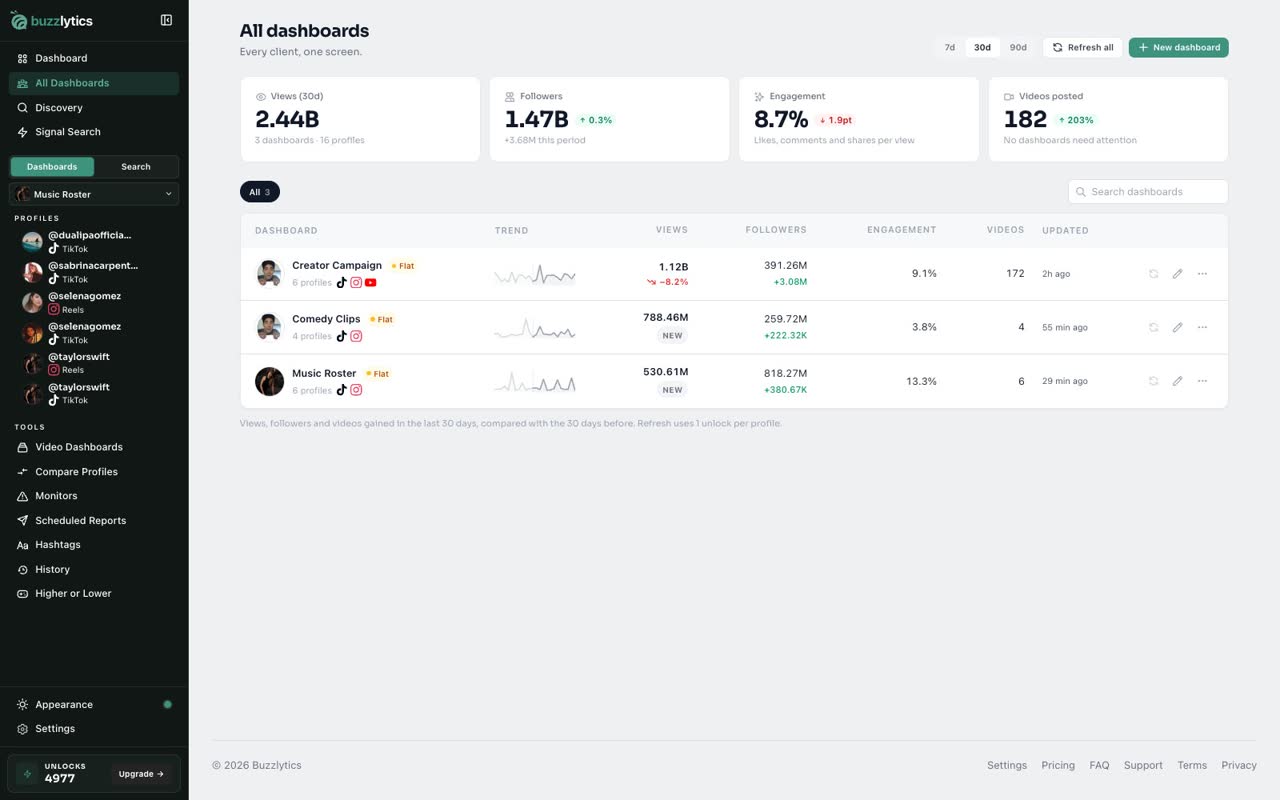
Click All Dashboards in the sidebar. Every dashboard sits on one screen, with views, followers and a health badge.
-
2
Spot who needs attention
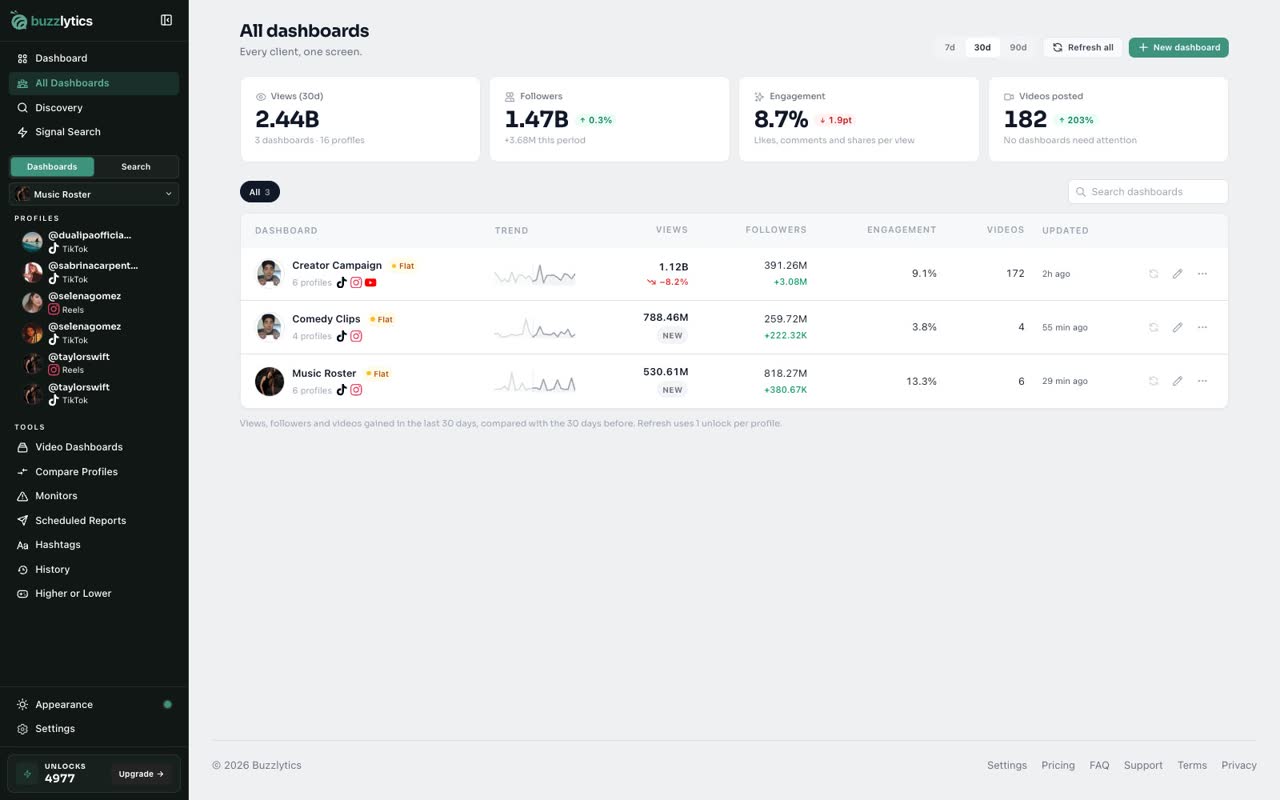
Health badges show which clients are growing, flat or at risk. Refresh all updates every profile older than a day, at 1 unlock each.
-
3
Every row has a menu
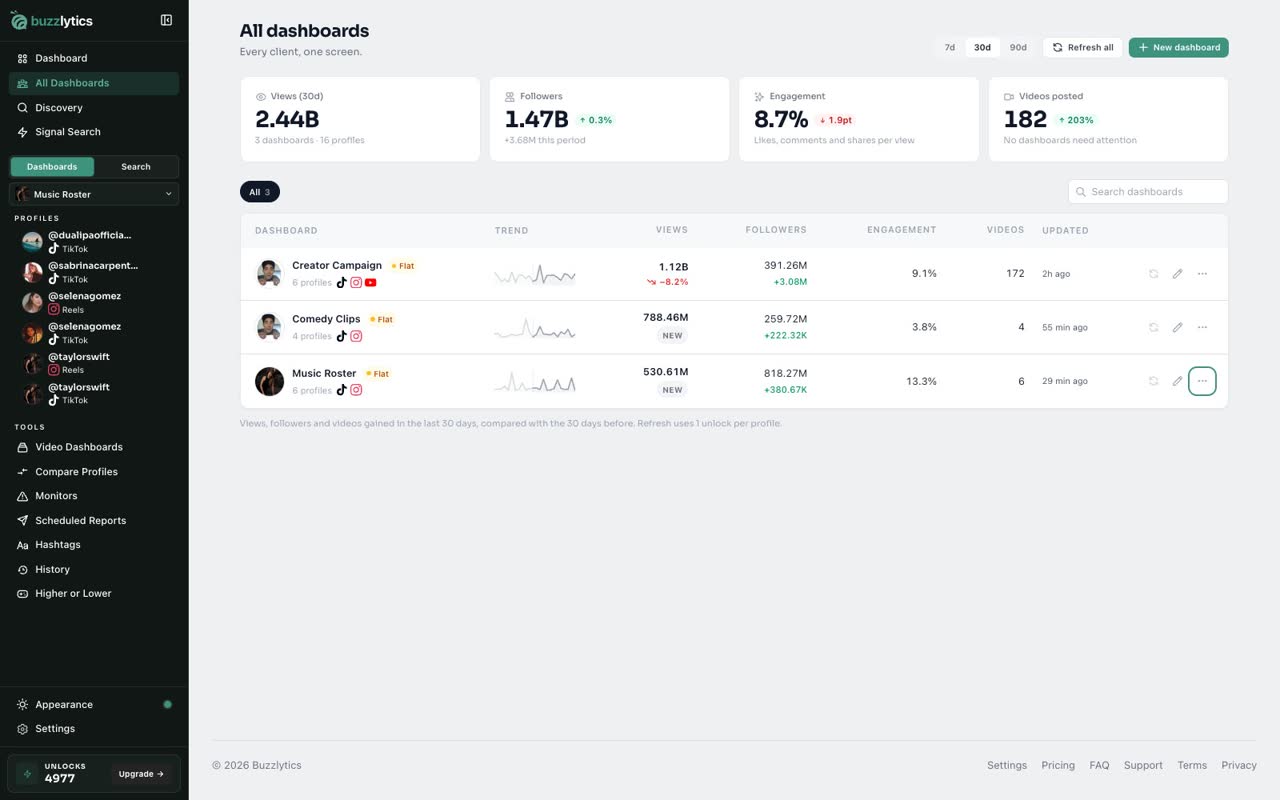
The menu on each row opens, edits or refreshes that dashboard, or adds profiles to it.
-
4
Open the Manage page
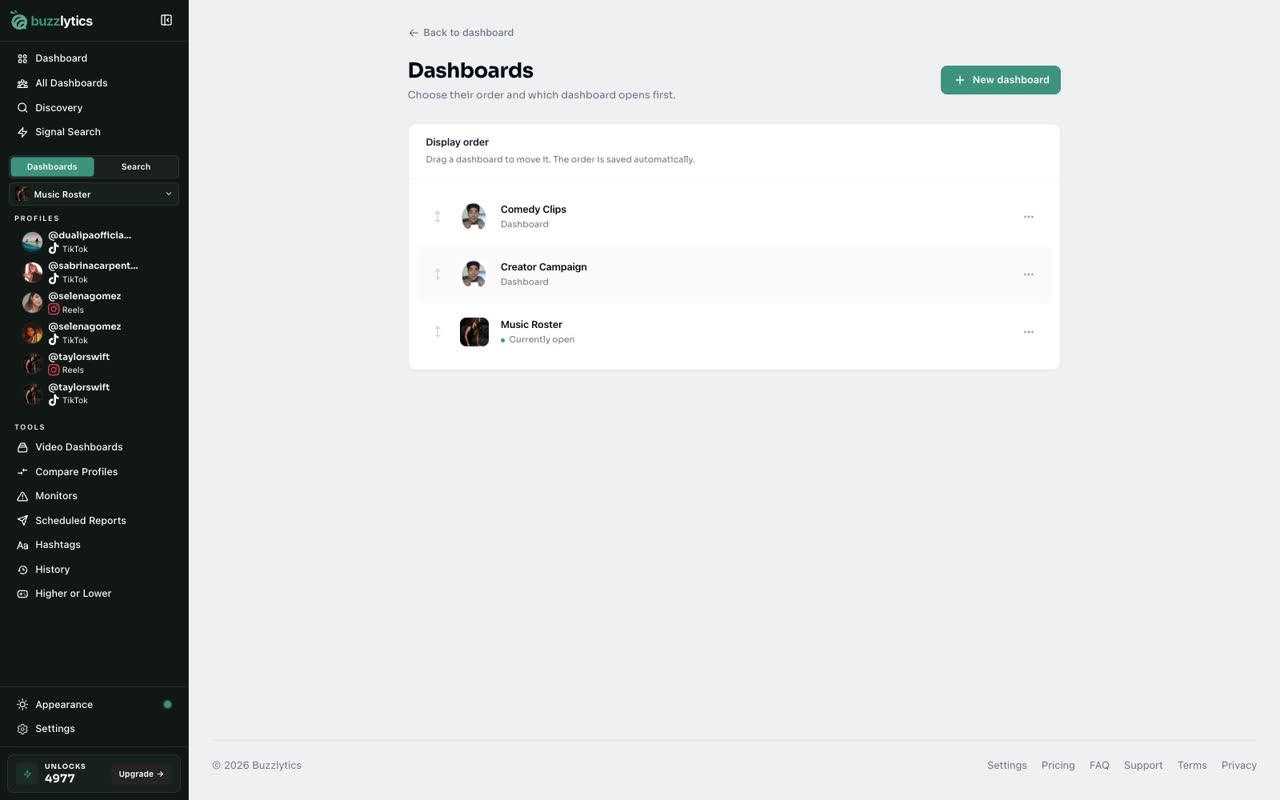
To set the order, open the dashboard switcher and click Manage.
-
5
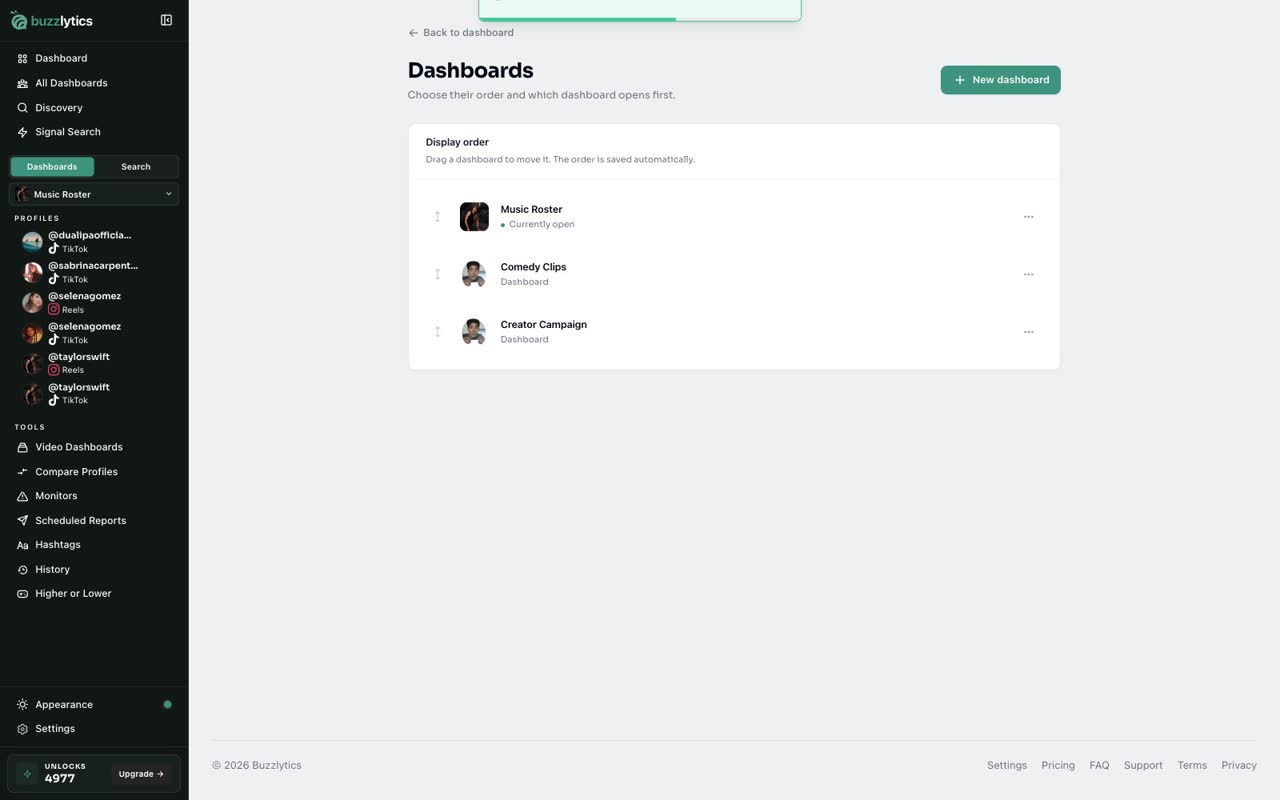
Put them in order
Drag a dashboard by its handle, or use Move up and Move down in its menu. The order saves on its own.
-
6
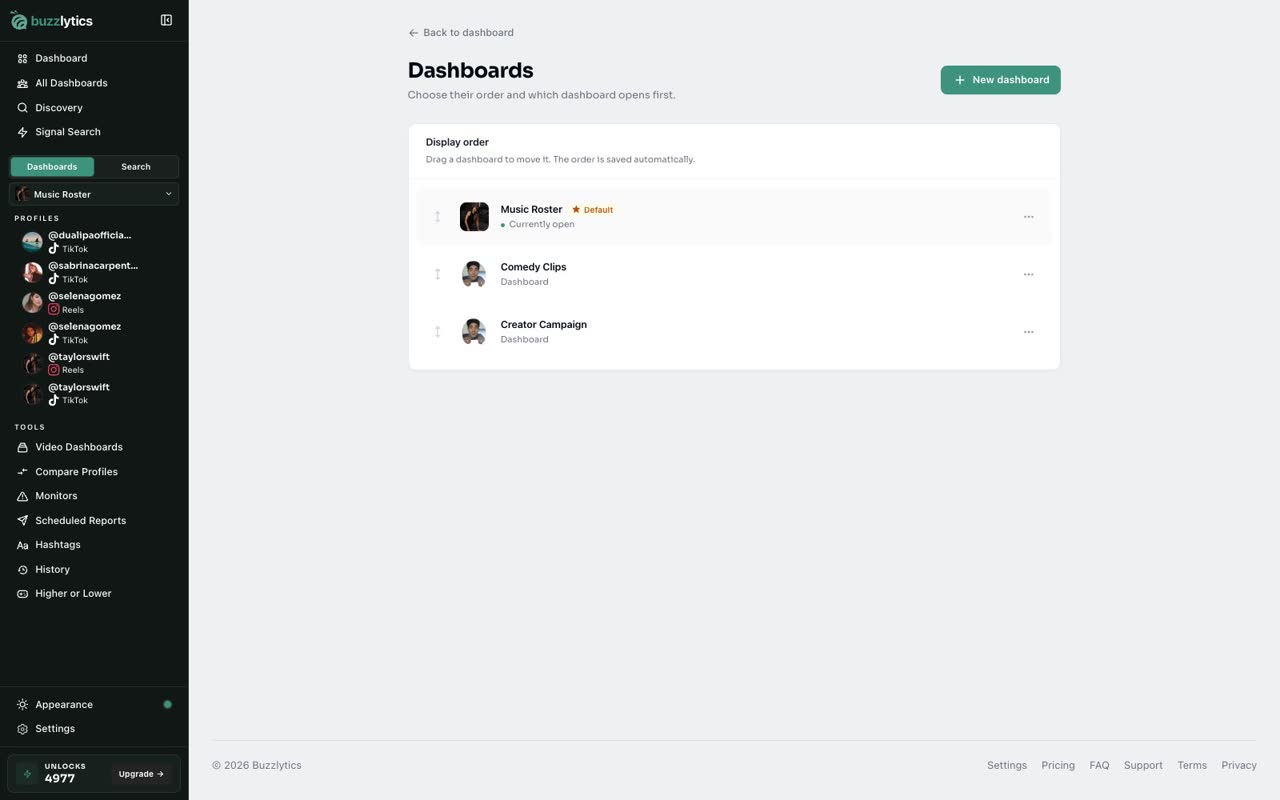
Choose your default
Choose Make default on the dashboard you use most. It opens first every time you come back.
Good to know
- Refresh all only updates profiles that are more than a day old, at 1 unlock each.
- The default dashboard is the one that opens first when you come back.
- Deleting a dashboard cannot be undone, but the profiles stay tracked in your other dashboards.
Read the full transcript
In this video, you will check every dashboard at once and keep them in order.
Click All Dashboards in the sidebar. Every dashboard sits on one screen, with views, followers and a health badge.
Health badges show which clients are growing, flat or at risk. Refresh all updates every profile older than a day, at 1 unlock each.
The menu on each row opens, edits or refreshes that dashboard, or adds profiles to it.
To set the order, open the dashboard switcher and click Manage.
Drag a dashboard by its handle, or use Move up and Move down in its menu. The order saves on its own.
Choose Make default on the dashboard you use most. It opens first every time you come back.
Next up, episodes for clip pages.