Use Buzzlytics in Claude and ChatGPT
Add Buzzlytics to Claude, ChatGPT, Claude Code or Cursor, then look up creators and report on dashboards from a chat.
Quick steps
- Find AI assistants
- Copy the connector URL
- ChatGPT
- Claude Code and Cursor
- Connected apps
- Ask from your chat
Step by step
Prefer reading? Every step shows the screen you’ll see. Click a time to jump the video there.
-
1
Find AI assistants
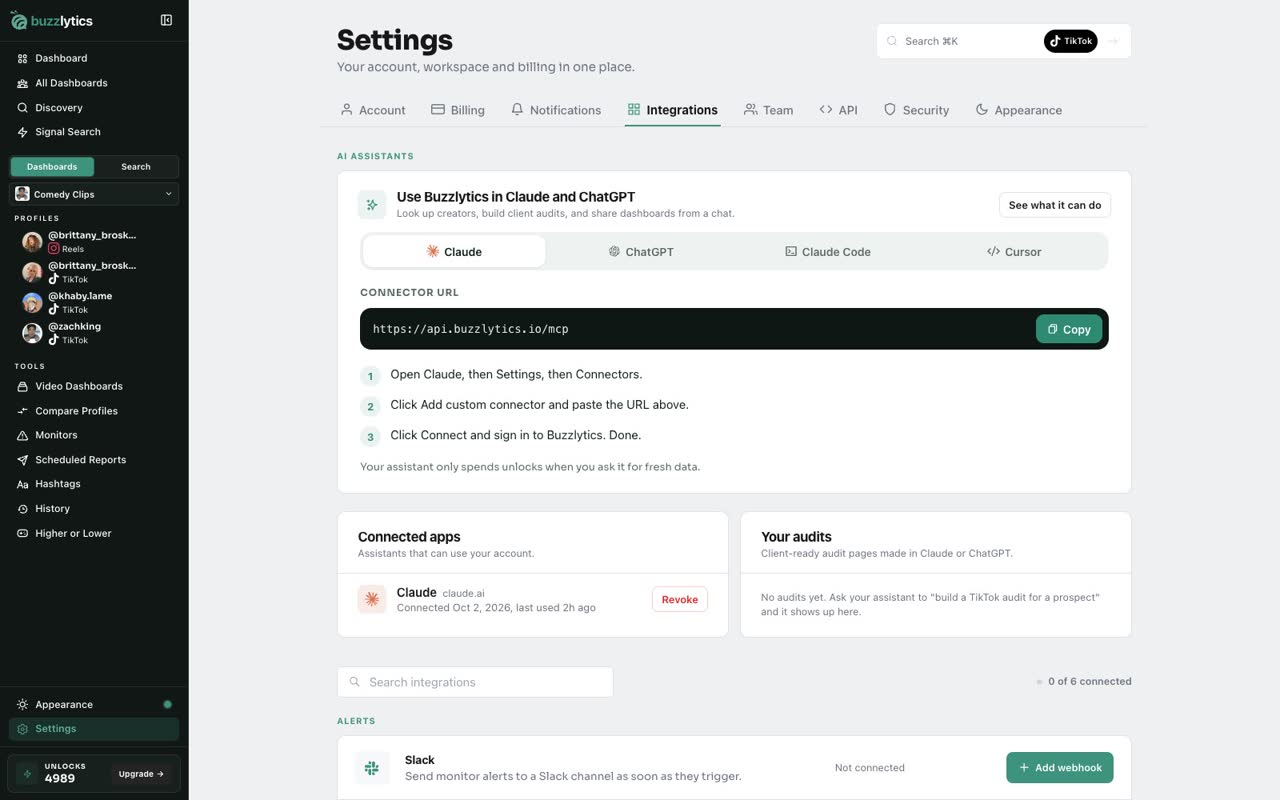
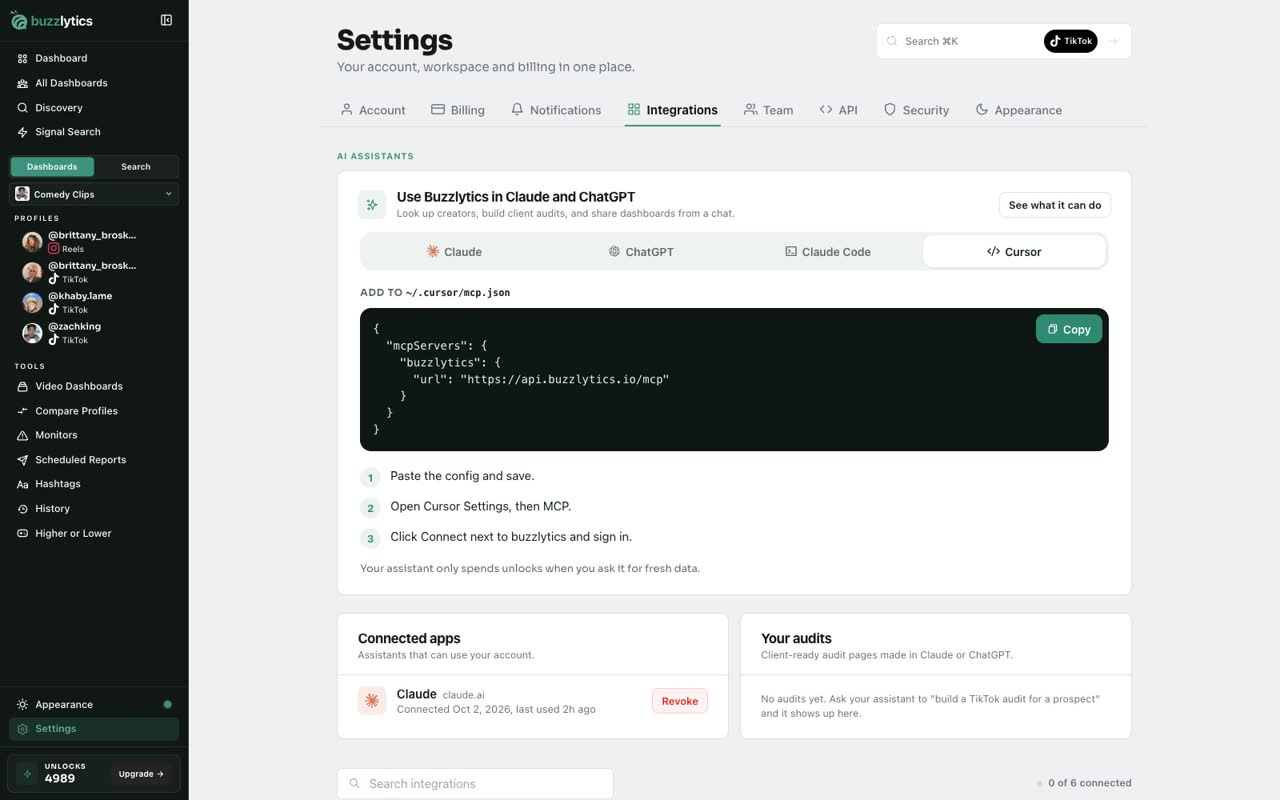
Go to Settings, then Integrations. At the top is Use Buzzlytics in Claude and ChatGPT.
-
2
Copy the connector URL
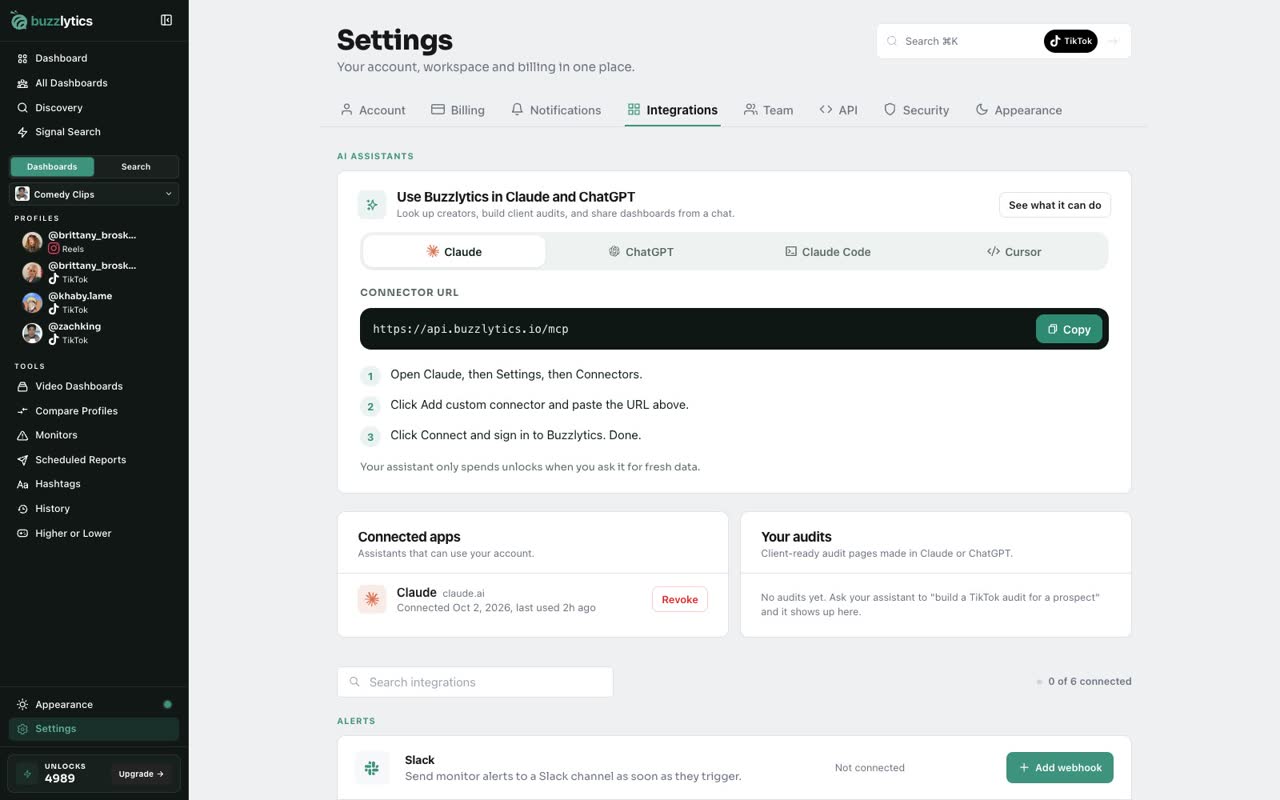
For Claude, copy the Connector URL. Then in Claude, open Settings, Connectors, and add a custom connector with that URL.
-
3
ChatGPT
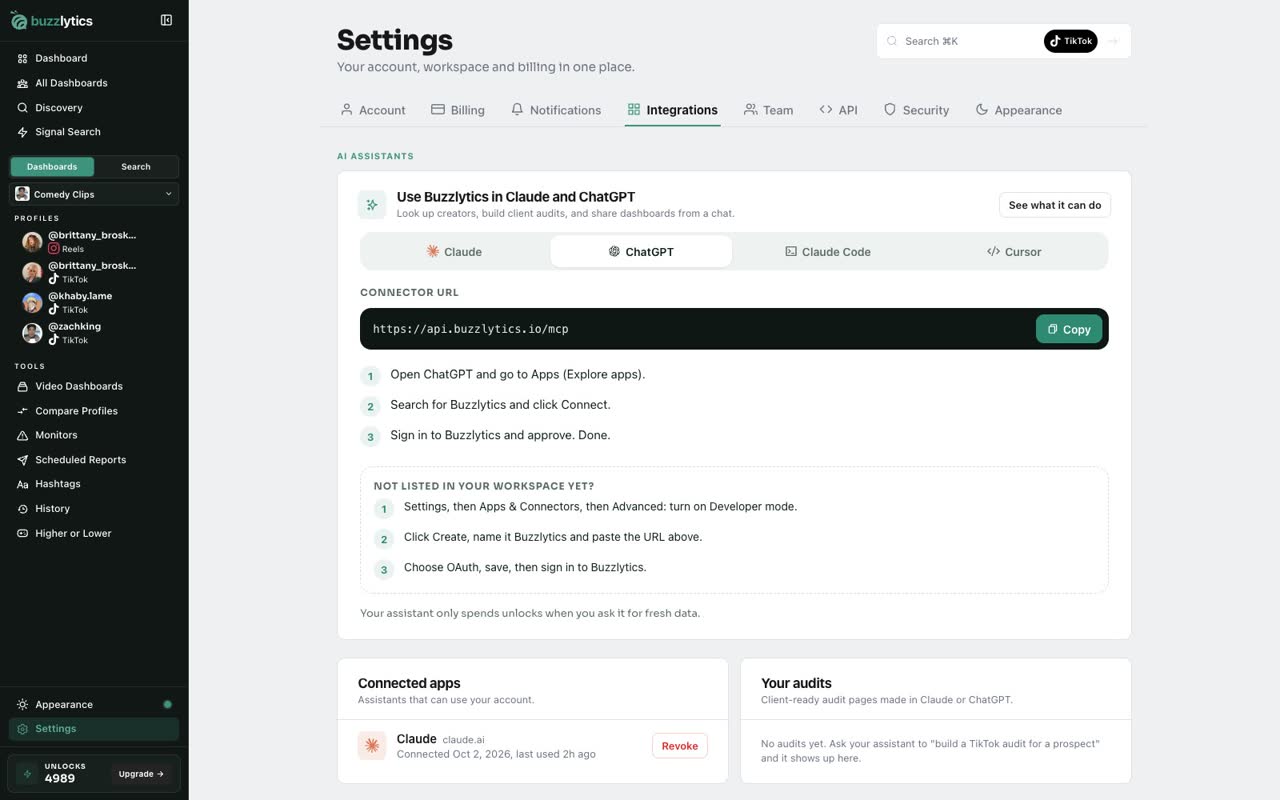
In ChatGPT, open Apps, search for Buzzlytics and click Connect. Then sign in to approve.
-
4
Claude Code and Cursor
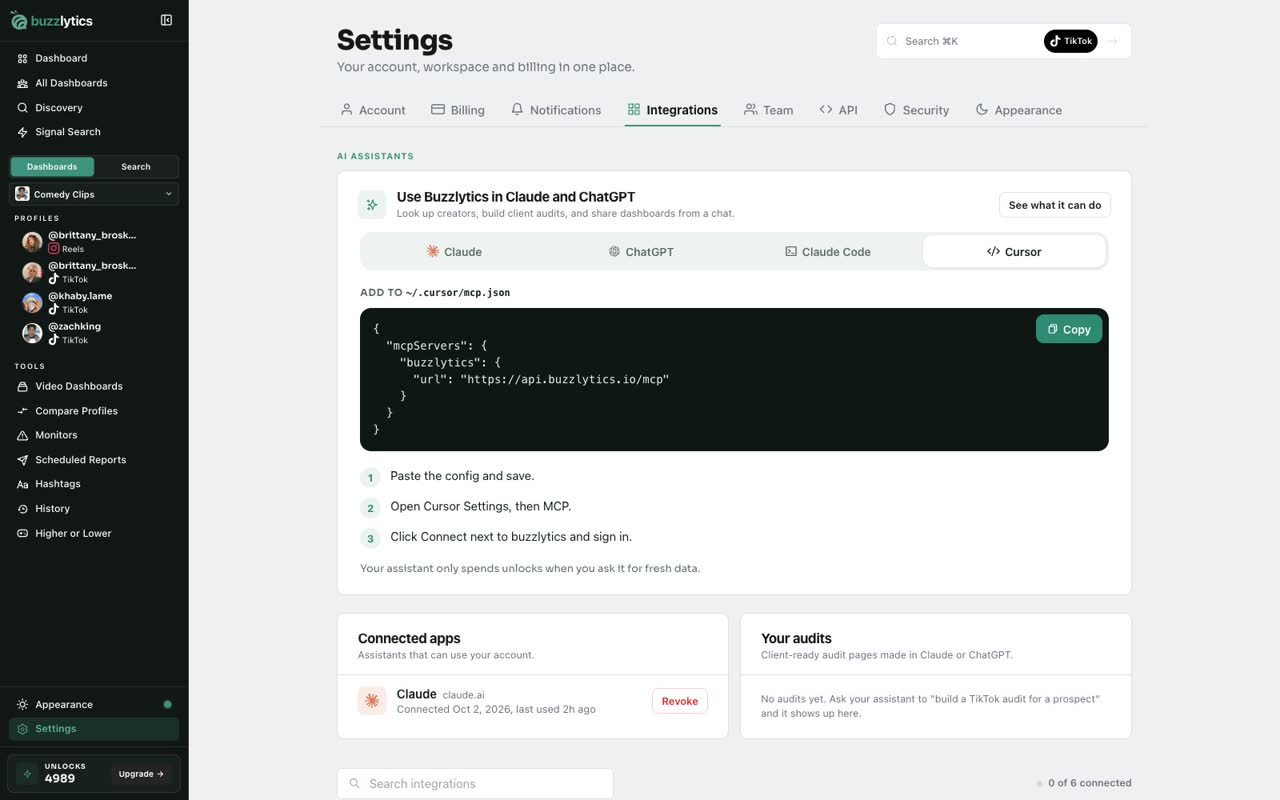
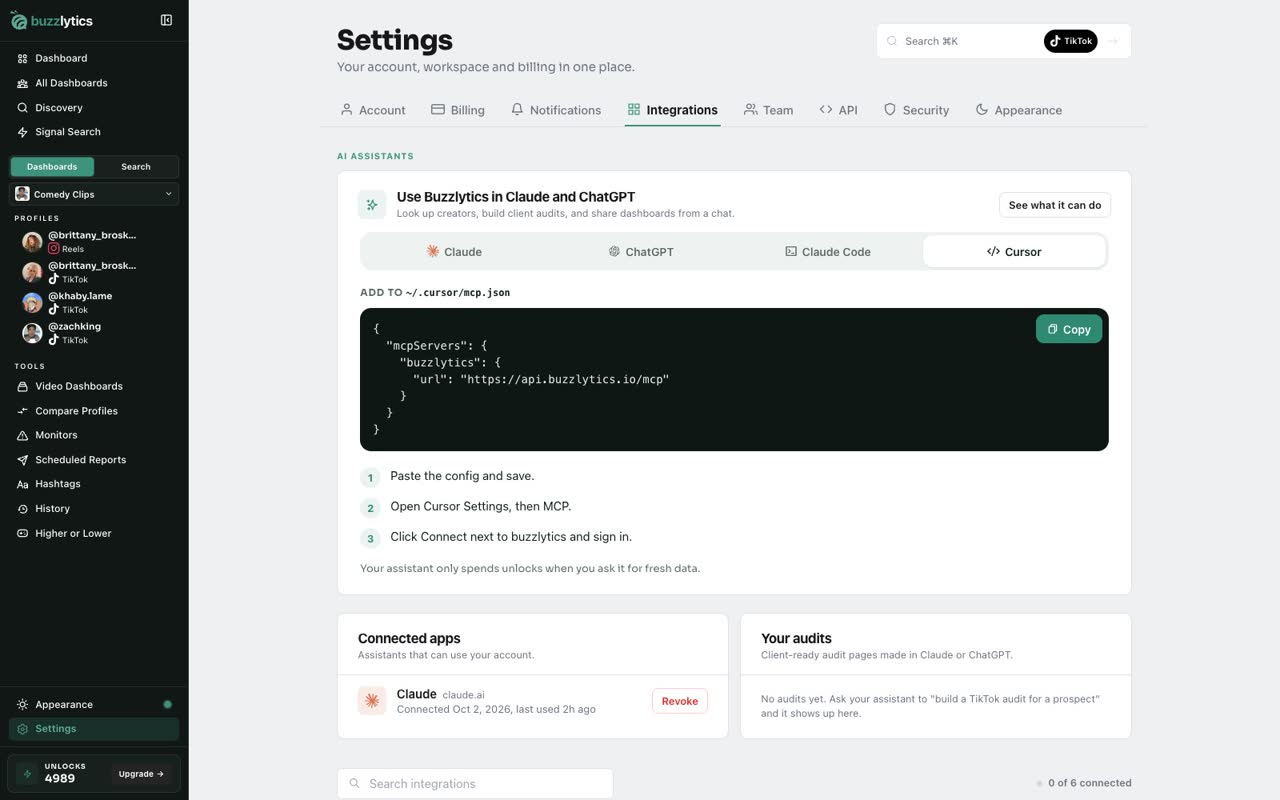
Using Claude Code or Cursor? Their tabs give you a ready command or config to paste.
-
5
Connected apps
Once connected, the assistant shows up under Connected apps. Click Revoke any time to cut its access.
-
6
Ask from your chat
Now ask your assistant things like, compare two creators, or summarize my Music Roster dashboard. It answers with live Buzzlytics data.
Good to know
- Your assistant only spends unlocks when you ask it for fresh data.
- The connector URL is https://api.buzzlytics.io/mcp. You sign in with your Buzzlytics account, no API key needed.
- Revoke an assistant under Connected apps and it loses access right away.
Read the full transcript
In this video, you will connect Buzzlytics to Claude or ChatGPT.
Go to Settings, then Integrations. At the top is Use Buzzlytics in Claude and ChatGPT.
For Claude, copy the Connector URL. Then in Claude, open Settings, Connectors, and add a custom connector with that URL.
In ChatGPT, open Apps, search for Buzzlytics and click Connect. Then sign in to approve.
Using Claude Code or Cursor? Their tabs give you a ready command or config to paste.
Once connected, the assistant shows up under Connected apps. Click Revoke any time to cut its access.
Now ask your assistant things like, compare two creators, or summarize my Music Roster dashboard. It answers with live Buzzlytics data.
Next up, prospect audits from Claude or ChatGPT.