Profile tools
Write a client-ready summary, read how an audience feels from their comments, and set up an AI slideshow, right from a profile.
Quick steps
- Find the tools
- Write a report section
- Edit and copy
- Read the audience
- What the comments say
- Set up a slideshow
Step by step
Prefer reading? Every step shows the screen you’ll see. Click a time to jump the video there.
-
1
Find the tools
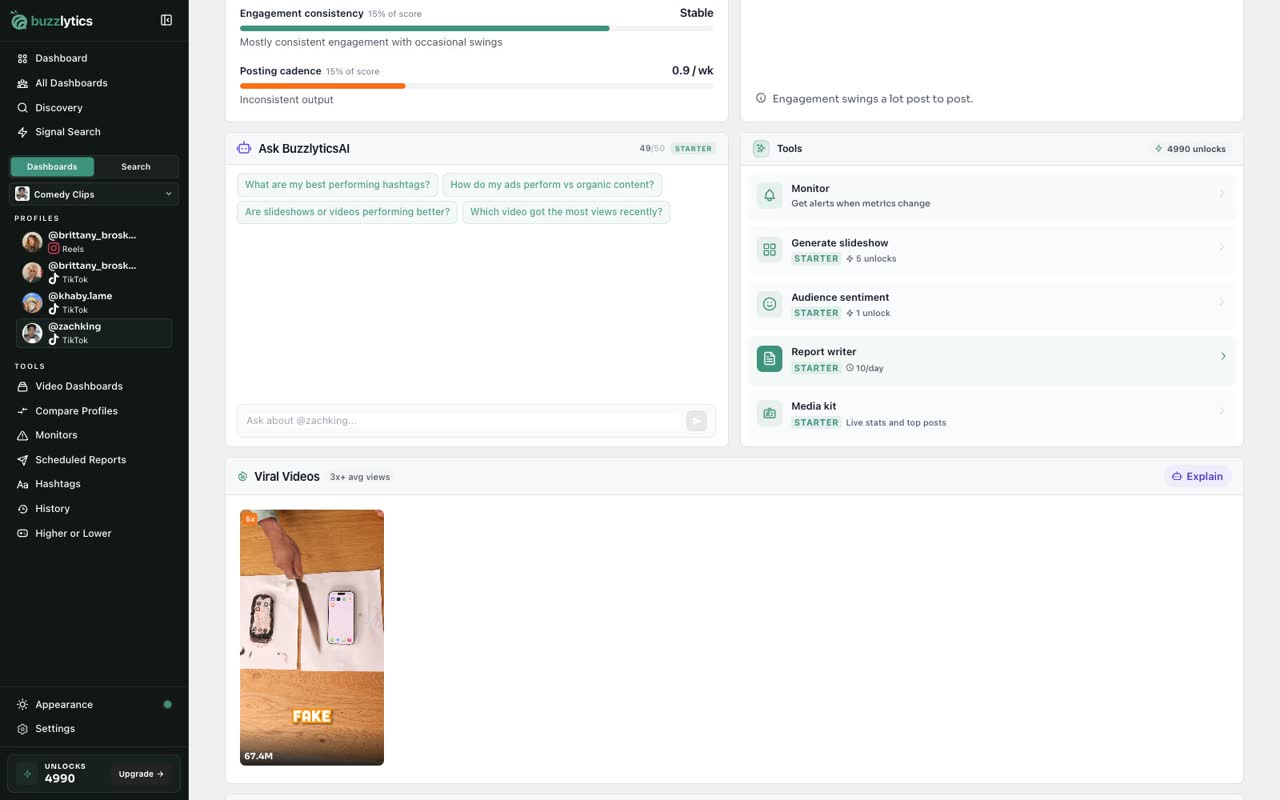
Scroll down the Overview tab. Next to the suggested questions, you will find the tools for this creator.
-
2
Write a report section
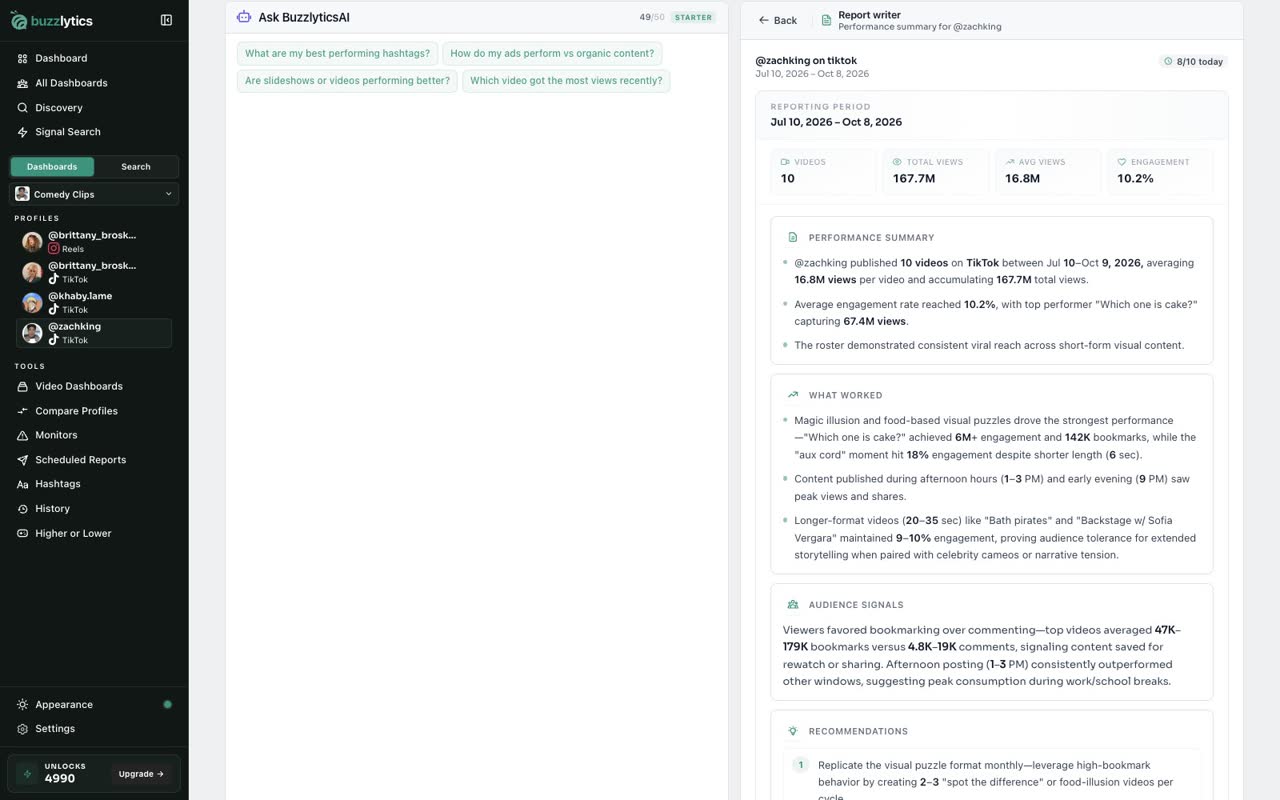
Report writer drafts a client-ready summary of how this creator is doing. Click Generate report section, then Confirm.
-
3
Edit and copy
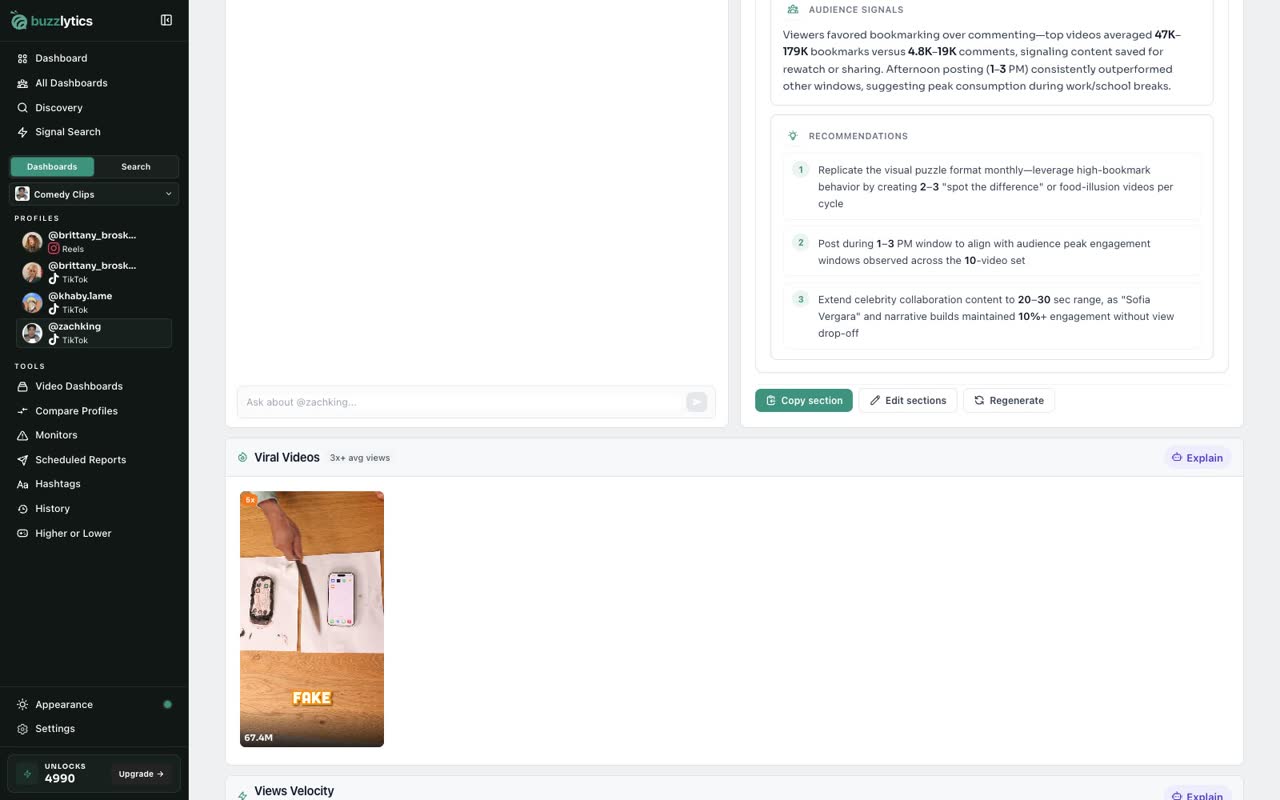
Edit any section before you send it, or copy it in one click. Report writer is free, up to 10 a day.
-
4
Read the audience
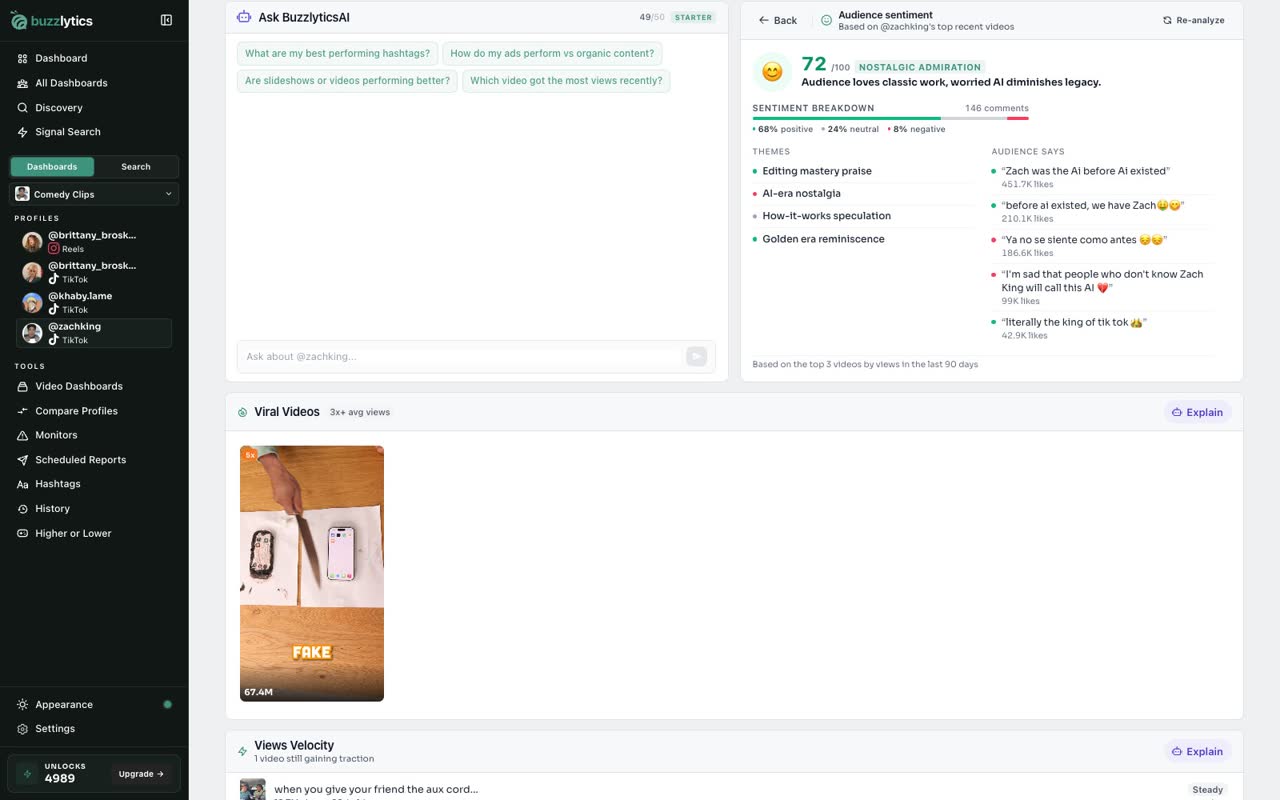
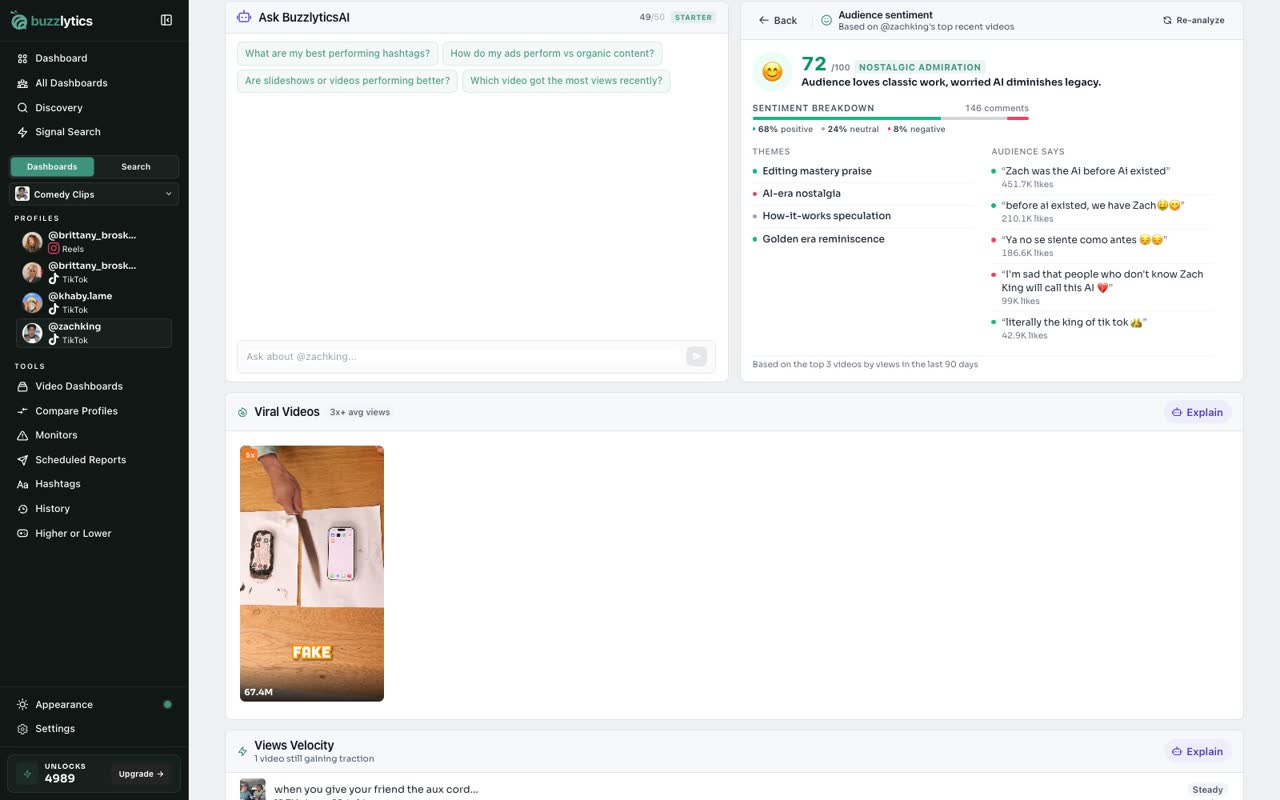
Audience sentiment reads the comments on their top recent videos. It uses 1 unlock, and asks before it spends anything.
-
5
What the comments say
You get an overall score, the split between positive, neutral and negative, and real quotes from the comments.
-
6
Set up a slideshow
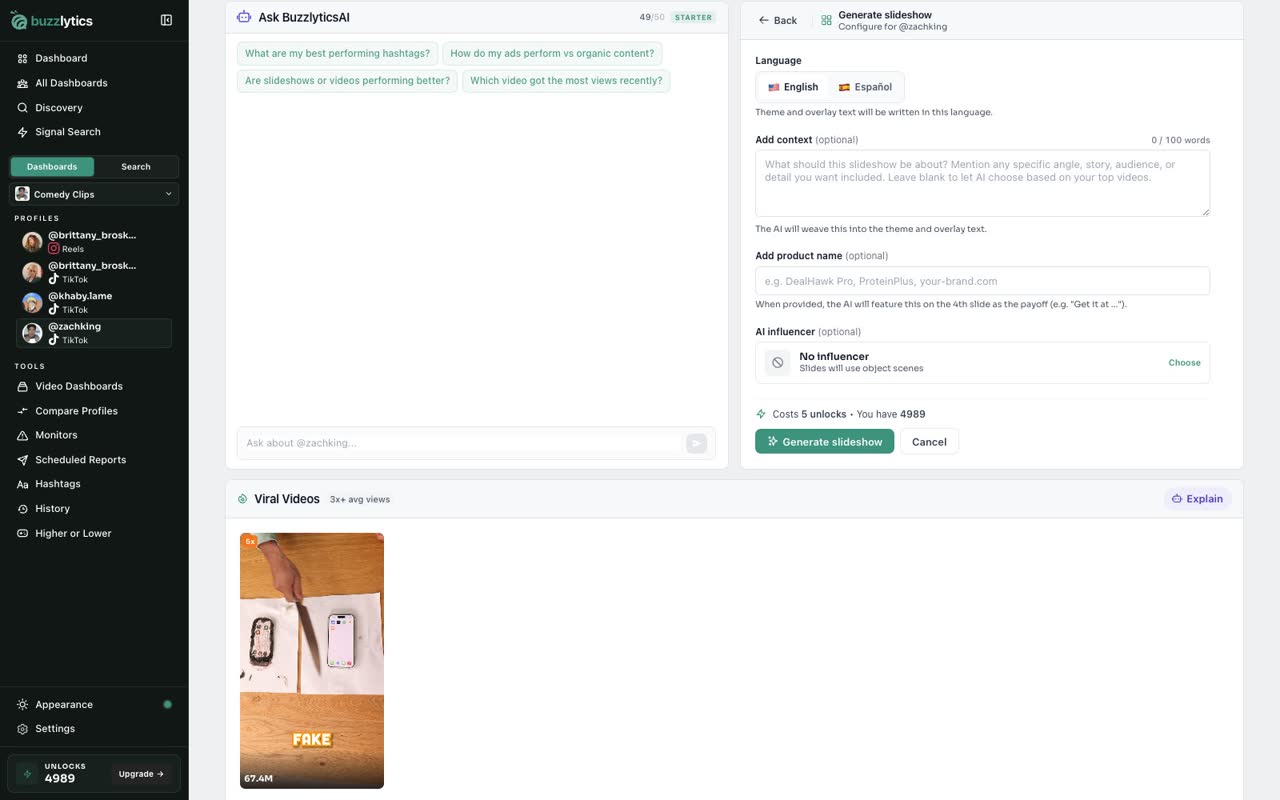
Generate slideshow builds a four slide AI slideshow from their best themes. Choose the options first. It uses 5 unlocks when you generate.
Good to know
- Report writer is free, up to 10 sections a day. The limit resets at midnight UTC.
- Audience sentiment uses 1 unlock and Generate slideshow uses 5. Both ask you to confirm before anything is spent.
Read the full transcript
In this video, you will use the tools on a creator profile.
Scroll down the Overview tab. Next to the suggested questions, you will find the tools for this creator.
Report writer drafts a client-ready summary of how this creator is doing. Click Generate report section, then Confirm.
Edit any section before you send it, or copy it in one click. Report writer is free, up to 10 a day.
Audience sentiment reads the comments on their top recent videos. It uses 1 unlock, and asks before it spends anything.
You get an overall score, the split between positive, neutral and negative, and real quotes from the comments.
Generate slideshow builds a four slide AI slideshow from their best themes. Choose the options first. It uses 5 unlocks when you generate.
Next up, compare two creators.