Set up a monitor
Get an email the moment a creator posts a breakout video, hits a follower milestone or uploads something new.
Quick steps
- Open Monitors
- Choose a monitor type
- Enter the creator
- Set how far above normal
- Pick where alerts go
- Create the monitor
Step by step
Prefer reading? Every step shows the screen you’ll see. Click a time to jump the video there.
-
1
Open Monitors
Open Monitors from the sidebar. The meter shows how many of your plan's monitors you are using.
-
2
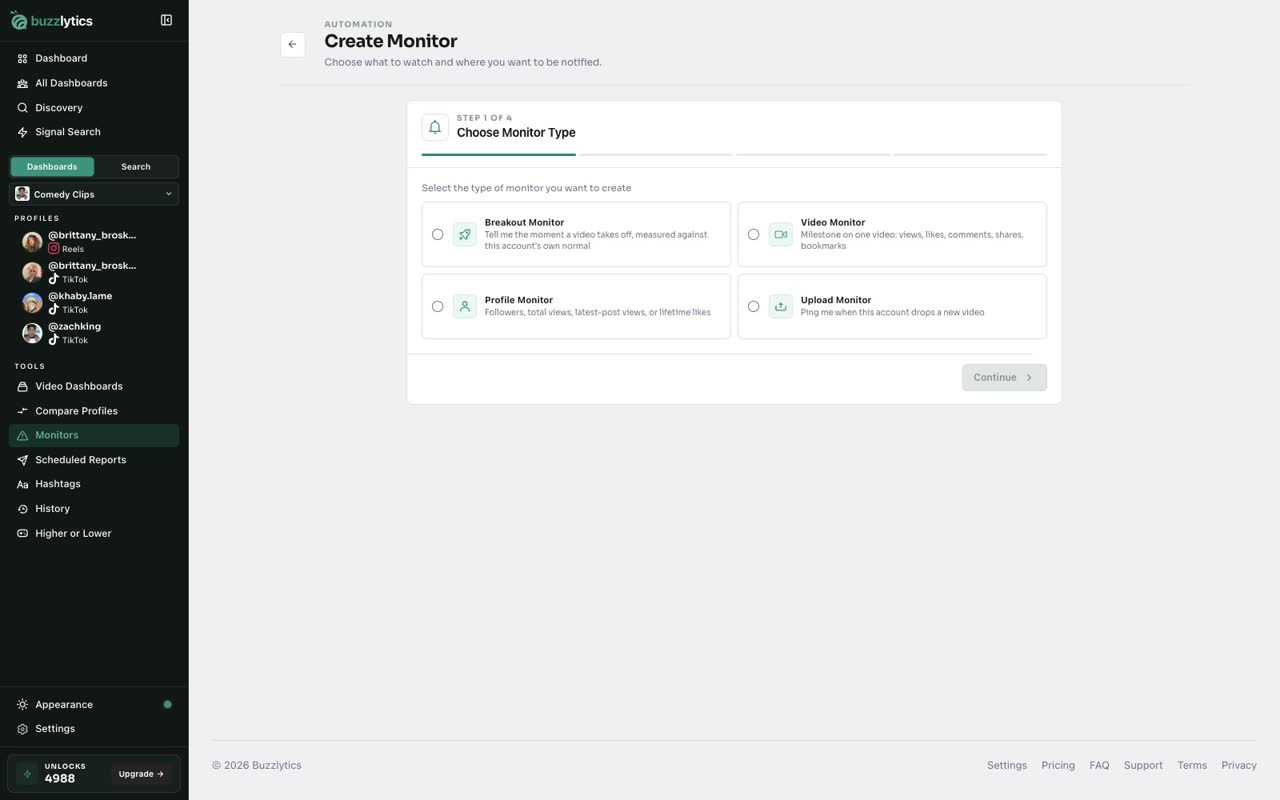
Choose a monitor type
Pick what to watch. A Breakout Monitor tells you when a video takes off compared with that account's normal views.
-
3
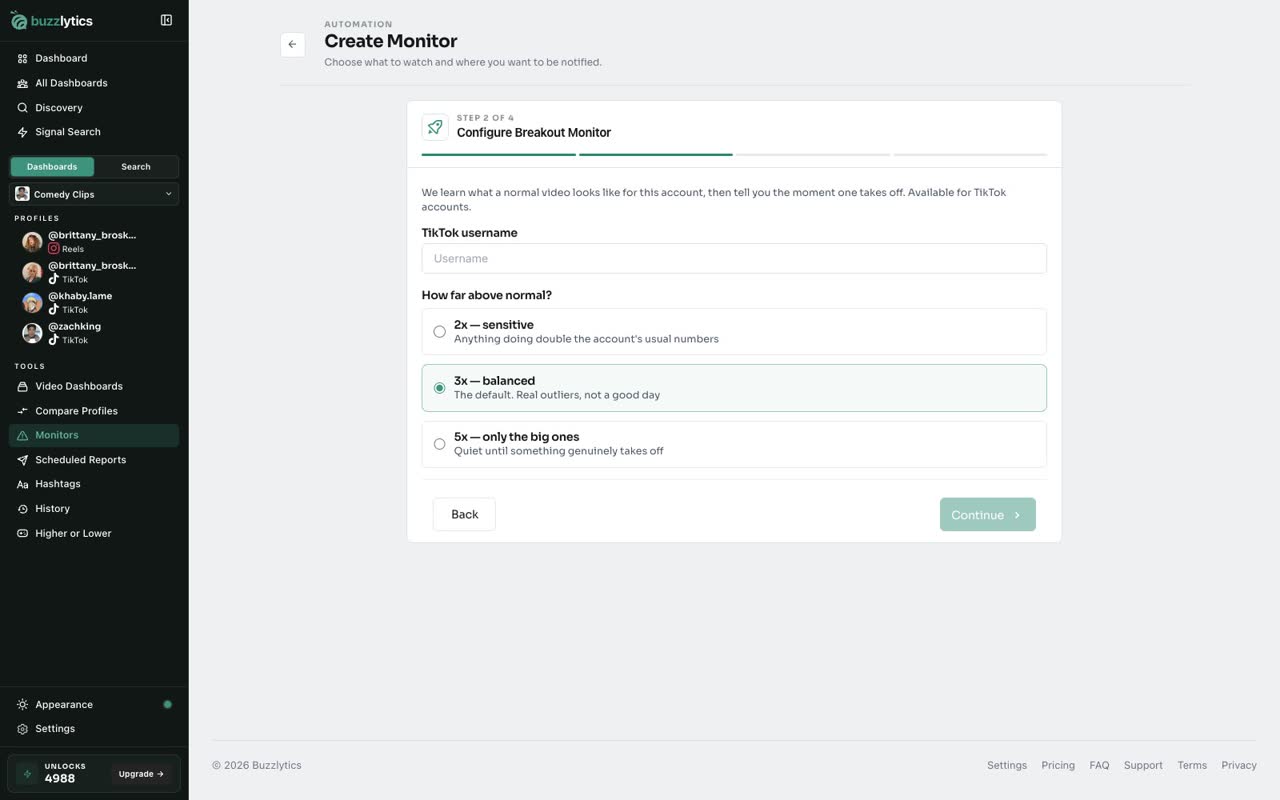
Enter the creator
Type the TikTok username you want to watch.
-
4
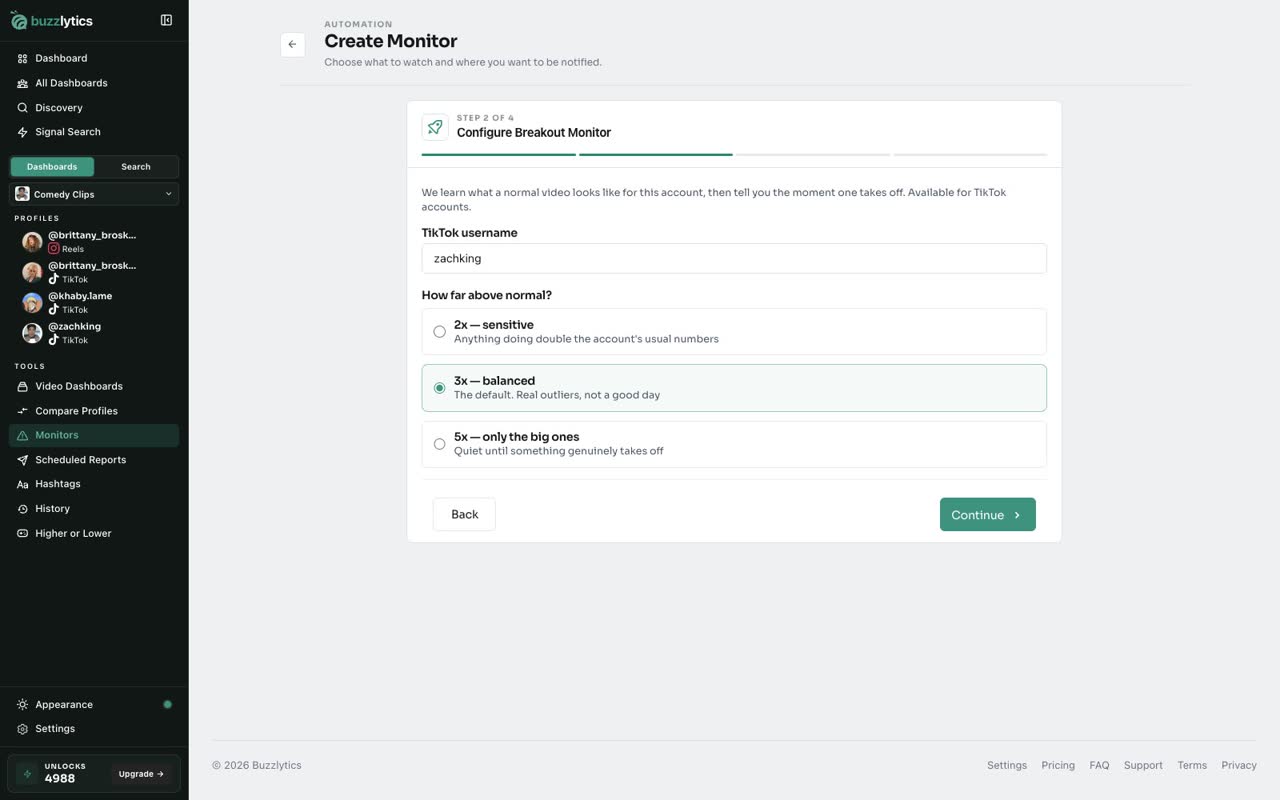
Set how far above normal
Then choose how big a jump counts. Three times normal is a good balance, and five times only flags the big ones.
-
5
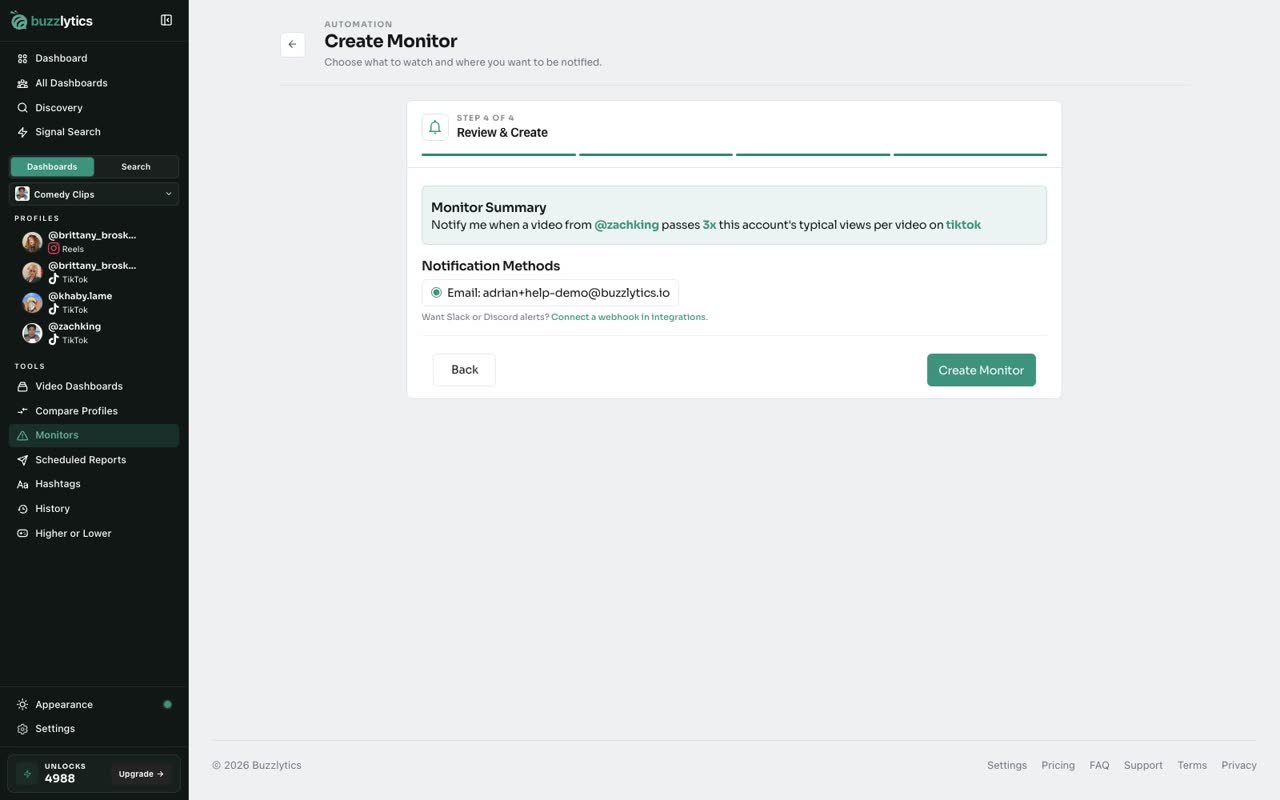
Pick where alerts go
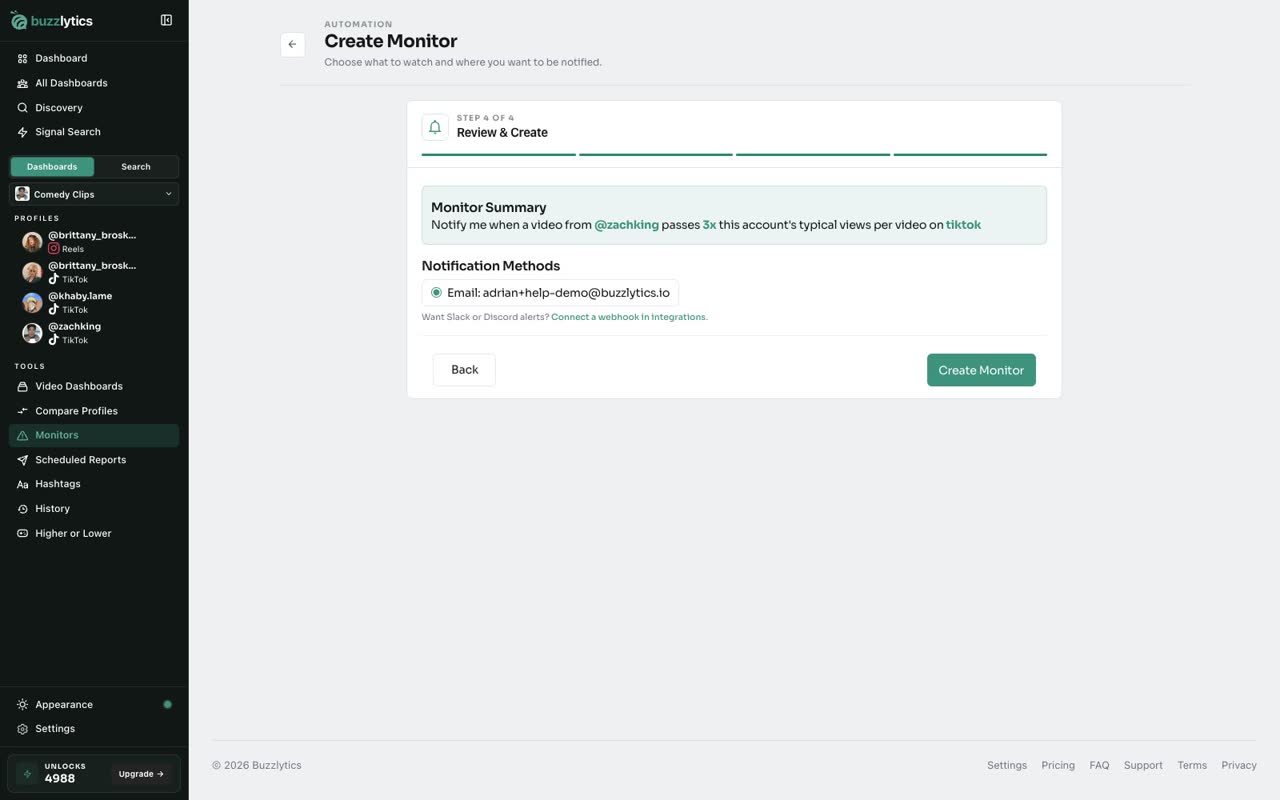
Check the summary and choose how to be notified. Email goes to your account address.
-
6
Create the monitor
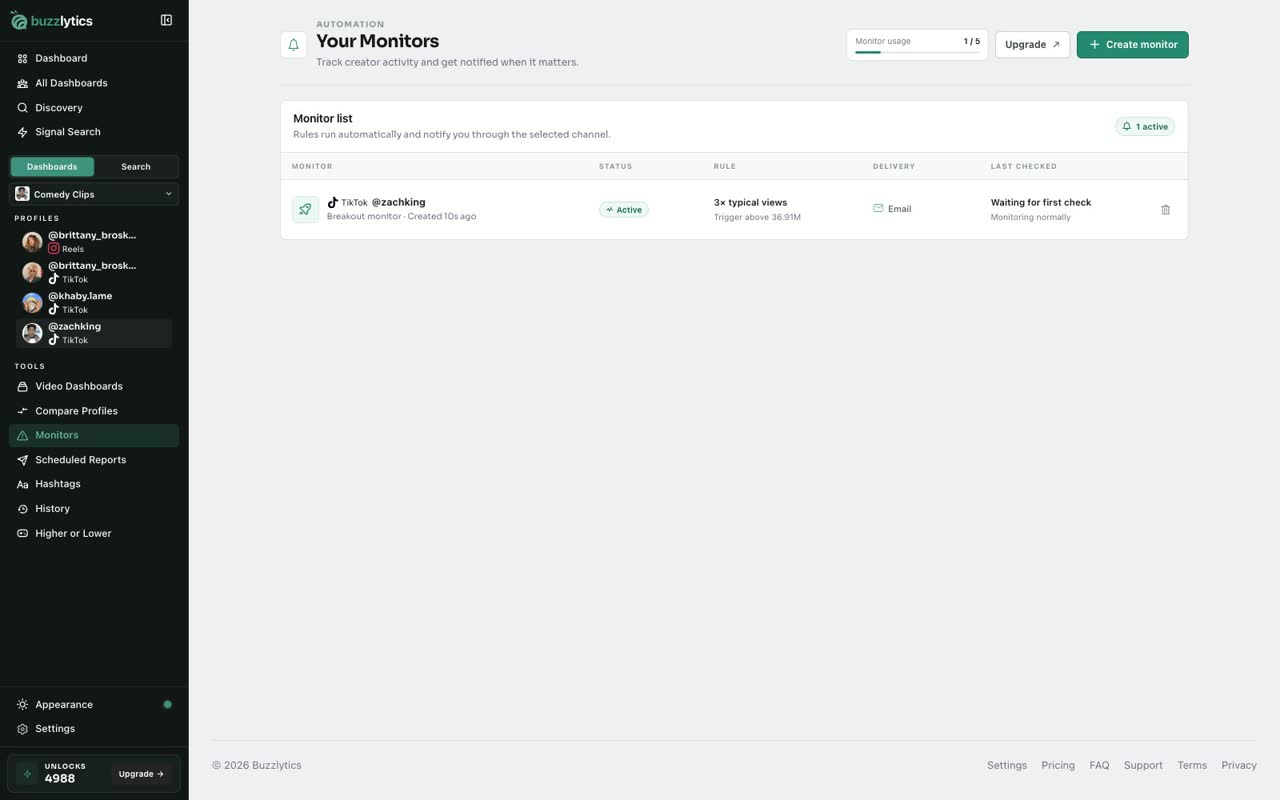
Click Create Monitor, then head back to your Monitor list. It now runs in the background.
Good to know
- Starter runs 2 monitors, Growth 5 and Scale 10.
- Breakout monitors work on TikTok accounts. Profile, Video and Upload monitors cover the other platforms.
- Delete a monitor with the trash icon on its row to free up a slot.
Read the full transcript
In this video, you will set up a monitor that tells you when a creator breaks out.
Open Monitors from the sidebar. The meter shows how many of your plan's monitors you are using.
Pick what to watch. A Breakout Monitor tells you when a video takes off compared with that account's normal views.
Type the TikTok username you want to watch.
Then choose how big a jump counts. Three times normal is a good balance, and five times only flags the big ones.
Check the summary and choose how to be notified. Email goes to your account address.
Click Create Monitor, then head back to your Monitor list. It now runs in the background.
Next up, send alerts to Slack or Discord.