Send alerts to Slack or Discord
Connect a Slack or Discord webhook once, then send any monitor's alerts straight to your team channel.
Quick steps
- Open Integrations
- Add a Slack webhook
- Name it and paste the URL
- Create a monitor
- Pick Slack
- Alerts land in your channel
Step by step
Prefer reading? Every step shows the screen you’ll see. Click a time to jump the video there.
-
1
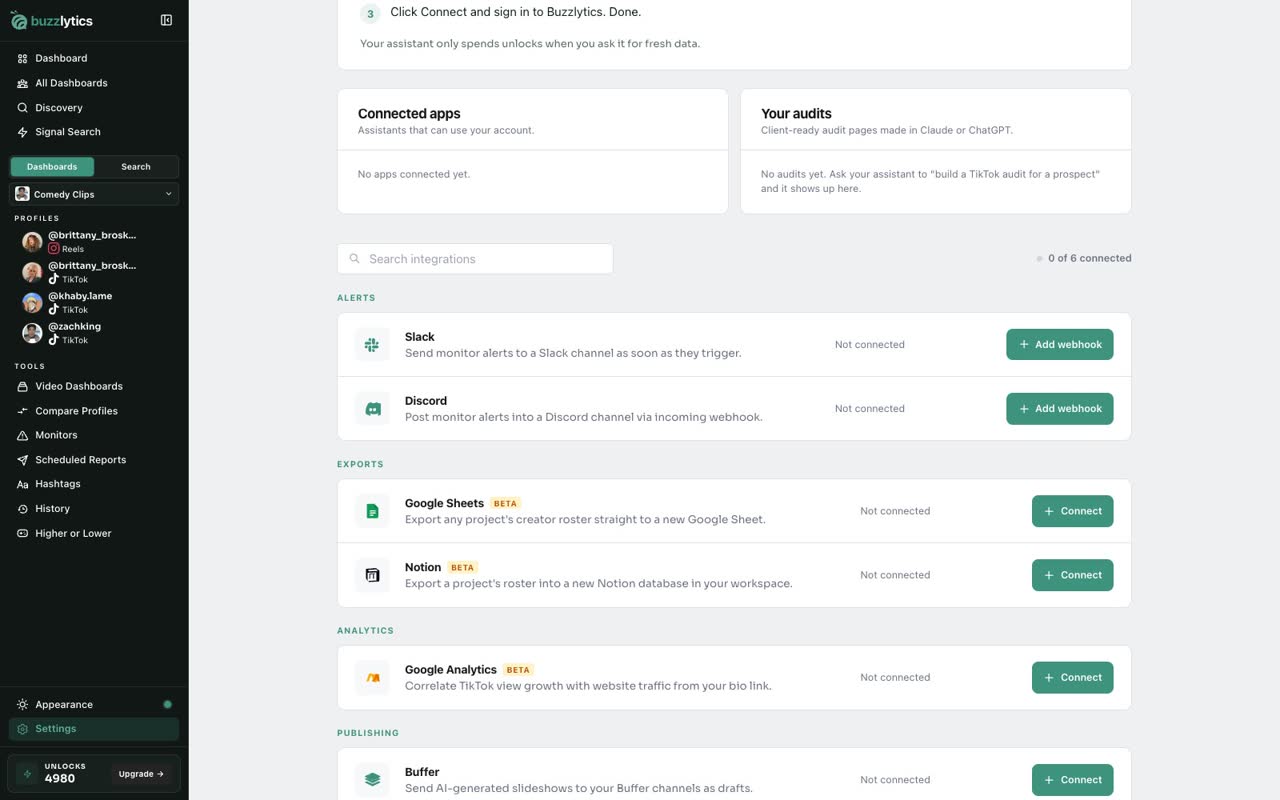
Open Integrations
Go to Settings, then Integrations. Slack and Discord sit under Alerts.
-
2
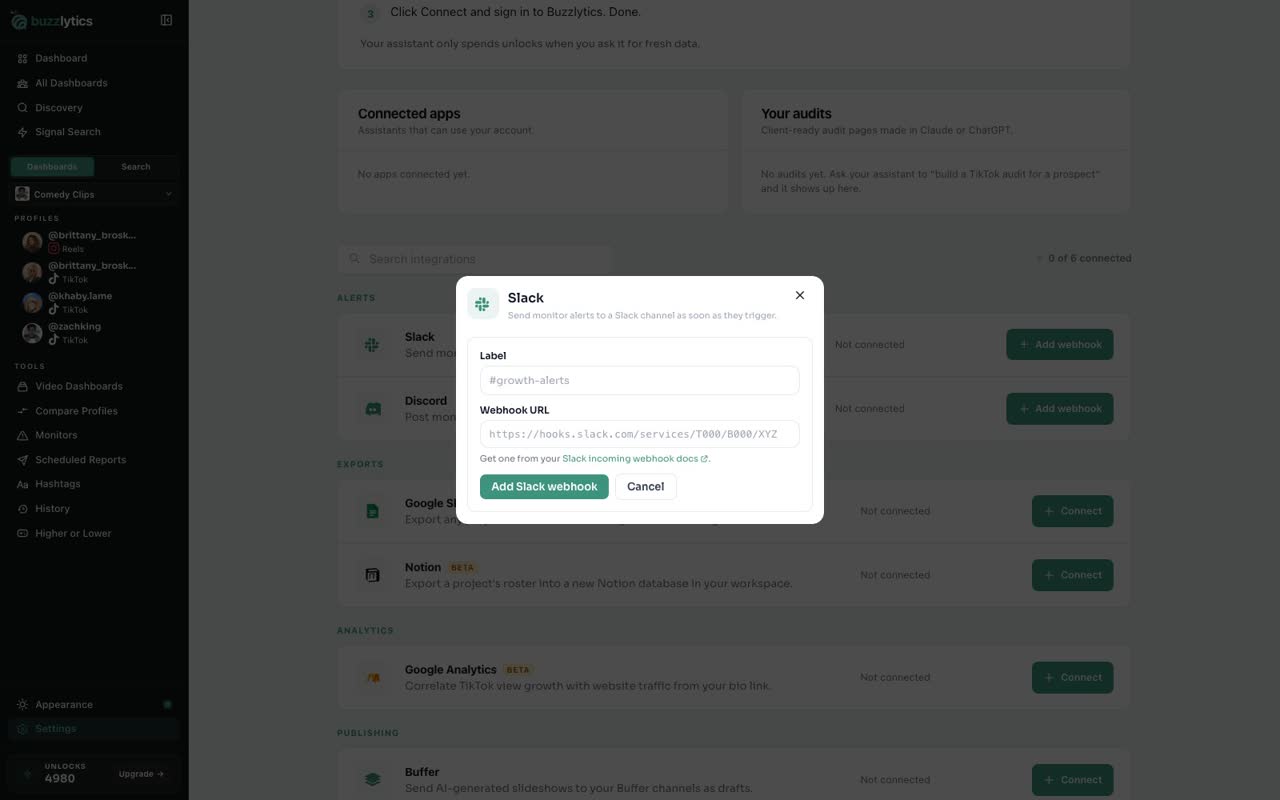
Add a Slack webhook
On Slack, click Add webhook. You will need an incoming webhook URL from your Slack workspace.
-
3
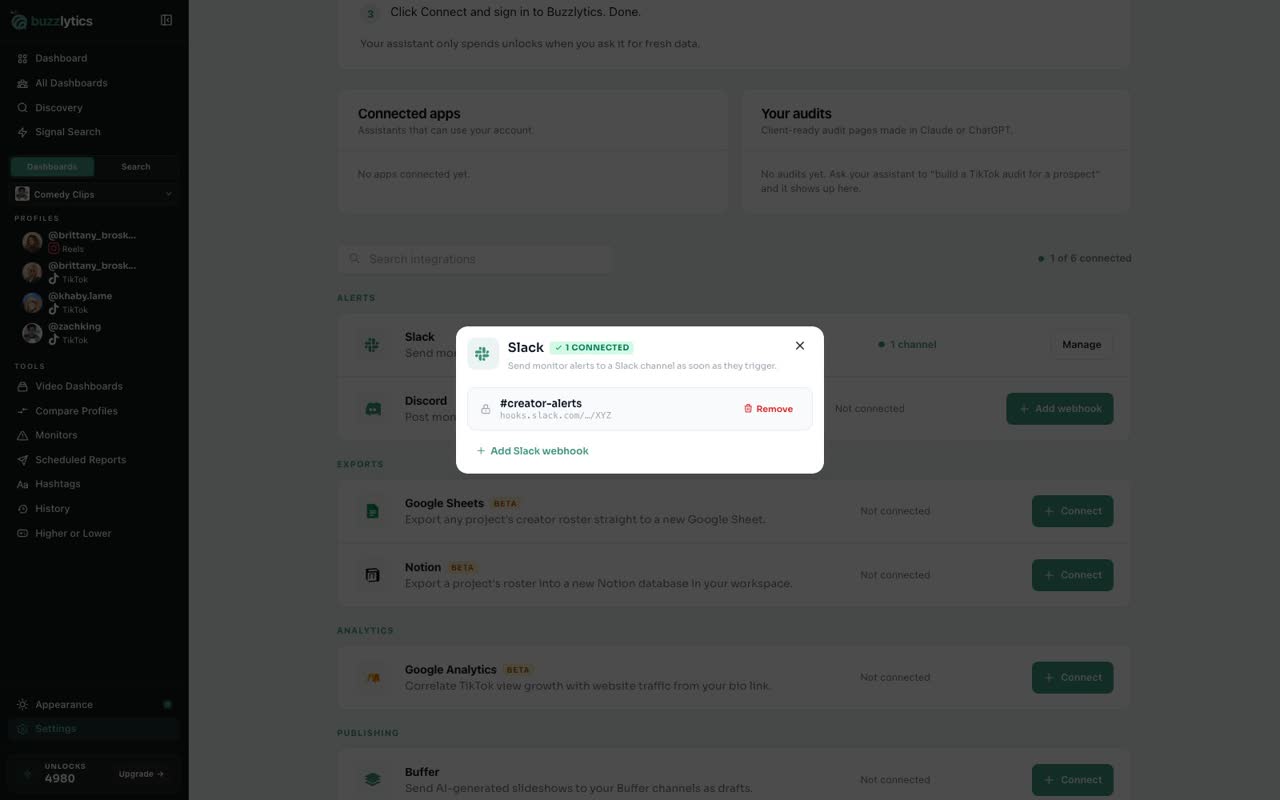
Name it and paste the URL
Give it a label, like the channel name, and paste the webhook URL. Then click Add Slack webhook.
-
4
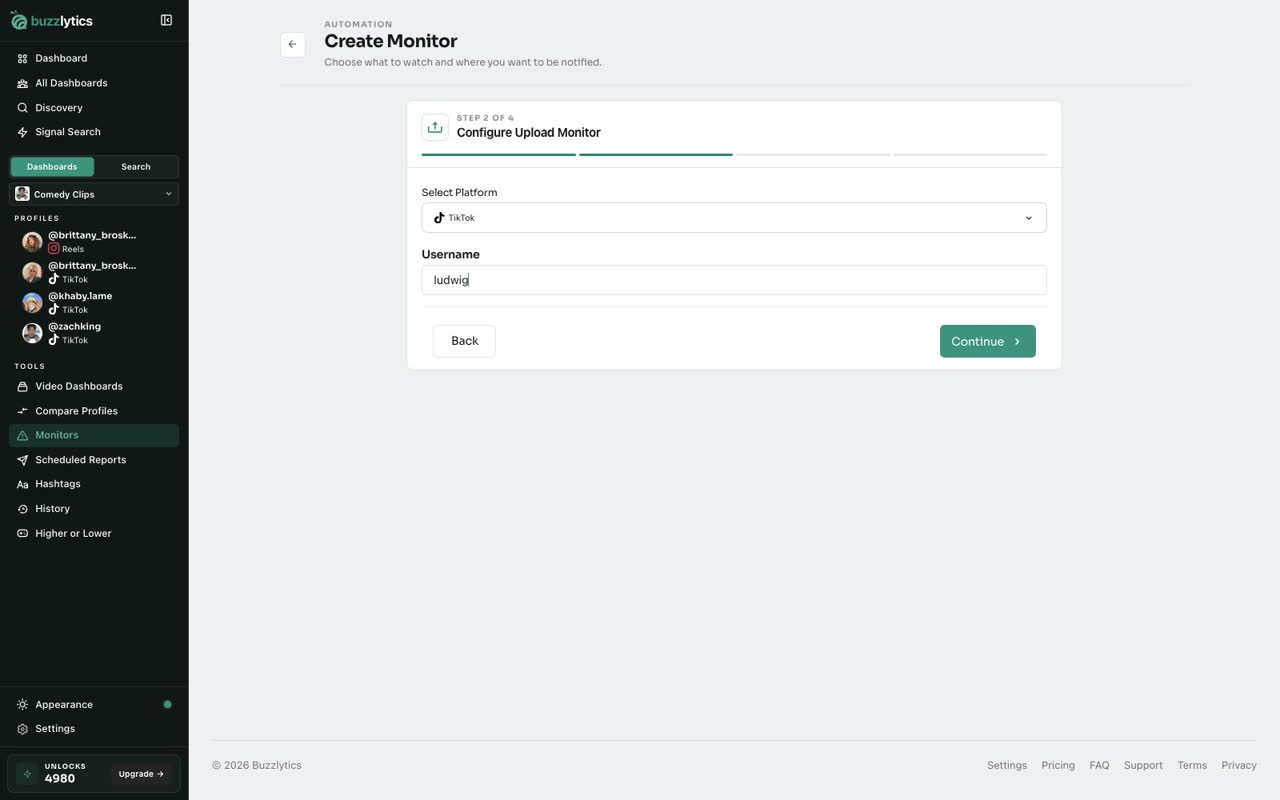
Create a monitor
Now open Monitors and create one as usual. Here, an Upload Monitor for a creator's new videos.
-
5
Pick Slack
Under Notification Methods, Slack now shows up next to Email. Pick it, then click Create Monitor.
-
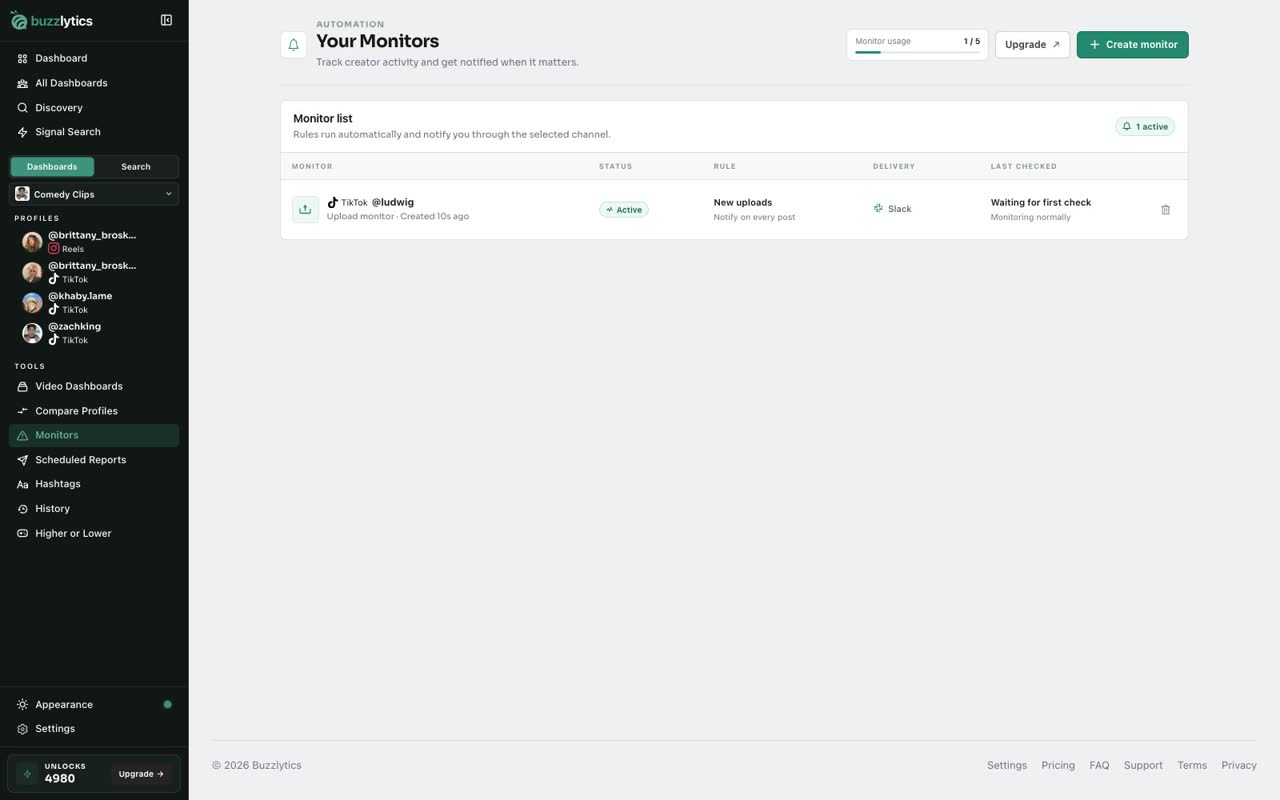
6
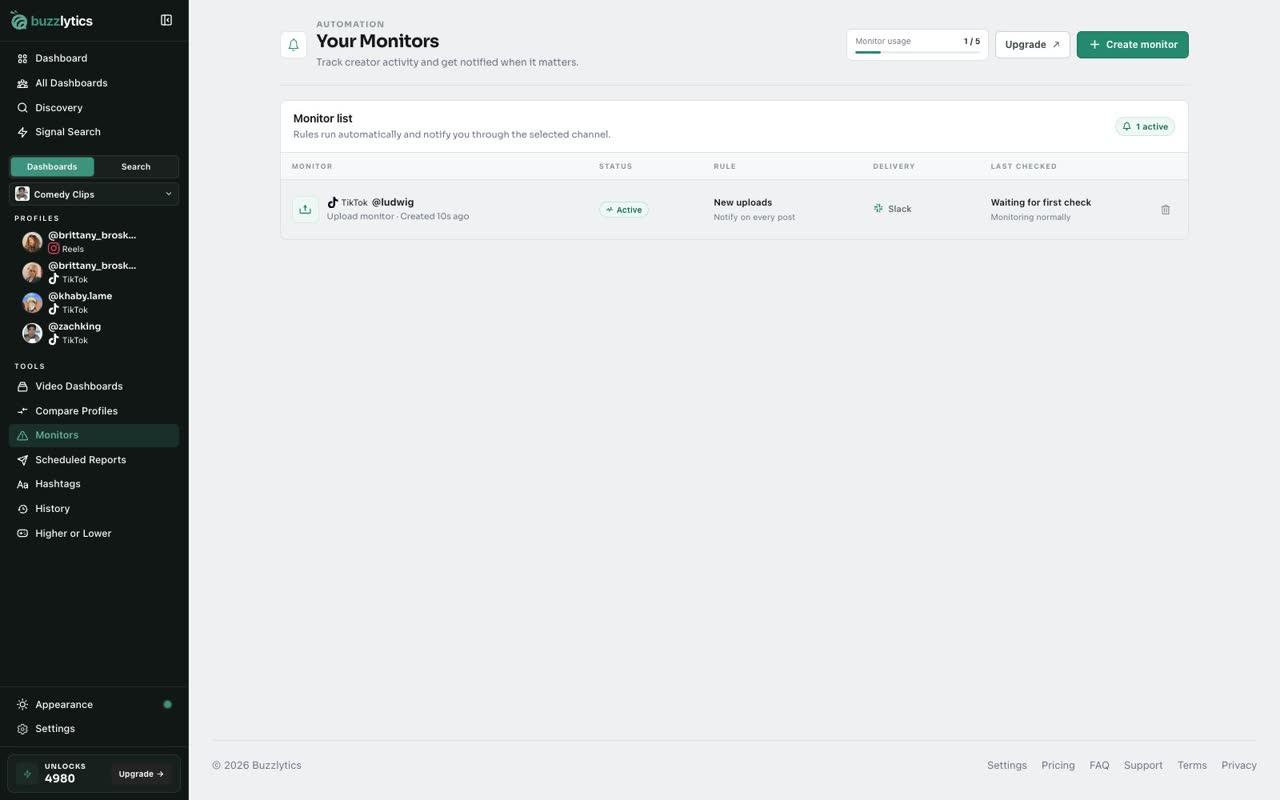
Alerts land in your channel
The Delivery column shows Slack. When it triggers, the alert posts straight to your channel.
Good to know
- Create an incoming webhook in Slack or Discord first, then paste its full URL. Buzzlytics only shows a short preview after saving.
- Discord works the same way: Settings, Integrations, Discord, Add webhook.
- Each monitor sends to one channel. Pick Email, Slack or Discord when you create it.
Read the full transcript
In this video, you will connect a Slack channel and send a monitor's alerts there.
Go to Settings, then Integrations. Slack and Discord sit under Alerts.
On Slack, click Add webhook. You will need an incoming webhook URL from your Slack workspace.
Give it a label, like the channel name, and paste the webhook URL. Then click Add Slack webhook.
Now open Monitors and create one as usual. Here, an Upload Monitor for a creator's new videos.
Under Notification Methods, Slack now shows up next to Email. Pick it, then click Create Monitor.
The Delivery column shows Slack. When it triggers, the alert posts straight to your channel.
Next up, notification settings.