Let creators submit their posts
Send creators a link where they paste the posts they published. Each post lands in your Video Dashboard, no login needed.
Quick steps
- Open Creator links
- Create a link for a creator
- The creator opens it
- They paste their post links
- See it in Recent submissions
Step by step
Prefer reading? Every step shows the screen you’ll see. Click a time to jump the video there.
-
1
Open Creator links
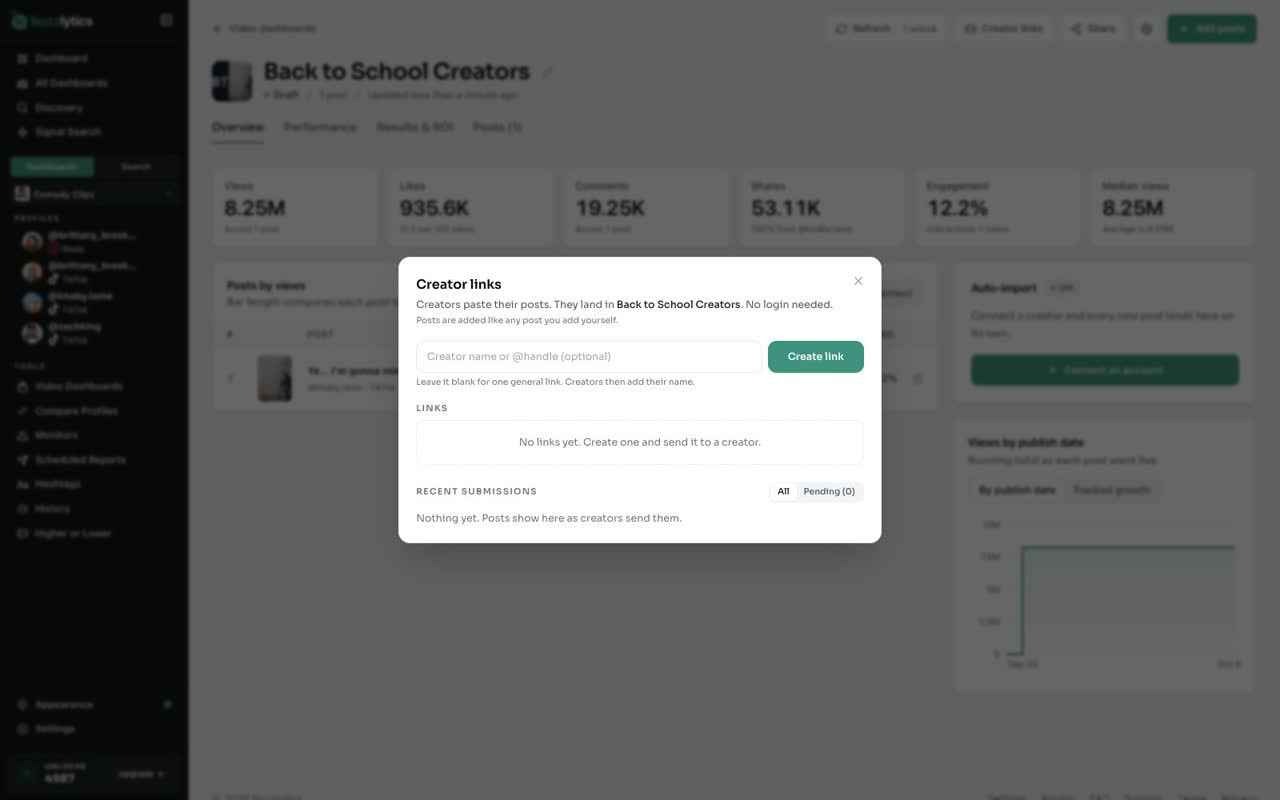
In your Video Dashboard, click Creator links.
-
2
Create a link for a creator
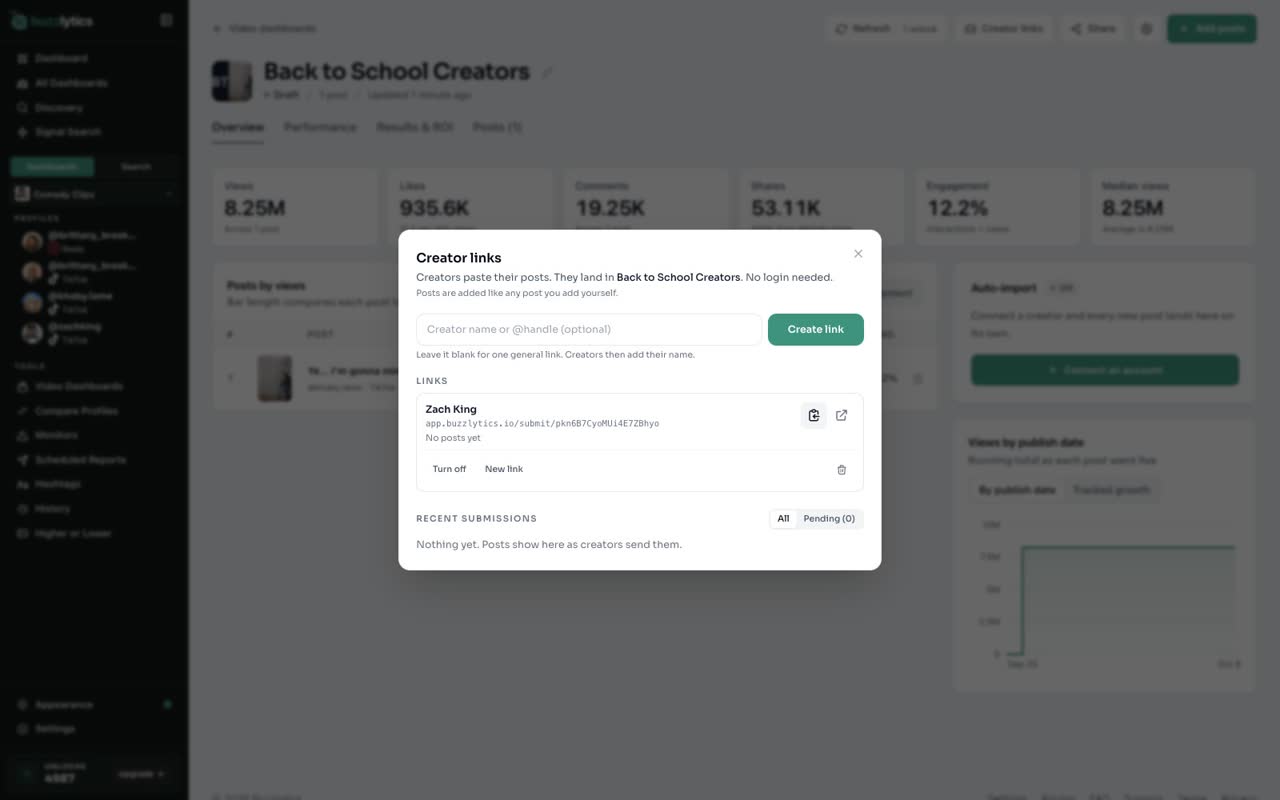
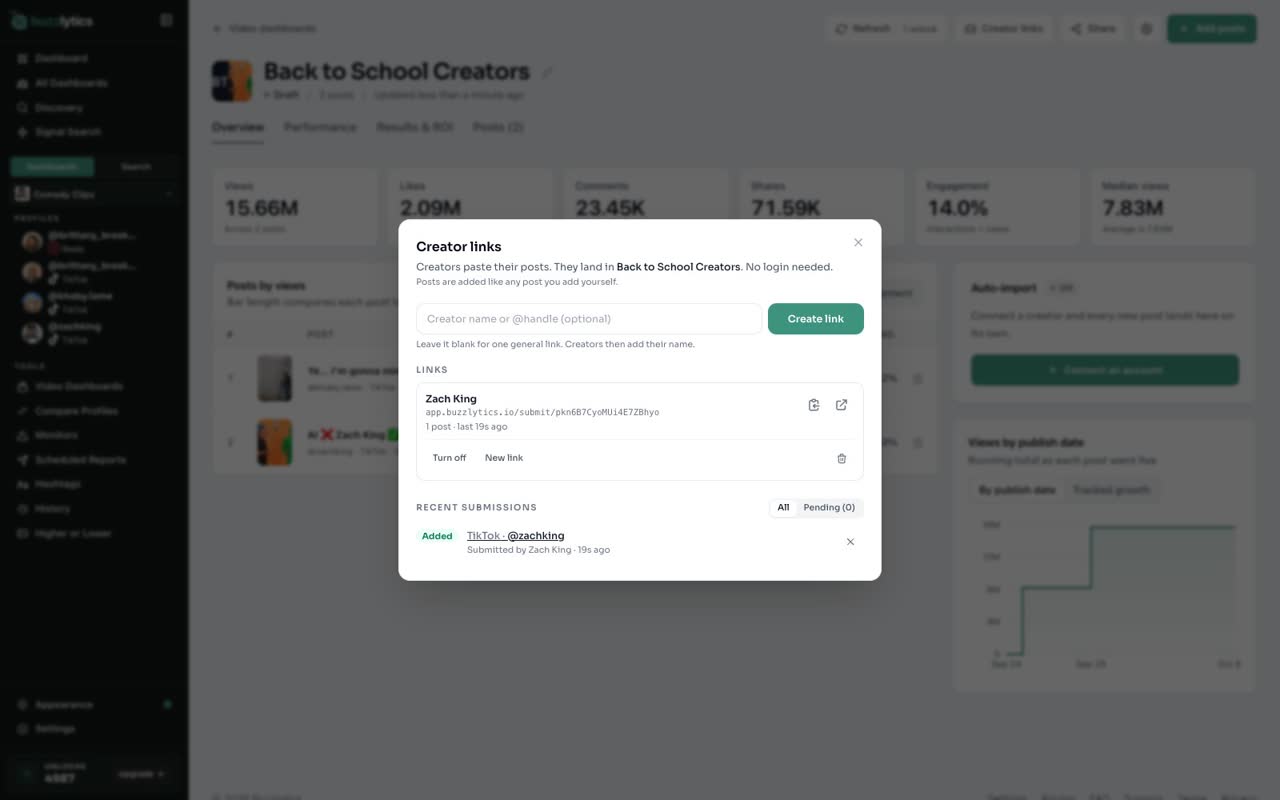
Type the creator's name or handle and click Create link. Send that link to the creator however you like.
-
3
The creator opens it
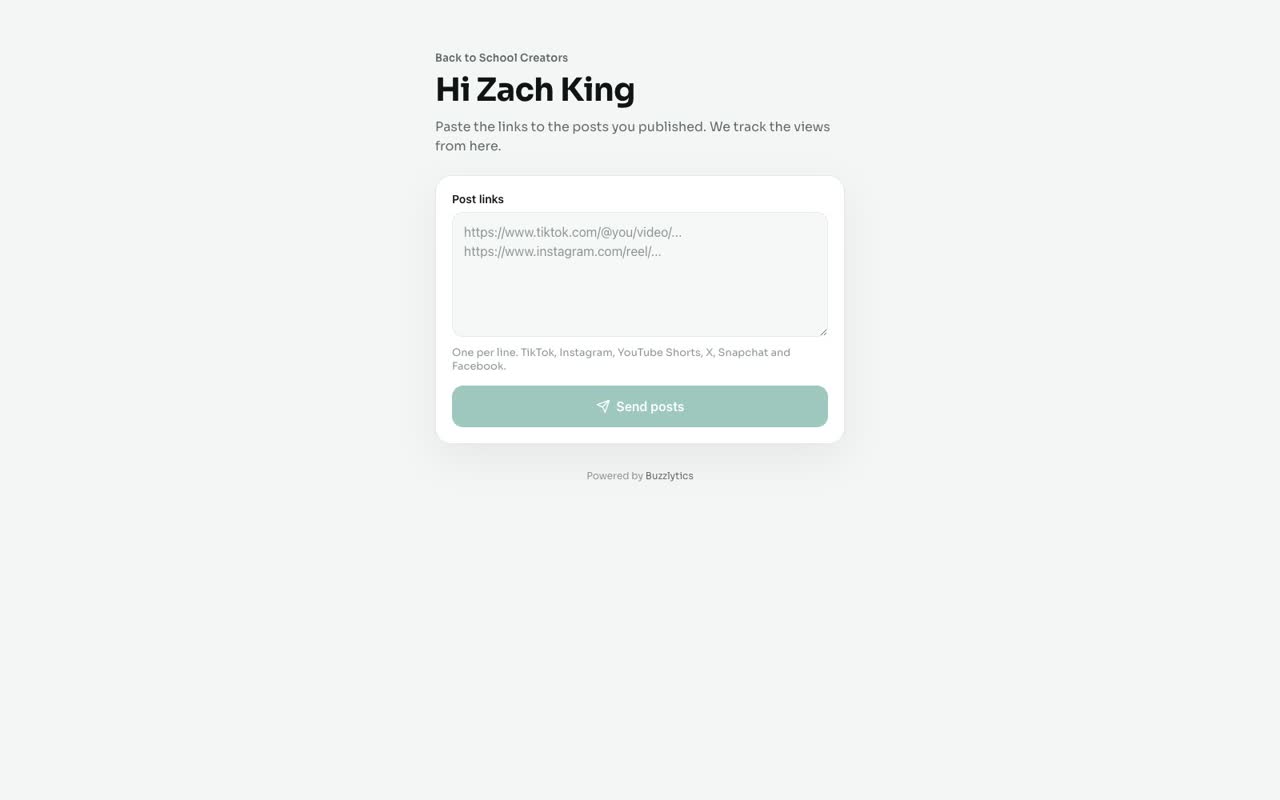
The creator sees a simple page with your dashboard name. No login needed.
-
4
They paste their post links
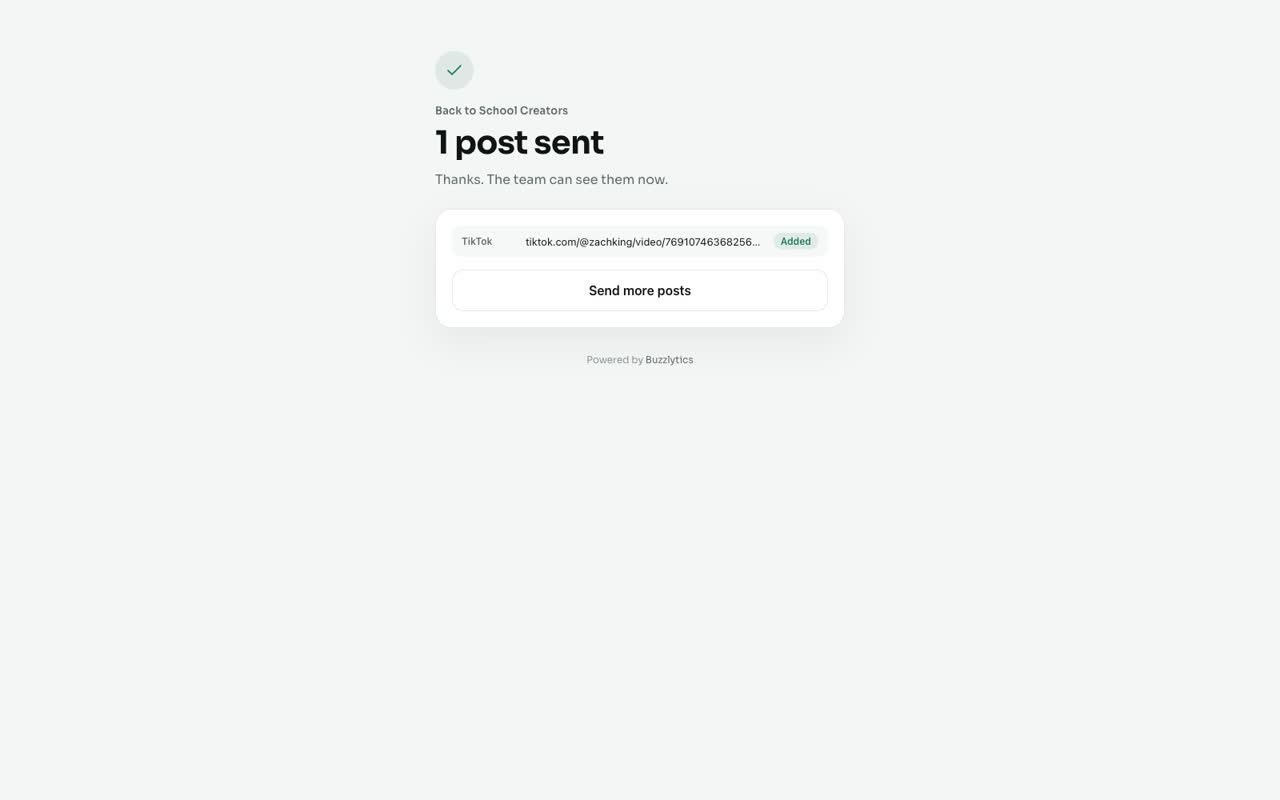
They paste the links to the posts they published, one per line, and click Send.
-
5
See it in Recent submissions
Back in your dashboard, open Creator links again. Every post shows under Recent submissions, and it is added to the dashboard for you.
Good to know
- Creators do not need a Buzzlytics account to use the link.
- Leave the name blank for one general link. Creators then add their own name.
- If a post can not be added yet, it waits under Pending. Click Add pending once you have unlocks or space.
Read the full transcript
In this video, you will send a creator a link where they can drop in the posts they published for you.
In your Video Dashboard, click Creator links.
Type the creator's name or handle and click Create link. Send that link to the creator however you like.
The creator sees a simple page with your dashboard name. No login needed.
They paste the links to the posts they published, one per line, and click Send.
Back in your dashboard, open Creator links again. Every post shows under Recent submissions, and it is added to the dashboard for you.
Next up, results and ROI.