Find creators with Discovery
Search a database of over 100,000 creators by type, audience size and engagement, then save the right ones to a dashboard.
Quick steps
- Open Discovery
- Choose a creator type
- Set the audience size
- Sort the results
- Compare the creators
- Save to a dashboard
Step by step
Prefer reading? Every step shows the screen you’ll see. Click a time to jump the video there.
-
1
Open Discovery
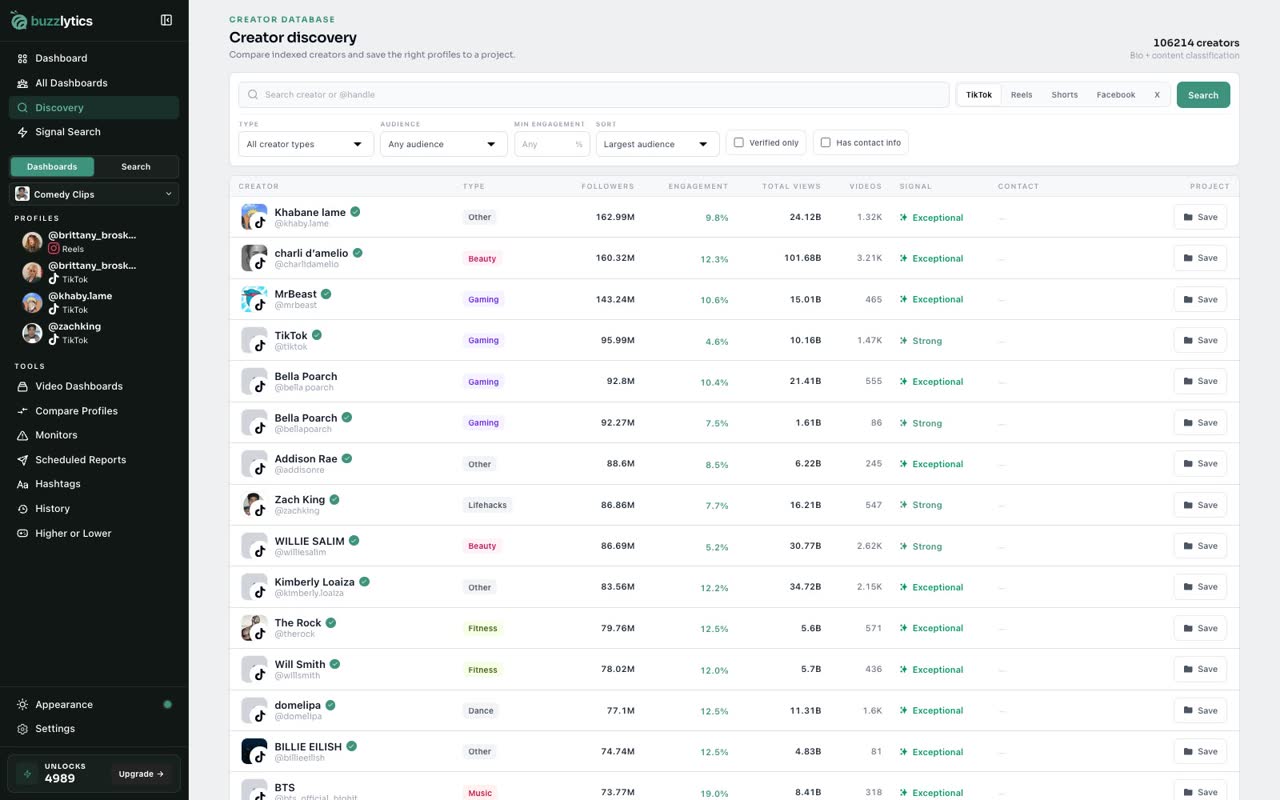
Open Discovery from the sidebar. It is a database of over 100,000 creators, and you pick the platform at the top.
-
2
Choose a creator type
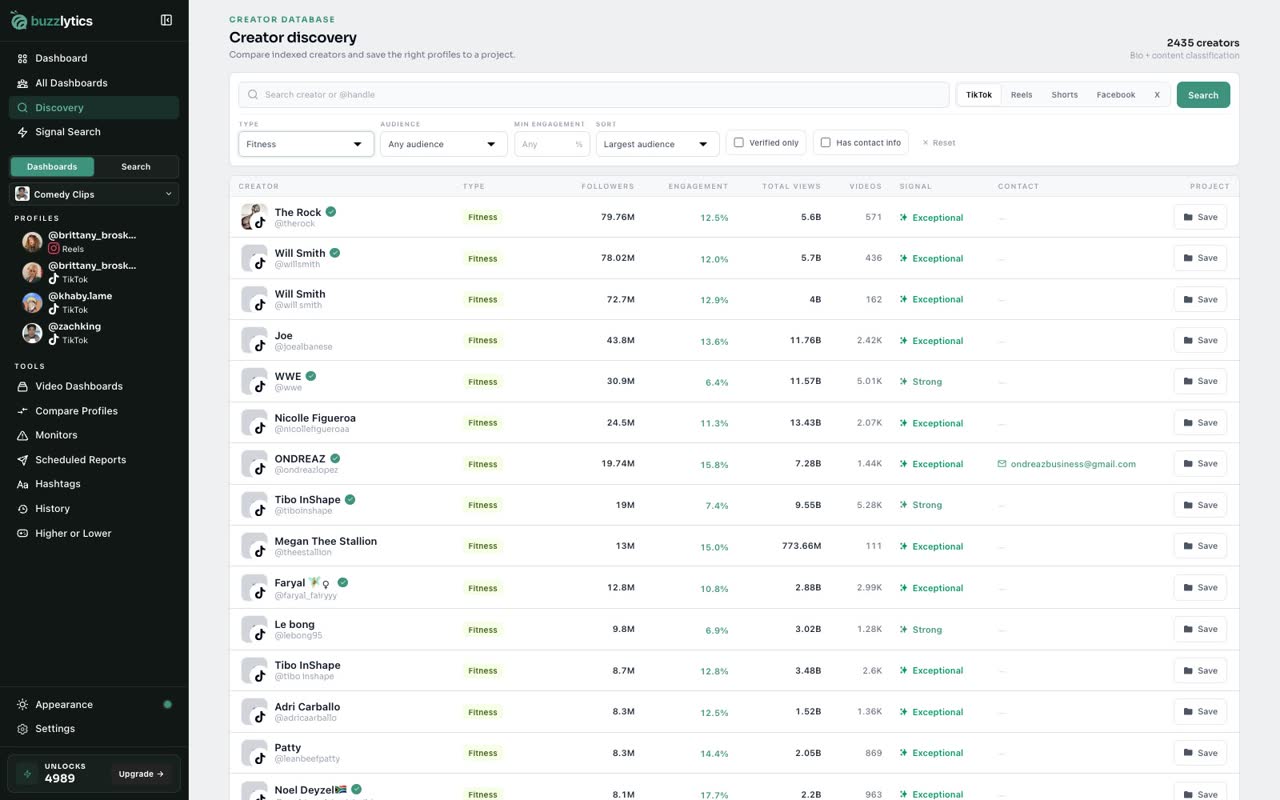
Use Type to narrow it to a niche, like fitness.
-
3
Set the audience size
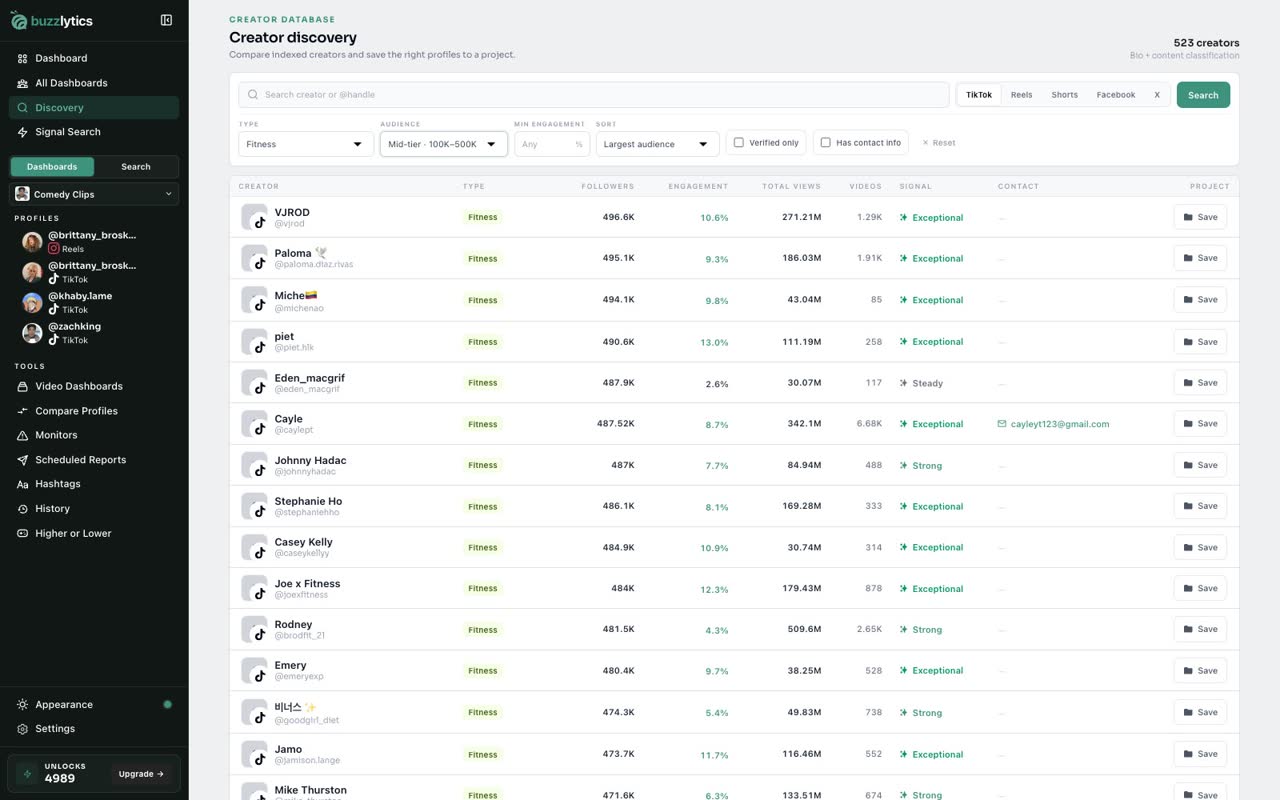
Then pick an audience size. Mid-tier means 100 thousand to 500 thousand followers.
-
4
Sort the results
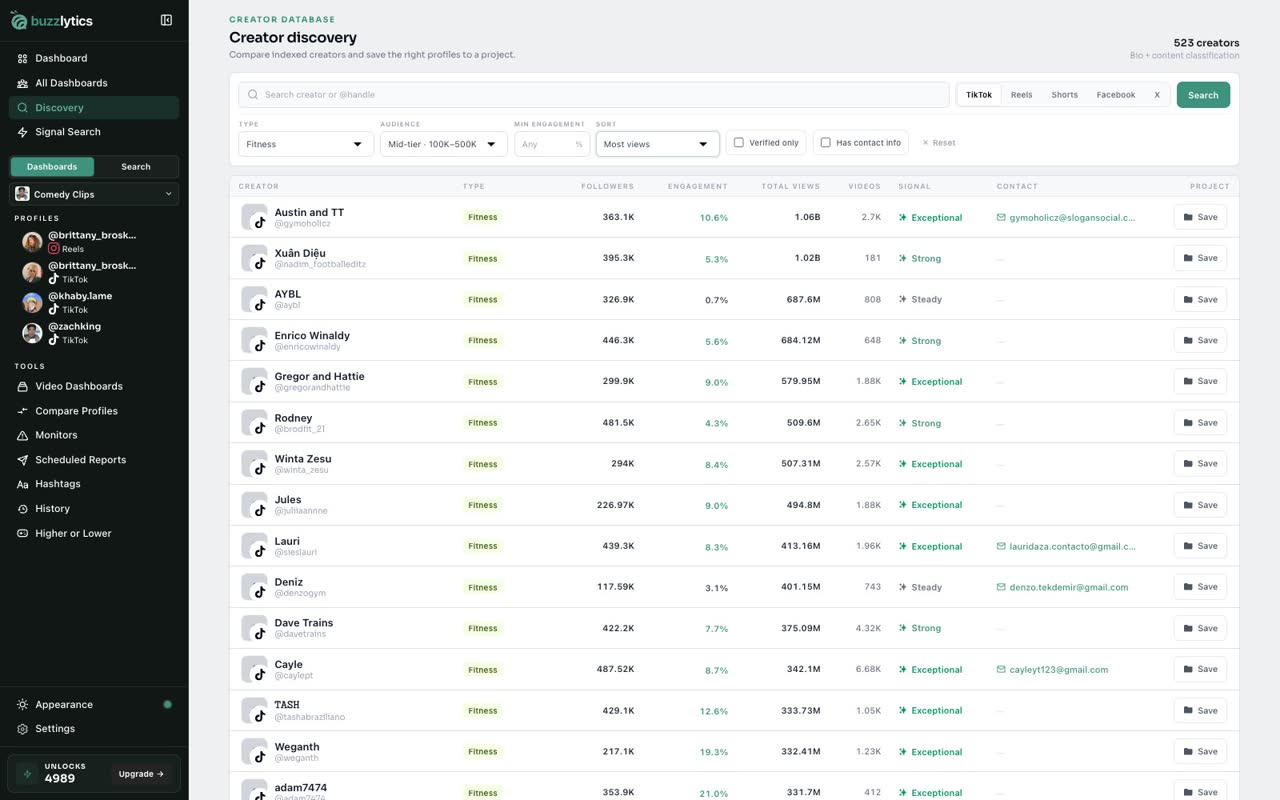
Sort by largest audience, most views, best engagement, or most active.
-
5
Compare the creators
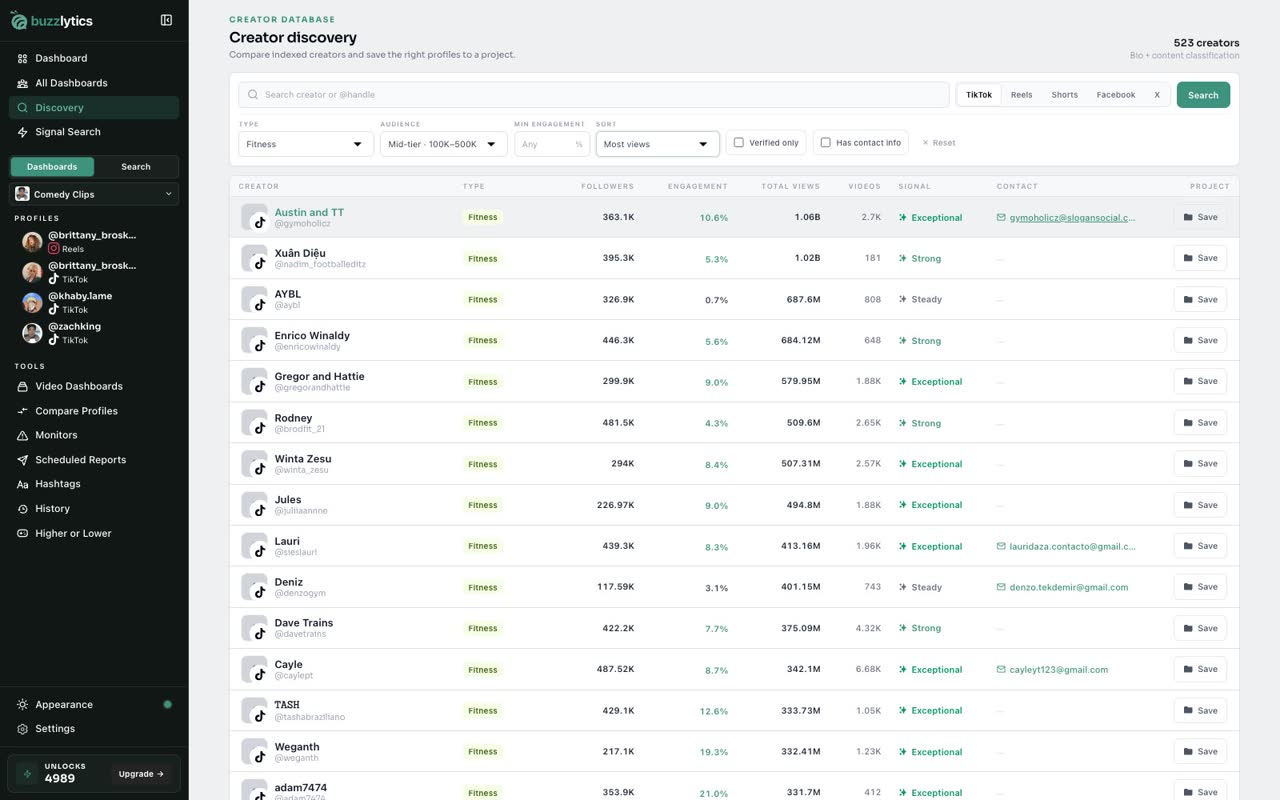
Each row shows followers, engagement, total views, and contact info when the creator lists it.
-
6
Save to a dashboard
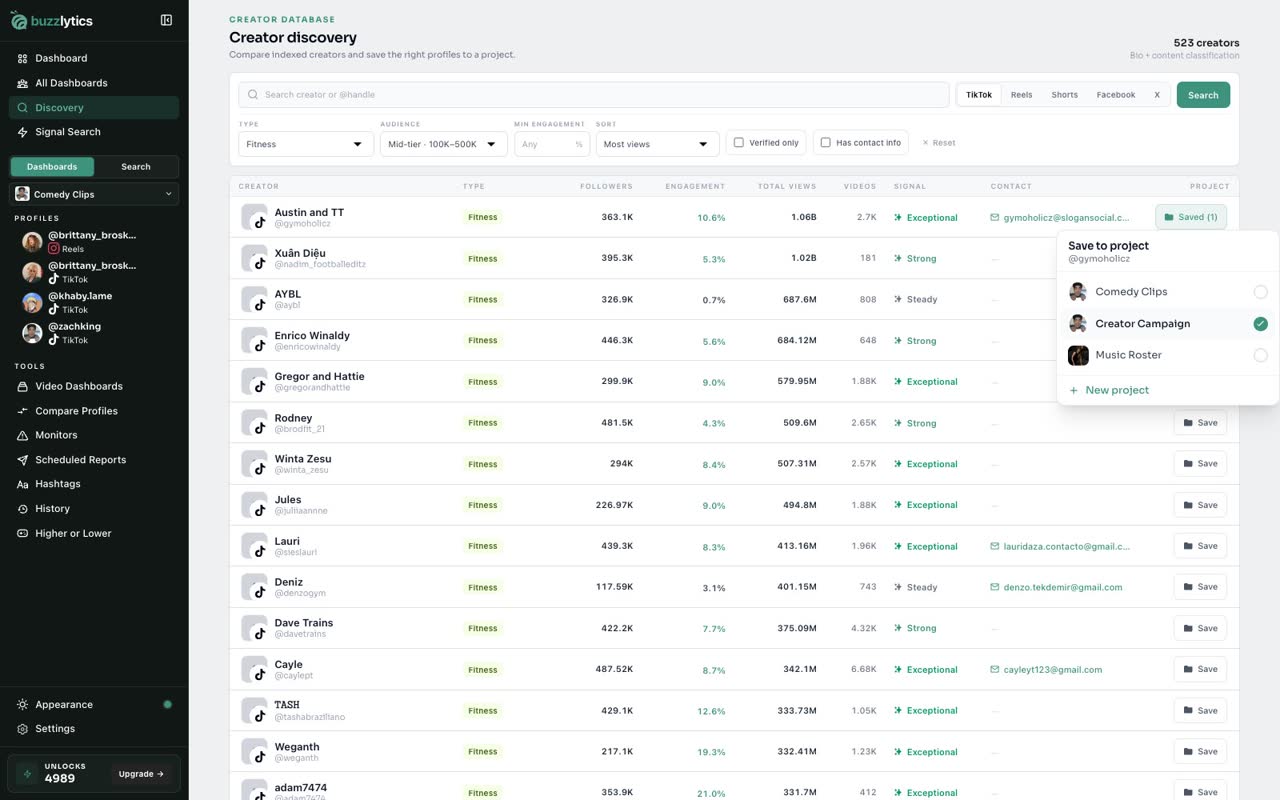
Click Save on any row and pick a dashboard. The creator is added and starts tracking right away.
Good to know
- Discovery covers TikTok, Reels, Shorts, Facebook and X. Switch platforms with the buttons next to the search box.
- Saving a creator to a dashboard starts tracking them. A creator nobody on your account has looked up yet uses 1 unlock.
Read the full transcript
In this video, you will find new creators with Discovery and save one to a dashboard.
Open Discovery from the sidebar. It is a database of over 100,000 creators, and you pick the platform at the top.
Use Type to narrow it to a niche, like fitness.
Then pick an audience size. Mid-tier means 100 thousand to 500 thousand followers.
Sort by largest audience, most views, best engagement, or most active.
Each row shows followers, engagement, total views, and contact info when the creator lists it.
Click Save on any row and pick a dashboard. The creator is added and starts tracking right away.
Next up, signal Search.