Create your first dashboard
Make a live dashboard for a client, campaign or roster, then add creators from every platform in one search.
Quick steps
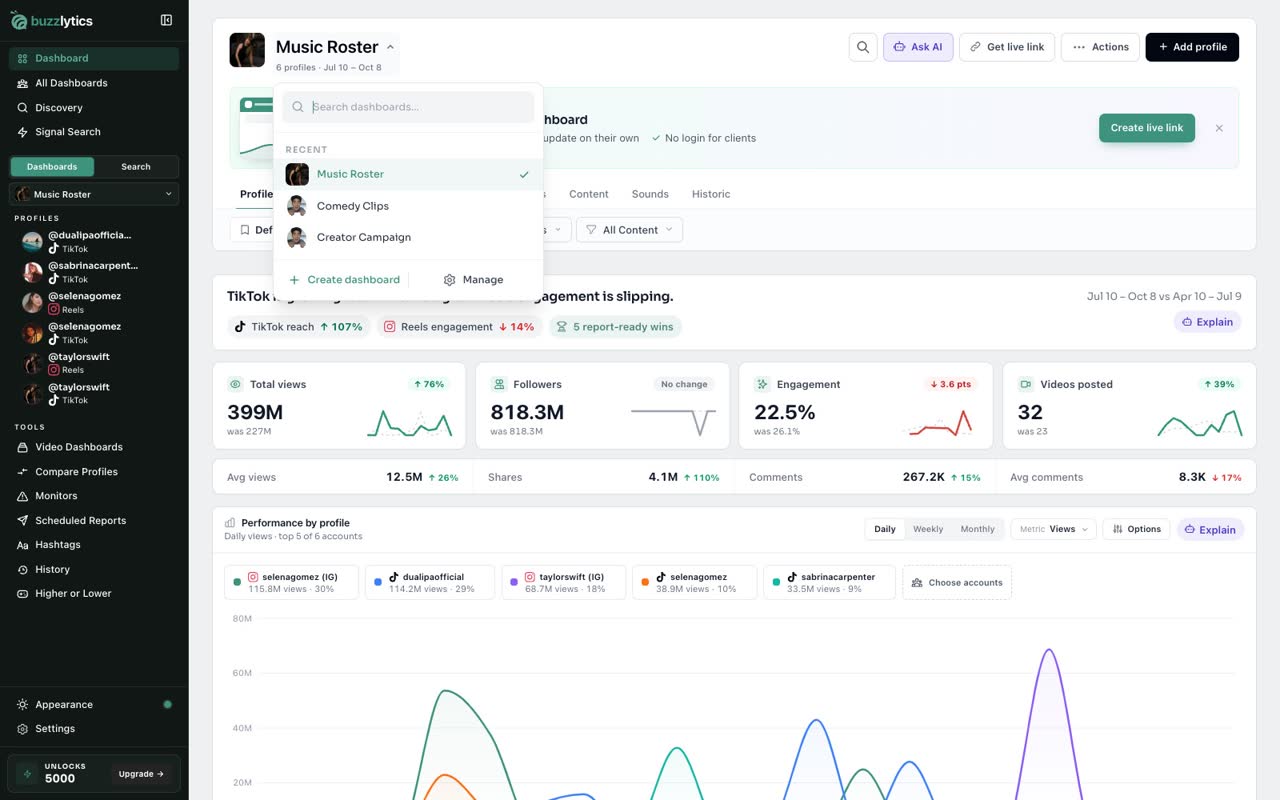
- Open the dashboard switcher
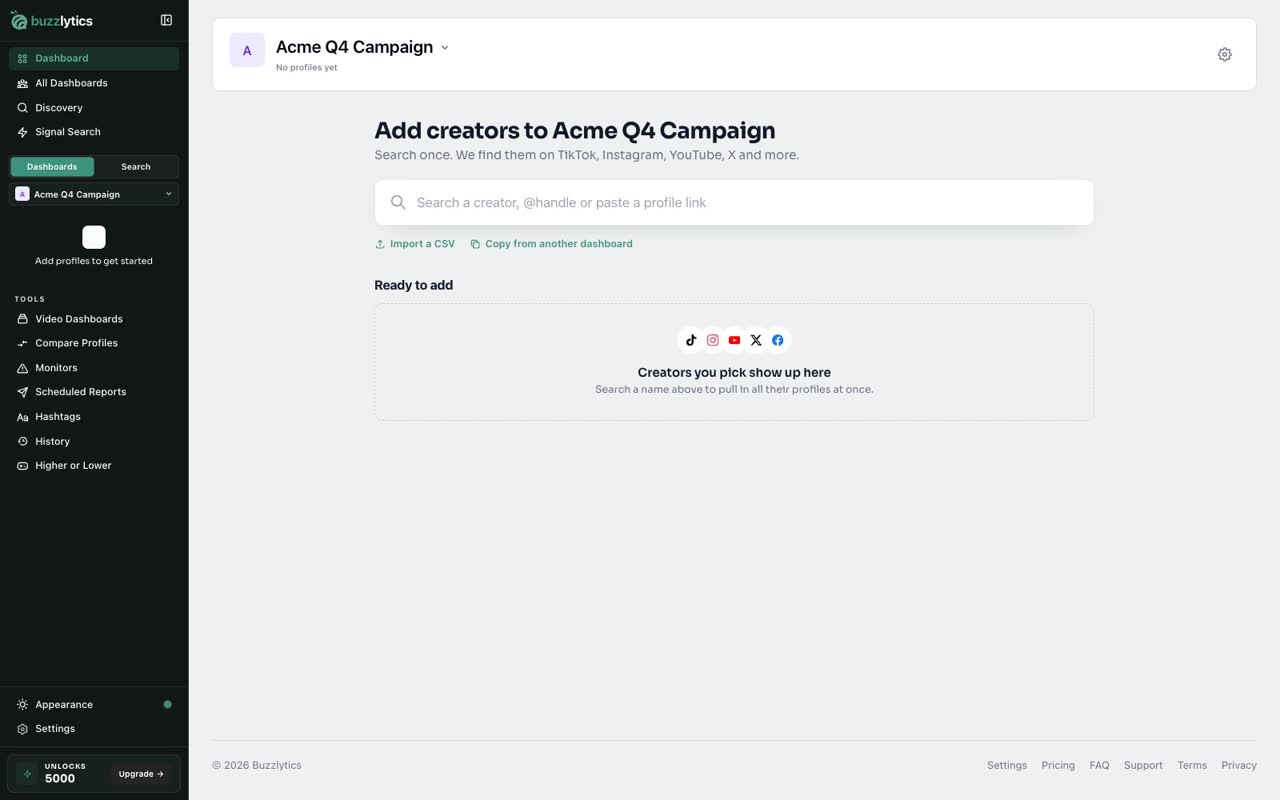
- Create a dashboard
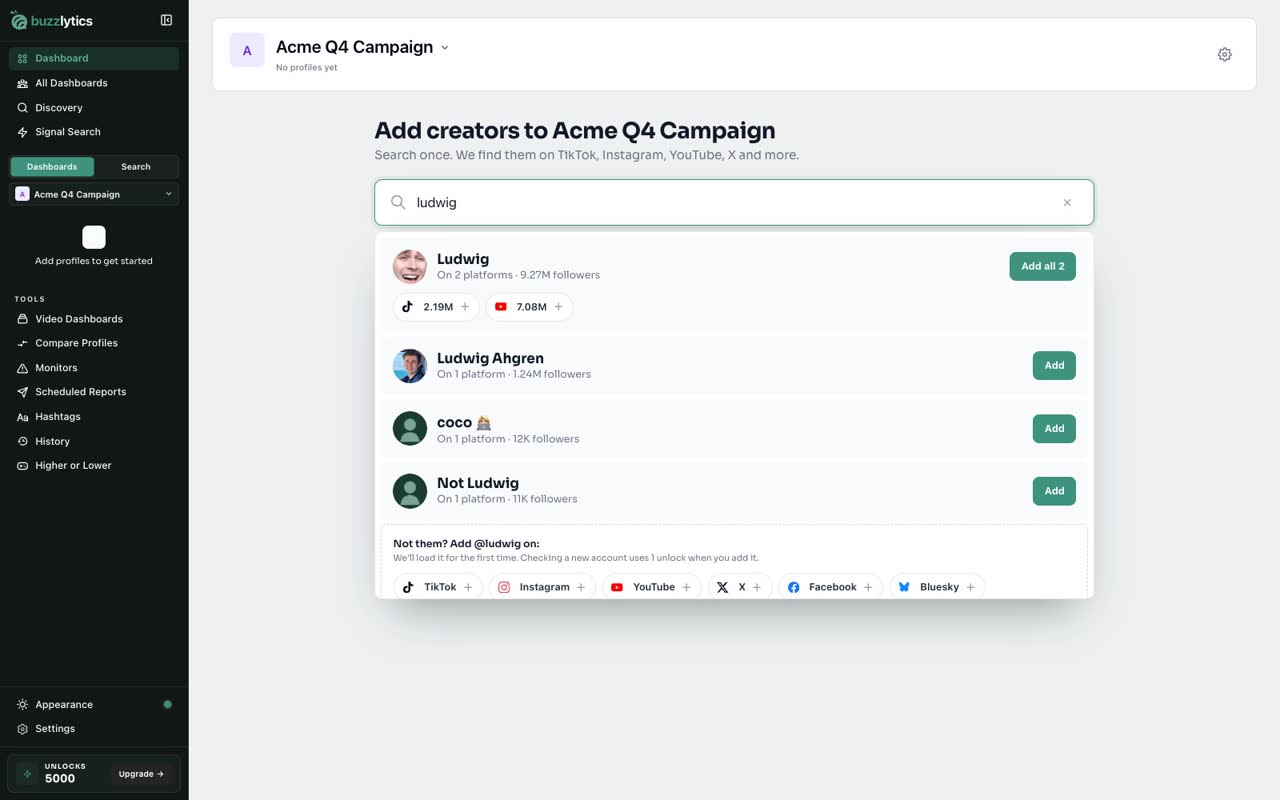
- Search a creator once
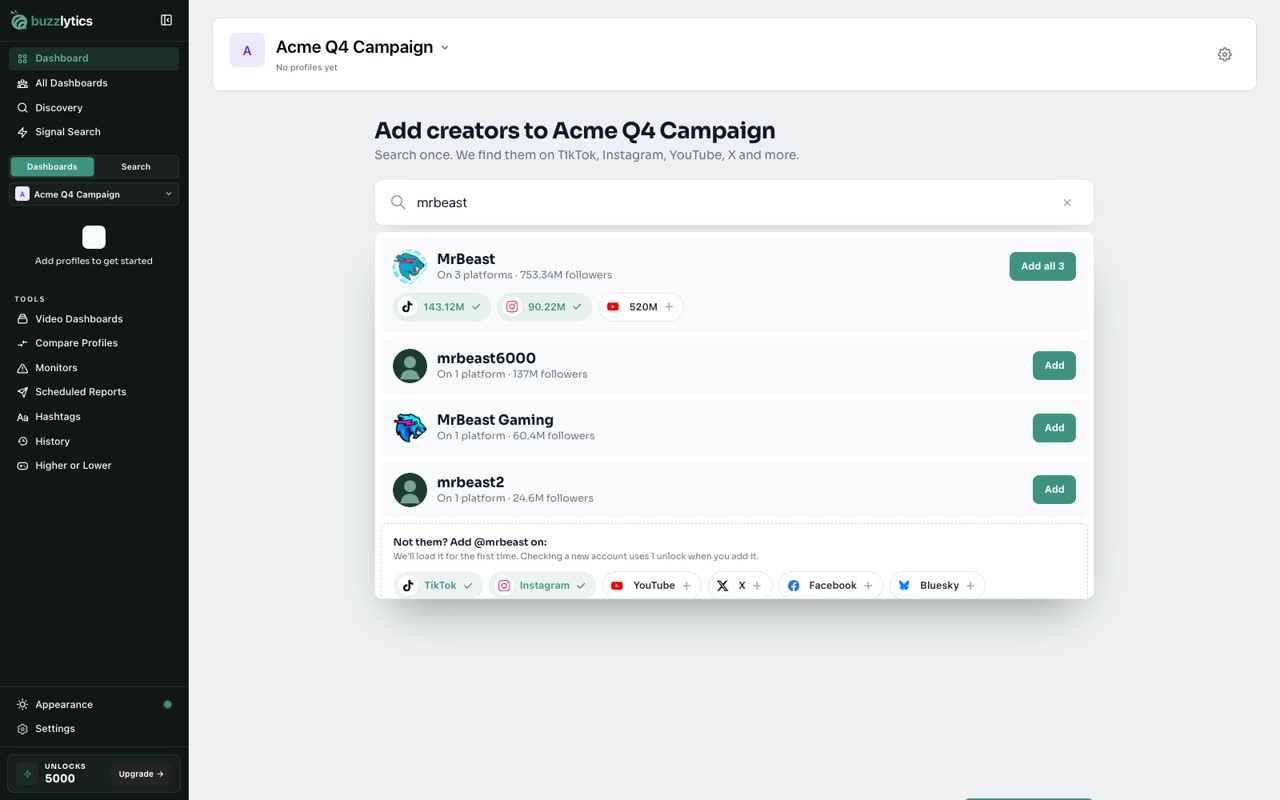
- Add every platform, or just one
- Save them to the dashboard
- Your numbers fill in
Step by step
Prefer reading? Every step shows the screen you’ll see. Click a time to jump the video there.
-
1
Open the dashboard switcher
Click the dashboard name at the top. This switcher lists every dashboard you have.
-
2
Create a dashboard
Choose Create dashboard, and give it a name. One dashboard per client or campaign works best.
-
3
Search a creator once
Now search for a creator by name or handle. Buzzlytics finds them on every platform they post on.
-
4
Add every platform, or just one
Add all of their accounts in one click, or pick only the platforms you need.
-
5
Save them to the dashboard
Everything you picked waits in the list. When you are ready, add them to the dashboard.
-
6
Your numbers fill in
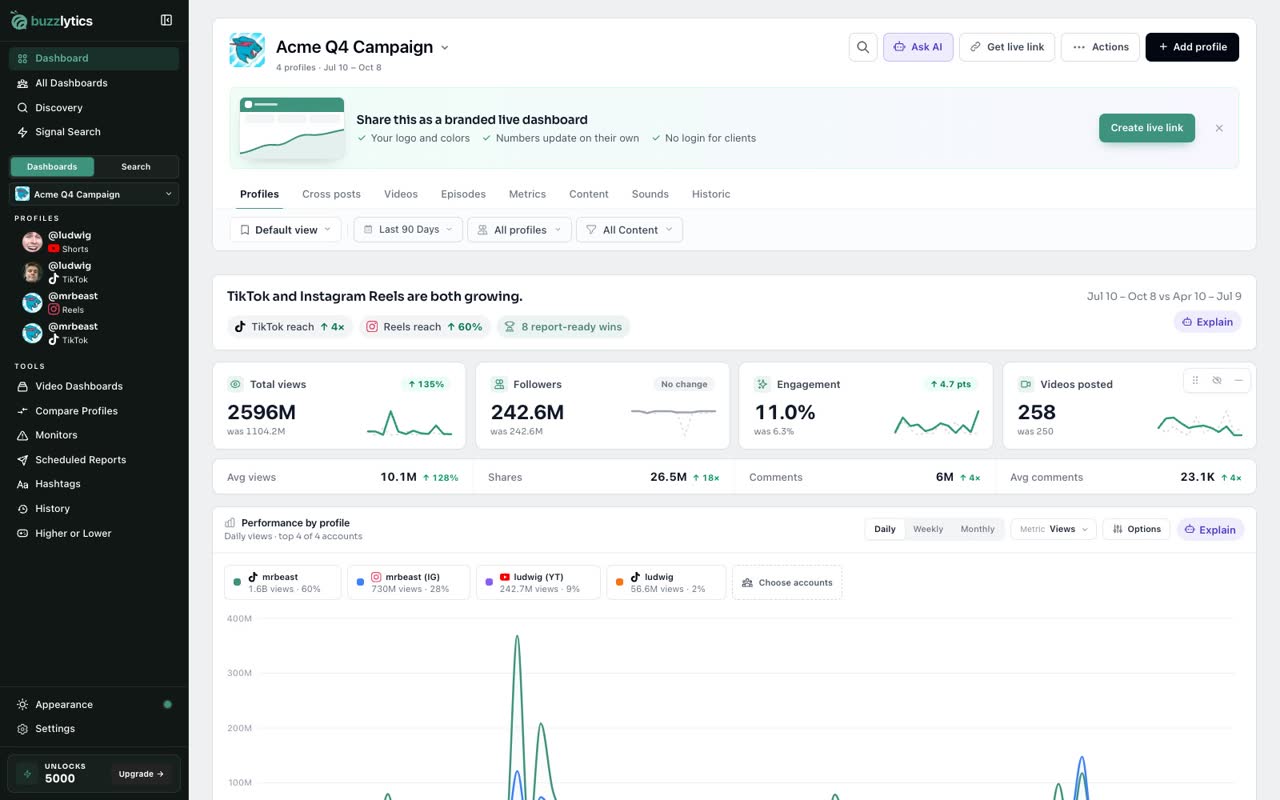
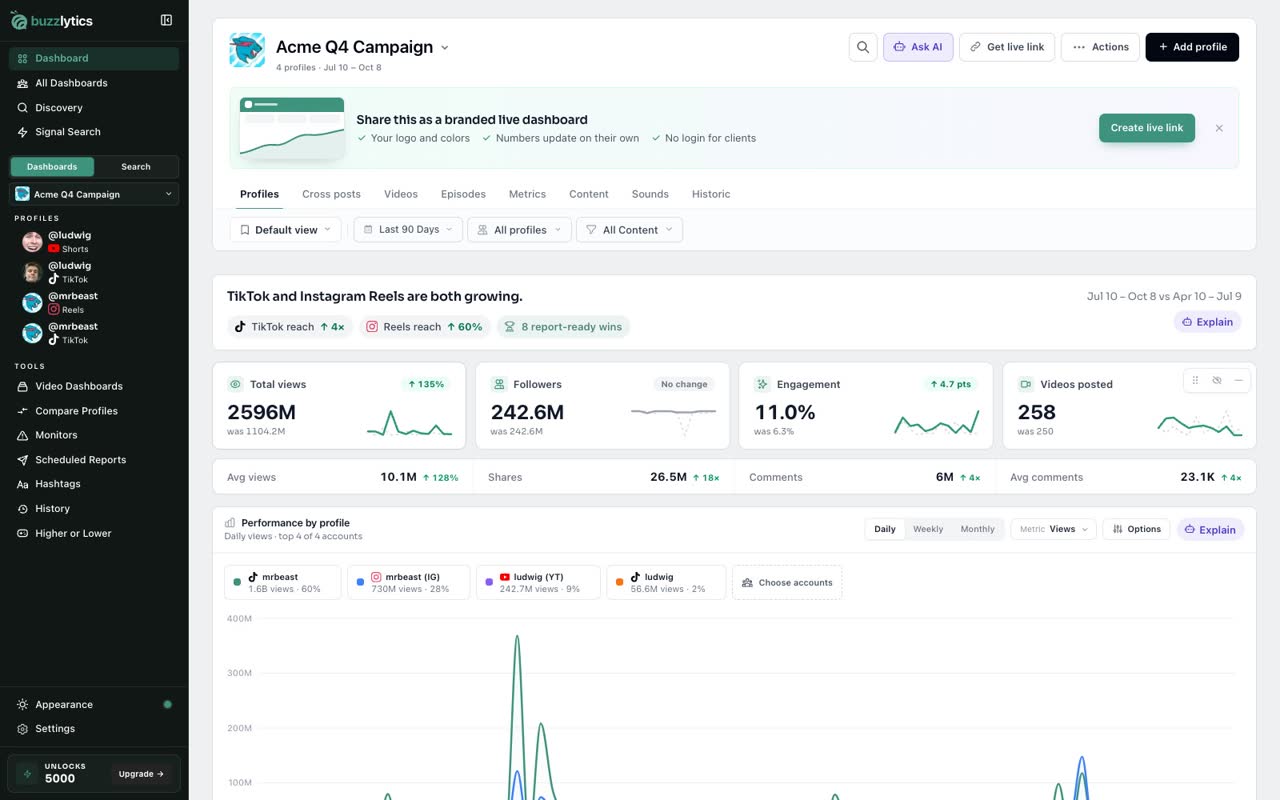
That is it. Views, followers and engagement for every account fill in right away, and stay up to date.
Read the full transcript
In this video, you will create a dashboard and add your first creators.
Click the dashboard name at the top. This switcher lists every dashboard you have.
Choose Create dashboard, and give it a name. One dashboard per client or campaign works best.
Now search for a creator by name or handle. Buzzlytics finds them on every platform they post on.
Add all of their accounts in one click, or pick only the platforms you need.
Everything you picked waits in the list. When you are ready, add them to the dashboard.
That is it. Views, followers and engagement for every account fill in right away, and stay up to date.
Next up, read the Profiles tab.