Calculate creator payouts
Turn the views each creator gained into a payout total, with one default rate and per-creator overrides, then export it.
Quick steps
- Pick the pay period
- Open Payouts
- Set your rate per 1,000 views
- Override one creator
- Check the totals
- Export calculated payouts
Step by step
Prefer reading? Every step shows the screen you’ll see. Click a time to jump the video there.
-
1
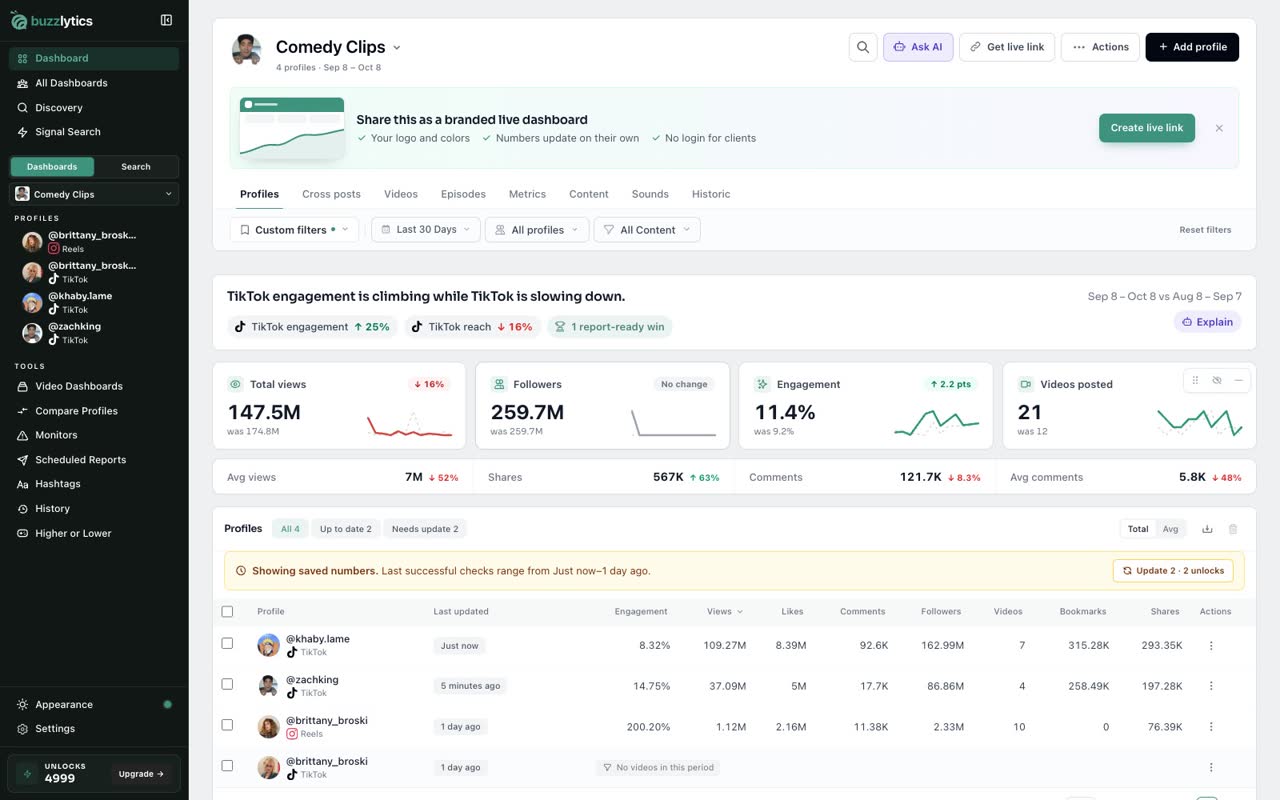
Pick the pay period
Open the dashboard for your campaign and set the date range to the period you are paying for, like the last 30 days.
-
2
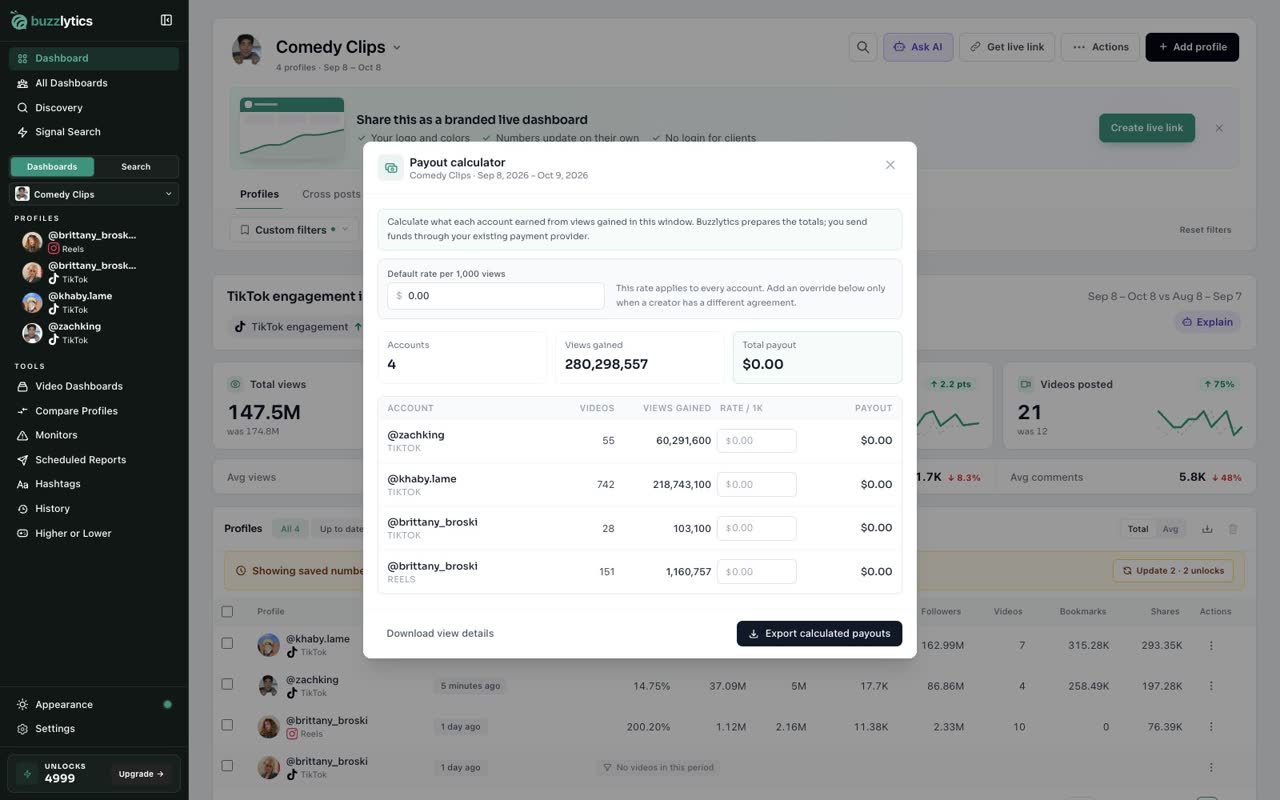
Open Payouts
Click Actions, then Payouts. The calculator adds up the views every account gained in that window.
-
3
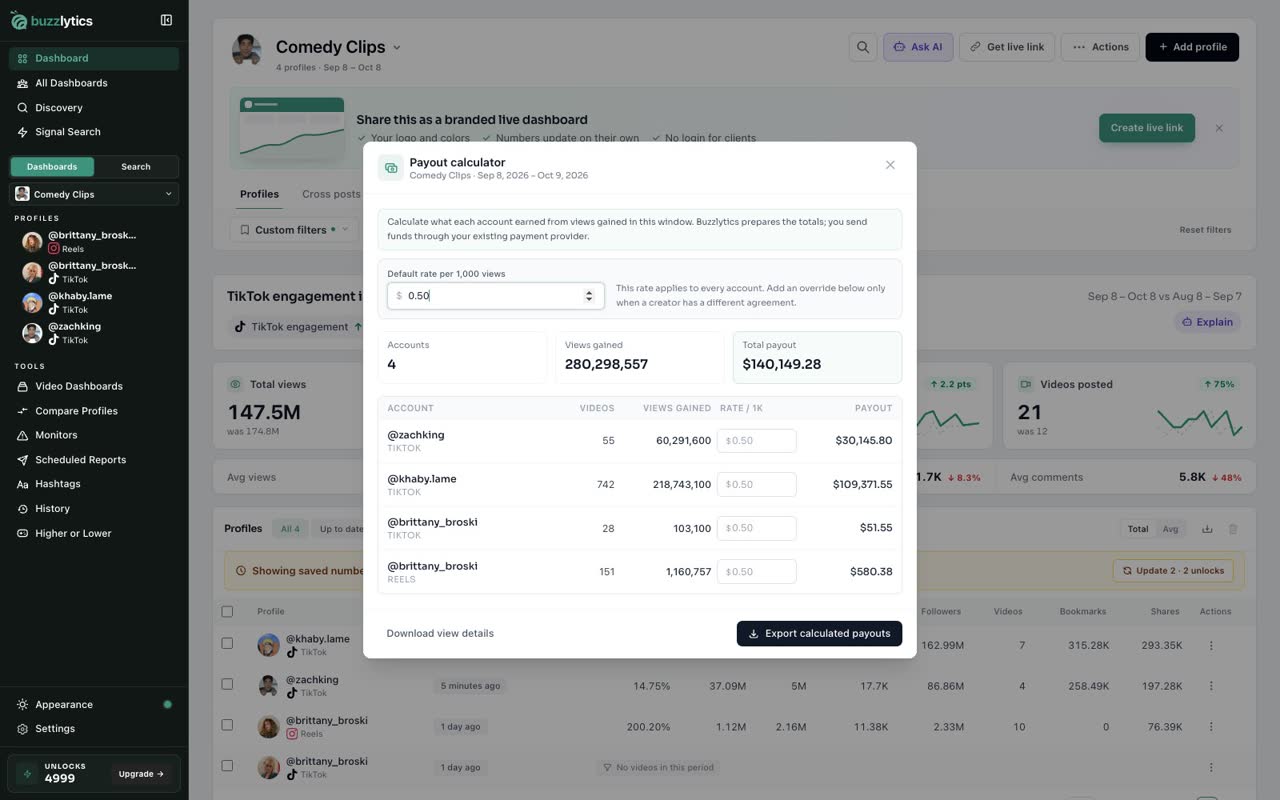
Set your rate per 1,000 views
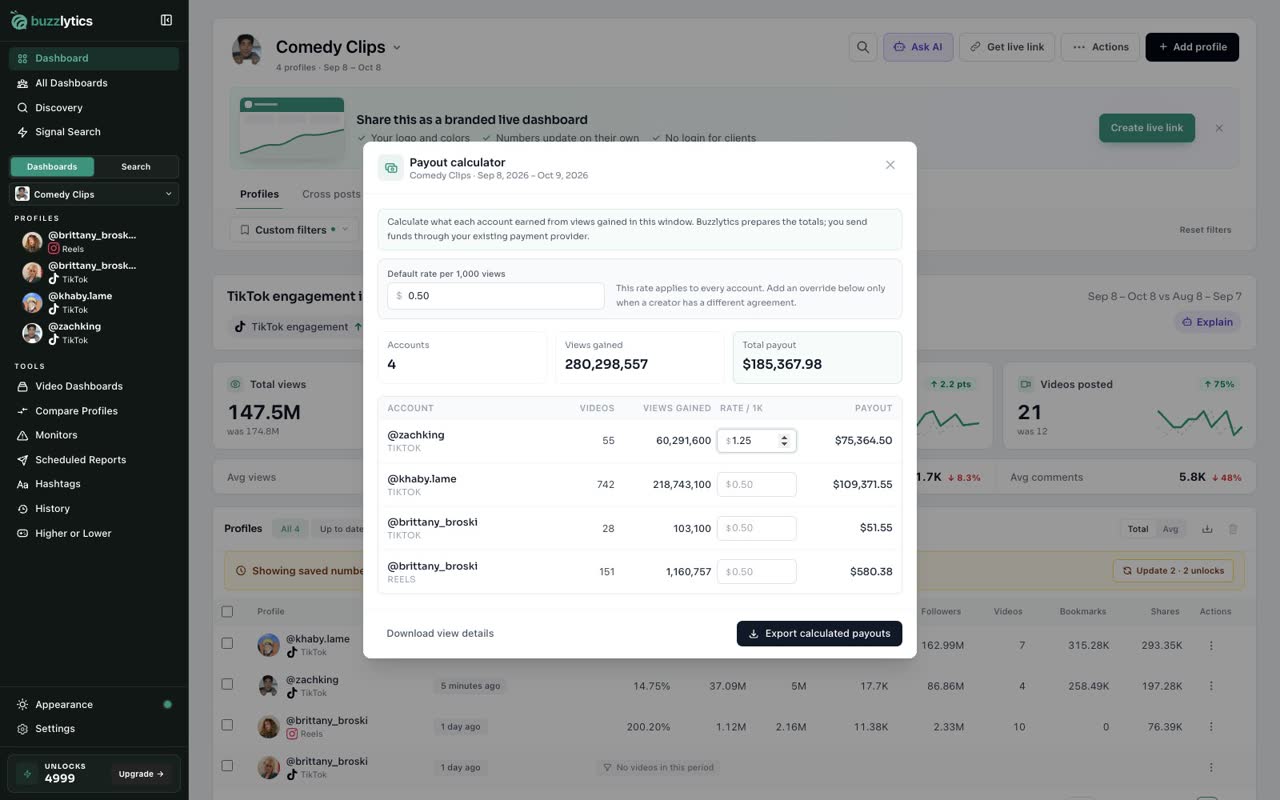
Type your default rate per 1,000 views. It applies to every account on the dashboard.
-
4
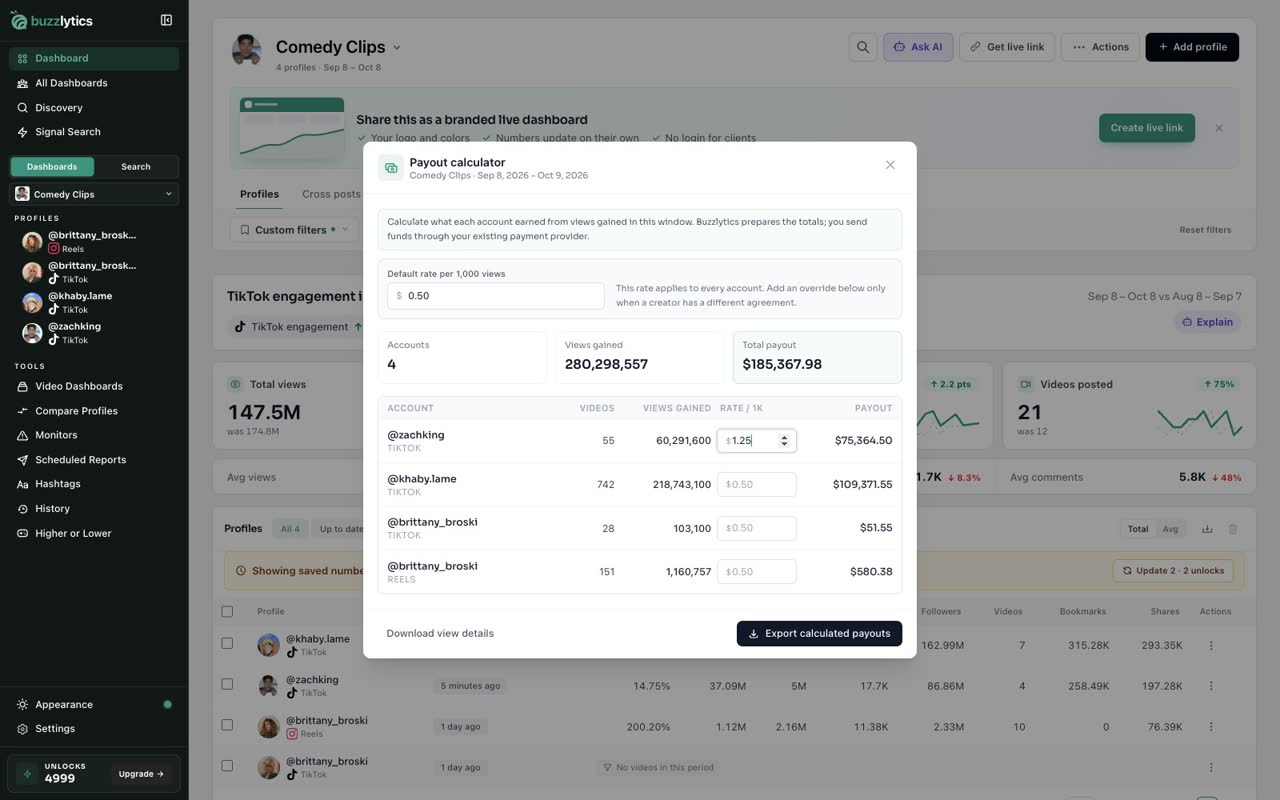
Override one creator
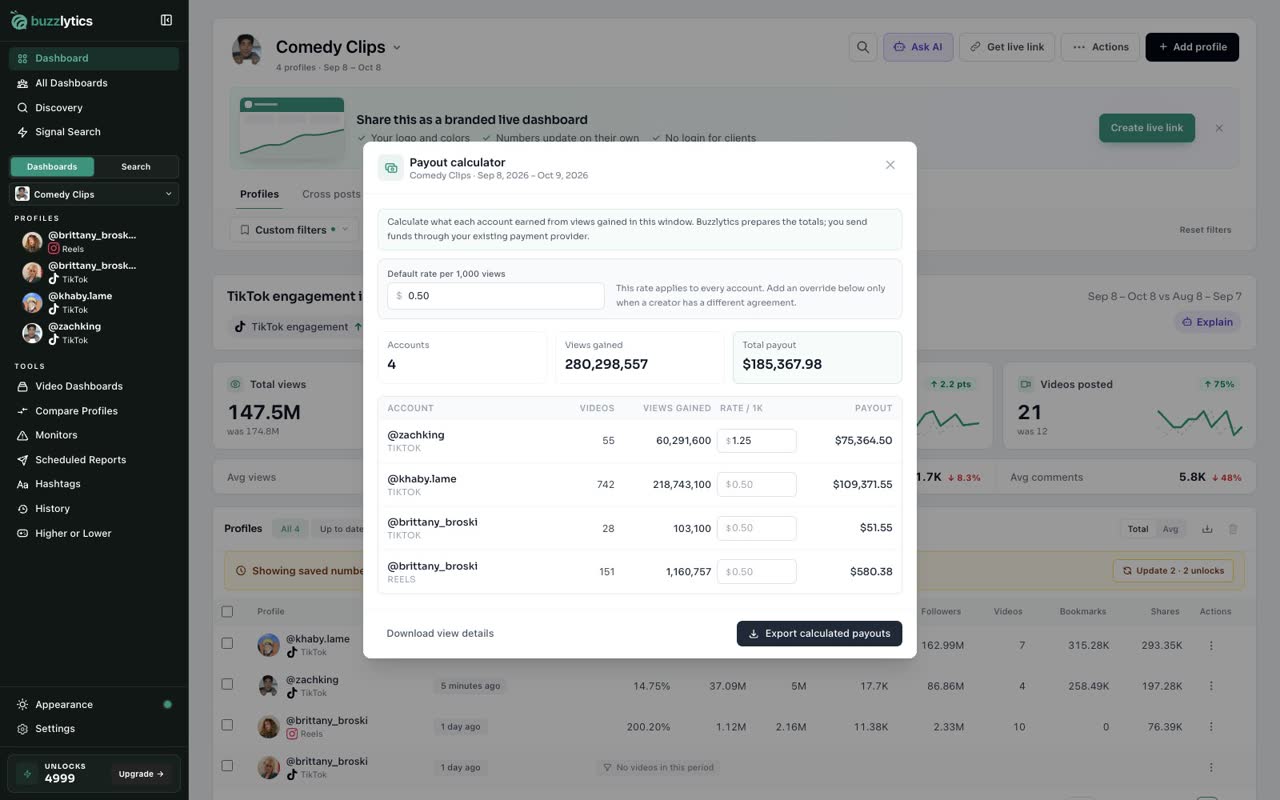
If a creator has a different deal, type their own rate on their row. Their payout updates right away.
-
5
Check the totals
At the top you see how many accounts are counted, the views gained, and the total payout for the period.
-
6
Export calculated payouts
Click Export calculated payouts to download a spreadsheet with every account, its views and what you owe.
Good to know
- Buzzlytics calculates the totals. You still send the money through your own payment provider.
- If the dashboard is set to All time, payouts use the latest 30 days.
- Payouts count views gained inside the date range, not lifetime views.
Read the full transcript
In this video, you will work out what each creator earned from the views they gained.
Open the dashboard for your campaign and set the date range to the period you are paying for, like the last 30 days.
Click Actions, then Payouts. The calculator adds up the views every account gained in that window.
Type your default rate per 1,000 views. It applies to every account on the dashboard.
If a creator has a different deal, type their own rate on their row. Their payout updates right away.
At the top you see how many accounts are counted, the views gained, and the total payout for the period.
Click Export calculated payouts to download a spreadsheet with every account, its views and what you owe.
Next up, share a clipper leaderboard.